
Goal
Arc length and sector area from a radius and central angle in degrees or radians.
Worldwide context
Saved once here, used across the site.
Currency changes display only. Country selection guides tax input; no tax rate is guessed.
Arc length and sector area from a radius and central angle in degrees or radians.
θ in radians; arc s = rθ; sector A = ½r²θ.A clearer path to an answer
This page keeps the calculation transparent: define the goal, enter the matching values, inspect the method, and decide what the result means in your situation.
Arc length and sector area from a radius and central angle in degrees or radians.
Radius · Central angle · Angle unit
θ in radians; arc s = rθ; sector A = ½r²θ.
Calculate, review the assumptions below, then compare a related tool when the decision needs more context.
Arc length and sector area from a radius and central angle in degrees or radians.
Open the Circular Arc Length and Sector Area pageMore math tools
Download PDFDownload Word (.doc)
Enter your values above and choose Calculate to see the result here.
Calculation map
θ in radians; arc s = rθ; sector A = ½r²θ.
Bounded, transparent calculation
Your recent runs stay in this browser session only.
Formula: θ in radians; arc s = rθ; sector A = ½r²θ.
Degrees convert to radians, then the radius scales them: arc length grows linearly with angle while sector area grows with the square of the radius.
Worked example: Arc length 5.236; sector area 13.09.
The displayed limits are checked before the handler runs. Model-specific domain checks may also reject impossible or non-finite inputs.
Methodology: This calculator follows the WorldCalculate input, formula, precision, and boundary policy. Read the official methodology.
Calculator usage statistics
This section counts anonymous successful Calculate submissions, not unique visitors. Counts and top tools appear only when trusted aggregate data is available; country analysis is shown only under the same condition and reporting threshold.
Answer-first guide
Arc length and sector area from a radius and central angle in degrees or radians. Start with one clearly defined goal, enter values in the units shown, and keep the result attached to the assumptions below.
This tool is useful when your question includes arc length, sector area, central angle. It returns the outputs declared in the calculator contract rather than a live quote, approval, diagnosis, or professional sign-off.
Radius · Central angle · Angle unit. Keep the same time period, unit system, and currency wherever the form requires comparable values.
Run the worked example first, compare its output with the page's example, then change one input at a time. This makes an unexpected result easier to trace to a unit, boundary, or assumption.
Need a wider view? Browse Math Calculators or compare the related tools below. The WorldCalculate methodology explains how formulas, examples, limits, and revisions are reviewed.
θ in radians; arc s = rθ; sector A = ½r²θ.
Degrees convert to radians, then the radius scales them: arc length grows linearly with angle while sector area grows with the square of the radius.
Arc length 5.236; sector area 13.09.
Context and background
Math calculators move from named quantities to a relation, then to a result that can be checked with substitution, units, or an alternate form.
Arithmetic, algebra, geometry, trigonometry, and number theory provide reusable structures for classroom work and everyday reasoning. Each page narrows that structure to one declared problem.
Research and review
Researched by Hassan ALRowaie, Founder and editorial researcher at WorldCalculate.
This guide follows the live calculator's declared inputs, formula, worked example, assumptions, validation boundaries, and source-backed methodology. The review date describes editorial review of the calculator explanation; it is not a promise that external facts or rates remain current.

An arc is a curved portion of a circle, and a sector is the region swept out by two radii and that arc. Both are controlled by the same central angle. This calculator accepts a positive radius, a nonnegative central angle, and an angle unit of degrees or radians. It converts a degree input to radians when necessary, calls the resulting value theta, and then uses arc length s = r theta and sector area A = 1/2 r^2 theta. The arc length has the same length unit as the radius, while the sector area has the corresponding square unit. A careful result depends less on difficult arithmetic than on identifying the radius, measuring the angle at the correct center, selecting the correct unit, and deciding whether the requested region is really a sector rather than a segment or another circular shape. This guide develops those ideas from definitions through worked examples, limiting cases, measurement practice, numerical precision, validation, and the boundaries of what the calculator can decide.
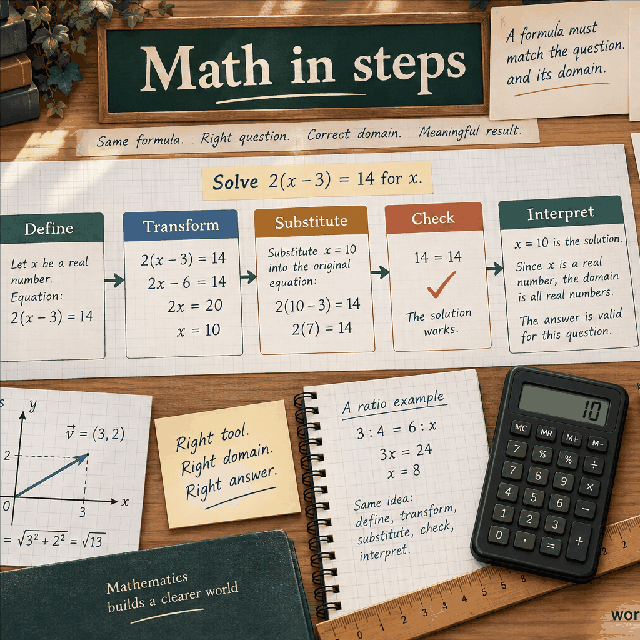
The calculator answers two closely related questions about one circle. First, how long is the curved path cut off by the entered central angle? That result is the arc length, written as s. Second, how much planar area lies inside the two radii and the arc? That result is the sector area, written as A. The two outputs are not interchangeable. One measures a one-dimensional boundary, and the other measures a two-dimensional region. They use the same radius and angle, but their dependence on the radius is different because area contains a squared radius.
The central angle is the angle whose vertex is at the circle's center. Its two rays pass through the endpoints of the arc. If a drawing marks a point on the circumference and connects it to the center, that center-to-edge segment is a radius. Two such segments create the sides of the sector. The curved boundary joining their outer endpoints is the arc used for the length result. Moving the entire drawing, rotating it, or reversing the direction of a sweep does not alter the positive magnitudes calculated from r and theta.
The page keeps the contract deliberately small. It does not ask for a center coordinate, an initial heading, a final coordinate, a chord, or a material thickness. It needs only a radius, an angle value, and a choice between degrees and radians. That makes it useful for a clean geometric calculation, but it also means that interpretation happens before and after the arithmetic. You must decide which circle is intended, which radius represents the relevant boundary, and which region the angle encloses.
The formulas assume a flat circle and an angle expressed as a nonnegative magnitude. For ordinary one-turn geometry, an angle from zero through one full revolution describes a zero region, a minor or major sector, or a full disk according to its size. The input fields also allow larger nonnegative values because the arithmetic formulas remain defined. A value beyond one revolution should be interpreted as a repeated sweep unless a separate geometric convention explains it. The result is therefore a transparent calculation of the entered model, not an automatic interpretation of a drawing.
The radius is the distance from the exact center of a circle to its circumference. Every point on that circumference is one radius away from the center in an ideal circle. The diameter is a straight segment that passes through the center and reaches the circumference on both sides. It is twice the radius, so d = 2r and r = d/2. This distinction is simple to state but important because both formulas in this calculator use r, not d.
If a measurement gives a diameter, divide it by two before entering it. Suppose a circular plate has a diameter of 20 centimeters. Its radius for this calculator is 10 centimeters. Entering 20 as the radius would make the computed arc twice as long as intended for the same angle. It would also make the computed sector area four times as large, because the area formula squares the radius. A result can look numerically tidy while still representing the wrong physical circle when this conversion is skipped.
The reference point also matters when a drawing has thickness. A wheel, pipe, ring, or curved strip can have an inner radius, an outer radius, and a centerline radius. The correct choice depends on what is being measured. A path length along the middle of a strip uses its centerline radius; the area of the strip may require subtracting an inner sector from an outer sector. This calculator returns one arc and one sector for one radius. It does not infer which surface or centerline a physical object requires.
Use a labeled sketch before entering a number. Mark the center, draw one center-to-edge line, and label that line r. If the source gives a full width, full span, or diameter, record the conversion beside it. Keep the length unit attached to the value, even though the input field itself accepts only a number. This small preparation prevents a common category error: supplying a valid positive number that is the wrong geometric dimension.
A central angle is measured at the circle's center, not at a point on the circumference. Its sides are radii, or rays that follow the same directions as radii. The angle identifies how far around the circle the arc extends. A small central angle selects a narrow wedge, while a larger angle selects more of the circumference and more of the disk. Because the same sweep controls both outputs, an angle measurement made at the wrong vertex changes both the arc length and the sector area.
For an angle between zero and 180 degrees, the usual sector is the smaller region between the two radii, and the associated arc is the shorter arc. From 180 through 360 degrees, the entered sweep can describe a semicircle through a major sector and finally a complete disk. The formulas use the magnitude of the sweep exactly as entered. They do not ask whether a diagram labels one boundary as the minor arc or the major arc, so that choice must be reflected in the angle value.
The direction of rotation is not part of the numeric result. A clockwise sweep and an equally sized counterclockwise sweep have equal arc lengths and equal sector areas. If a later task needs orientation, signed rotation, or a start and end bearing, it needs additional information. A negative angle is not used here to encode clockwise motion; the field contract accepts a nonnegative central angle and treats the calculation as a magnitude problem.
The angle value and the angle unit must be read together. The number 2 can mean 2 degrees, 2 radians, or another unit in a different context, and those are very different sweeps. The selector limits this page to degrees and radians. If an instrument reports turns, gradians, or a fraction of a revolution, convert that reading before entry rather than assuming the calculator will recognize the label.
The formulas s = r theta and A = 1/2 r^2 theta require theta in radians. A radian is defined by comparing an arc length with the radius that subtends it. On a unit circle, an arc of length 1 has a central angle of 1 radian. A complete circumference has length 2 pi when the radius is 1, so one full revolution is 2 pi radians and also 360 degrees. This relationship gives the conversion factor between the two common angle units.
For a degree input, calculate theta = angle x pi/180. For a radian input, set theta equal to the entered angle without multiplying by pi or dividing by 180. Thus 180 degrees becomes pi radians, 90 degrees becomes pi/2 radians, and 60 degrees becomes pi/3 radians. Conversely, a half-turn entered as pi radians already has the value needed by the formulas. The calculator performs the degree conversion internally and uses a radian value directly when radians is selected.
The conversion is not a change of physical length. Angles are dimensionless ratios, although radians make the ratio especially visible. If the radius is measured in meters, multiplying it by theta produces meters. If the radius is measured in inches, the same calculation produces inches. Converting the angle changes its numerical representation, not the geometric sweep. A degree value must be converted because its number counts 360 equal parts of a turn, while a radian value is tied directly to arc-to-radius proportion.
A frequent error is to use a degree value directly in s = r theta. With r = 5 and angle = 60 degrees, using 60 as theta would produce 300 instead of about 5.236. The opposite error is to take a radian such as 1.2 and multiply it by pi/180 a second time, shrinking the intended angle. Write the unit beside the value, apply exactly one conversion when degrees are selected, and then use the converted theta in both formulas.
The circumference of a circle with radius r is 2 pi r. An angle of theta radians represents the fraction theta/(2 pi) of a complete revolution, provided the sweep is being viewed as one turn or a portion of one turn. The corresponding arc is that same fraction of the circumference. Multiplying gives s = [theta/(2 pi)] x 2 pi r, and the factors 2 pi cancel, leaving s = r theta. The radian definition is exactly what makes this formula so compact.
The result is a length along the curved boundary, not the straight distance between the endpoints. For a fixed radius, a larger angle traces a longer arc in direct proportion. For a fixed angle, a larger circle has a proportionally longer arc because every part of its circumference is farther from the center. If the radius is 5 units and theta is pi/3, the length is 5pi/3 units, approximately 5.236 units.
The formula works for a major arc as well as a minor arc when theta is expressed as the chosen nonnegative sweep in radians. At theta = pi, it gives half the circumference, pi r. At theta = 2 pi, it gives the full circumference, 2 pi r. If theta exceeds 2 pi, the same arithmetic measures a path that goes around the circle more than once. That can be useful for a repeated rotation or travel path, but it is not the length of a unique simple boundary of an ordinary sector.
Arc length is often the quantity needed for material, travel, or timing estimates, but the reference path must be specified. A vehicle moving along the centerline of a curved lane follows a different arc from a vehicle near the inside edge. A strip cut along an outer edge has a different length from its inner edge. The calculator cannot identify that reference path; it faithfully applies the entered radius to the selected angle.
The full disk has area pi r^2. A sector covering theta radians occupies the fraction theta/(2 pi) of a full turn. Its area is therefore [theta/(2 pi)] x pi r^2. Canceling pi and simplifying gives A = 1/2 r^2 theta. The same angle fraction that selects part of the circumference selects the same fraction of the disk, which is why both the arc and sector formulas are linear in theta.
The square on the radius carries a physical meaning. If every dimension of the circle is enlarged by a factor, the boundary lengths grow by that factor, but planar regions grow by the factor squared. For a radius of 5 units and theta = pi/3, the area is 1/2 x 25 x pi/3, or 25pi/6 square units, approximately 13.09 square units. The unit is squared because two independent directions contribute to area.
A sector includes the two radii as boundaries and the arc as its curved boundary. The radii themselves have no area, but they close the region and establish which wedge is intended. Area does not depend on whether the sweep was described clockwise or counterclockwise when the magnitude is fixed. It does depend on which side of the two rays is included, which is why a major-sector angle and a minor-sector angle produce different areas.
Do not use the circumference formula when the requested result is area, and do not attach a length unit to the area result. A result of 13.09 from a radius measured in centimeters means 13.09 square centimeters, not 13.09 centimeters. If the input is in feet, the result is square feet. If a project needs a material area after a cutout, hole, or overlap, the simple sector value may be one component of a larger area calculation rather than the final quantity.
Use radius r = 5 units, central angle 60 degrees, and select degrees. The first step is not to place 60 directly into either formula. Convert it to radians: theta = 60 x pi/180 = pi/3, which is approximately 1.047197551 radians. Since 60 degrees is one sixth of 360 degrees, the chosen arc should be one sixth of the circumference and the chosen sector should be one sixth of the disk. Both observations provide a useful check on the calculation.
For the arc, substitute the radius and converted angle: s = 5 x pi/3 = 5pi/3 units. Numerically, this is approximately 5.235987756 units, which the calculator presents as 5.236 in its arc-length result. The full circumference is 2 pi x 5 = 10pi units. Dividing that by six gives 5pi/3, confirming that the degree fraction and the radian formula agree.
For the sector, use the same theta rather than reconverting or using a different angle: A = 1/2 x 5^2 x pi/3 = 25pi/6 square units. This is approximately 13.08996939 square units, presented as 13.09. The full disk area is pi x 5^2 = 25pi square units, and one sixth of it is 25pi/6. The matching one-sixth checks are available because 60 degrees divides a full revolution evenly.
If the radius represents 5 meters, attach meters to the arc and square meters to the sector. If it represents 5 inches, use inches and square inches instead. The numbers do not change merely because the unit label changes, but a conversion of the radius would change the numerical outputs. The important sequence is radius identification, one degree-to-radian conversion, application of both formulas, and a check against the corresponding fractions of the full circle.
Now use radius r = 8 units and central angle 1.2 radians, with radians selected. Because the input is already in radians, theta = 1.2. There is no factor of pi/180 in this case. The angle is less than pi, so under the ordinary one-turn interpretation it selects a minor sector. The calculation can proceed directly, which is one reason radian input is convenient when the angle came from a mathematical or scientific model.
The arc length is s = r theta = 8 x 1.2 = 9.6 units. No approximation of pi is needed for this particular numerical input because the entered angle is a decimal radian value. The result is still a curved distance. The straight endpoint-to-endpoint distance would be a chord and would require a different formula and a different interpretation.
The sector area is A = 1/2 x 8^2 x 1.2. Squaring the radius gives 64, so A = 32 x 1.2 = 38.4 square units. A fraction check gives another view: the sweep is 1.2/(2 pi) of a full turn, while the full circumference is 16pi and the full disk area is 64pi. Multiplying those full-circle quantities by the same fraction returns 9.6 and 38.4.
This example shows why unit selection must remain visible in a record. If someone later reads the number 1.2 as degrees, they will calculate a tiny wedge rather than the intended 1.2-radian wedge. Write 1.2 rad beside the measurement, retain the radius unit, and report the two outputs with their different dimensional units. The formulas are identical to the degree example after conversion; only the input path to theta differs.
A zero central angle is allowed by the field contract. Both radius rays point in the same direction, so the swept arc has zero length and the sector collapses to a boundary with zero area. Substituting theta = 0 gives s = r x 0 = 0 and A = 1/2 r^2 x 0 = 0. This is a degenerate geometric case, but it is not an invalid numeric input because a zero sweep has a clear mathematical meaning.
A full circle can be entered as 360 degrees or as 2 pi radians. With radius r, the arc result becomes s = r x 2 pi = 2 pi r, the ordinary circumference. The area becomes A = 1/2 r^2 x 2 pi = pi r^2, the ordinary disk area. For r = 5 units, these are approximately 31.416 units and 78.540 square units. The sector has become the whole disk because the two radius directions complete one revolution.
Angles between zero and a full turn fill the continuum between a collapsed region and a complete disk. A 180-degree or pi-radian input gives a semicircular sector with half the circumference as its arc and half the disk area as its region. An angle greater than 180 degrees describes a major sector under the usual one-turn picture. These cases are not errors; they simply require the reader to recognize which portion of the circle the chosen sweep represents.
The field allows angles up to 1,000,000,000 in either listed unit. A value larger than one full turn is arithmetically accepted and produces a proportional result, but a simple sector boundary does not keep growing as a unique non-overlapping region after the circle has closed. Such an input may represent repeated travel, rotation, or accumulated sweep. If the intended object is one physical disk or one ordinary sector, reduce the angle to the intended turn or revisit the model before using the result.
With the radius held fixed, both outputs scale linearly with the central angle. If theta is multiplied by a positive factor k, then s becomes k s and A becomes k A. Dividing a sector into three equal angular pieces divides both the total arc length and the total sector area into three equal parts. This is true whether the angle is represented in degrees or radians, as long as the conversion is handled consistently before applying the formulas.
With the angle held fixed, arc length scales linearly with radius but sector area scales quadratically. Replacing r with 2r changes s from r theta to 2r theta, so the arc doubles. It changes A from 1/2 r^2 theta to 1/2 (2r)^2 theta, so the area becomes four times as large. This difference explains why an inaccurate radius can have a more pronounced effect on area than on arc length.
If both dimensions change, combine the factors. Replacing r by q r and theta by k theta multiplies arc length by qk and sector area by q^2 k. For example, doubling the radius and tripling the angle makes the arc six times as long and the sector area twelve times as large. These relationships are useful for checking scenarios without recalculating every detail and for spotting a result that moved in the wrong direction after an input change.
The local sensitivity can also be read from the formulas. A small change in theta changes arc length at a rate of r and changes area at a rate of 1/2 r^2. A small change in r changes arc length at a rate of theta and changes area at a rate of r theta. These rates are not uncertainty estimates by themselves, but they show which input deserves attention. A large radius magnifies angle errors in area, while a large angle makes radius errors visible in both outputs.
A sector is bounded by two radii and an arc. A circular segment is bounded by an arc and a straight chord joining the same endpoints. The two regions often appear together in drawings, but they are not the same area. For a minor angle, the segment is the sector with the central triangle between the two radii removed. Asking for sector area when the drawing actually labels the cap between an arc and a chord will overstate the desired area.
The chord length for a central angle theta in radians is c = 2r sin(theta/2). It is a straight distance, so it is generally shorter than the corresponding arc for a nonzero minor sweep. The triangle formed by the two radii and the chord has area 1/2 r^2 sin(theta). For a minor angle from zero through pi, the minor segment area is 1/2 r^2 (theta - sin(theta)). That formula uses radians as well; substituting degrees into the sine expression without conversion is another unit error.
For a major sector, the region associated with the major arc can be larger than a half-disk. A major segment can be found by taking the full disk area and subtracting the corresponding minor segment, or by carefully combining the major sector and the central triangle. The exact expression depends on which side of the chord is intended. The calculator does not make that choice. It reports the sector area dictated by the entered angle, not the cap area between a chord and an arc.
A useful sketch labels all three possible boundaries: the curved arc, the straight chord, and the two radii. If the requested quantity follows the curve, use arc length. If it spans the endpoints directly, use a chord calculation. If it fills the wedge from the center, use sector area. If it excludes the center and follows only the cap, use a segment method. Naming the boundary first prevents a correct formula from answering the wrong geometric question.
In a layout task, start by identifying the physical center of the intended circle. Mark the center and the two directions that bound the wedge. Measure the radius to the reference boundary, then measure the included angle between those directions. A protractor, drawing dimension, coordinate construction, or rotational specification may provide the angle, but each source has its own precision and reference convention. The calculator can process the resulting numbers; it cannot correct a misplaced center or a measurement taken from the wrong edge.
Arc length is useful when a curved edge, belt path, trim piece, track, cable route, or repeated motion follows a circular path. The relevant radius is the radius of that path, not automatically the outer radius of the object. Sector area is useful for plan-view estimates such as a fan-shaped panel, a wedge of flooring, a circular garden bed, a slice-shaped display, or a radial layout. These uses assume the surface is represented by a flat sector and that thickness, cut waste, and installation clearances are handled elsewhere.
For a physical part, decide whether the radius is measured to the inside edge, outside edge, or centerline. If a strip has width, its two edge arcs have different lengths. If a ring-shaped region is needed, calculate the outer sector and inner sector separately and subtract the inner area from the outer area. If several wedges share one center, ensure their angles are measured from the same reference direction and account for gaps or overlaps instead of simply adding nominal values.
Record the measurement context with the result. Include the radius unit, the angle unit, the date or drawing revision if relevant, the reference surface, and the precision of each observation. For layout work, compare the computed area with available material and compare the computed arc with the stock length. A mathematical result can expose an obvious mismatch, but it cannot certify fit, structural adequacy, accessibility, fire clearance, or manufacturing compliance.
The exact formulas contain pi when the angle or the desired presentation calls for it, but a numerical calculator represents pi and decimal inputs with finite precision. The handler presents arc length to three decimal places and sector area to two decimal places, while the underlying arithmetic result can contain more digits. A displayed value such as 13.09 is therefore a readable rounded report, not evidence that the input radius was known to a hundredth of a unit or that the last displayed digit is physically certain.
Carry enough digits through intermediate work when comparing a hand calculation with the page. Rounding theta before multiplying can introduce an avoidable difference, especially when the radius is large. For a degree input, keep the conversion based on pi rather than replacing pi with a short decimal too early. For a radian input, preserve the entered digits that are supported by the source. Round at the reporting stage, not repeatedly after every small operation.
The radius field accepts finite values from 0.000001 through 1,000,000,000, and the central-angle field accepts finite nonnegative values from 0 through 1,000,000,000. These bounds define the prepared input domain. They are not a statement that every physical circle or angle can be measured meaningfully at both extremes. A very small radius or angle can produce a result that rounds to zero at the display precision, while a very large radius or accumulated angle can produce a huge number whose smaller digits are not reliably represented.
Changing units can improve the scale of a calculation, but it must be done consistently. Converting meters to millimeters multiplies the radius by 1000, so arc length also multiplies by 1000 and area by 1,000,000. The geometric quantity is unchanged after converting the output back, but a converted value may fall outside the field bounds or expose more rounding than the original. When values are extreme, keep the exact unit conversion separate from the geometric formula and compare independent calculations before relying on small digits.
The radius must be positive, finite, and within the field range. Zero is rejected because a circle with no positive radius does not match the page's geometric contract, and a radius is a required scale for both outputs. Negative radius values are not used to represent a direction; the center-to-circumference distance is a nonnegative geometric length, and this page requires it to be strictly positive. Missing, nonnumeric, infinite, or not-a-number values are likewise outside the calculation.
The central angle must be finite, nonnegative, and no greater than 1,000,000,000 in the selected unit. Zero is valid and returns two zero magnitudes. A negative angle is rejected rather than interpreted as clockwise because the page calculates lengths and areas, not signed orientation. An angle greater than one turn can pass the numeric bounds, but its physical meaning must be considered separately if the intended result is a simple sector rather than an accumulated sweep.
The angle-unit selection must be exactly degrees or radians. The calculator does not automatically parse a text suffix, recognize turns, or convert gradians. If the source uses another unit, perform a documented conversion first. More importantly, do not change the number without changing the unit label. A value of 0.5 radians is a moderate wedge, while 0.5 degrees is a very narrow wedge. Both are valid numbers, but they describe different geometry when the selected unit differs.
Validation is also semantic. The field accepts a number, but it cannot know whether that number is a diameter, a chord, a distance from an unrelated point, or a radius measured on the wrong surface. It cannot know whether the angle is centered on the circle or whether the degree reading was taken from a different vertex. Check those meanings before entry, then use the field bounds and the result units as a second line of defense.
The most frequent mistake is entering a diameter as the radius. Recheck the source drawing for a line that crosses the center. A second common mistake is using the degree number directly as theta. The simple check is dimensional and proportional: a 360-degree input should produce a full circumference and disk area, not values hundreds of times too large. If the result is unexpectedly large for a small wedge, revisit the angle conversion before questioning the multiplication.
Another mistake is using the chord when the question asks for an arc, or using a sector when the question asks for a segment. Trace the requested boundary with a finger or pencil. If it follows the circle, it is an arc; if it is straight between endpoints, it is a chord. If the region includes the center and is bounded by two radii, it is a sector. If it is a cap cut off by a chord, it is a segment. The names describe different geometry, not interchangeable vocabulary.
Use independent checks that do not repeat the same input assumption. For an angle expressed as a simple fraction of a turn, compare the result with the same fraction of circumference and disk area. For a zero angle, both outputs must be zero. For a full turn, the outputs must reduce to 2 pi r and pi r^2. For a changed radius, verify that arc length follows a first-power scale and area follows a second-power scale. These checks can catch a wrong field mapping even when the calculator accepts the values.
If a result conflicts with a drawing, do not silently adjust the answer to match the sketch. Check the center, the radius definition, the angle unit, the intended side of the chord, the physical reference surface, and the unit conversion. Then record the corrected assumption. A neat result without an auditable input description is less useful than a surprising result whose geometry and units are clearly documented.
Arc length inherits the unit of the radius because theta is dimensionless. A radius in meters produces an arc in meters; a radius in feet produces an arc in feet. Sector area inherits the squared unit because r is multiplied by itself. A radius in meters produces square meters, and a radius in inches produces square inches. Stating the units explicitly is essential when an output is transferred to a material estimate, because a length and an area cannot be compared directly without another quantity such as width or thickness.
A useful unit check is to inspect the power of the radius in the formula. In s = r theta, r appears once, so the result is one-dimensional. In A = 1/2 r^2 theta, r appears twice, so the result is two-dimensional. The angle conversion from degrees to radians does not add a length unit or remove one. It only puts the angular number into the form required by the proportional formulas.
If a project uses a different output unit, convert after calculating or convert the radius before calculating, but be consistent. For example, a radius entered in centimeters gives a sector area in square centimeters. To express that area in square meters, divide by 10,000, not by 100, because both dimensions change. Similarly, an arc in centimeters becomes meters after division by 100. Confusing linear and square conversion factors is a separate unit error from confusing degrees and radians.
The calculator does not perform a general unit conversion from labels such as meters, feet, or inches because the radius field is numeric. Treat the selected length unit as metadata that you supply and preserve. If two inputs in a larger workflow use different units, convert them before combining their results. A correct numerical value with a missing or incorrect unit label is not a complete engineering or planning result.
The calculator does not determine where the circle is located or how it is oriented. It cannot provide the coordinates of either endpoint, the starting direction, a compass heading, a clockwise or counterclockwise instruction, or a transformation into a map or machine coordinate system. Many different drawings share the same radius and central angle, and they all have the same arc length and sector area. Position and orientation require additional reference data.
It also does not decide whether the entered radius belongs to an inner edge, outer edge, centerline, or another surface. It does not subtract a hole, add a border, allow for material thickness, compensate for a saw cut, include a seam, model overlap, or estimate waste. A ring, annulus, strip, or layered part generally requires multiple circles or additional dimensions. The single sector result is a geometric primitive that may need to be combined with other calculations.
The page does not measure uncertainty, reconcile conflicting observations, or certify that a drawing is to scale. It does not evaluate construction tolerances, structural loads, motion safety, accessibility, manufacturing fit, legal requirements, or environmental effects. It also does not choose between sector, segment, chord, annular sector, or a curved three-dimensional surface. Those are modeling decisions that belong to the person or process using the result.
For a consequential decision, retain the raw measurement and its source, state the assumptions, use an independent check, and obtain qualified review when appropriate. The calculator's value is that its narrow arithmetic is visible: after a positive radius and correctly interpreted angle are supplied, it converts theta when needed and applies two standard formulas. Its limits are equally important because a precise output cannot repair an incorrect geometric model.
Begin by naming the requested quantity in plain language. Ask whether the path is curved or straight, and whether the region is a wedge from the center or a cap beside a chord. If the answer is arc length and sector area, draw the center, mark the two radius lines, and identify the reference circumference. This first classification prevents the calculator from being used for a related but different circular measurement.
Next, confirm the radius. If the source gives a diameter, divide by two. If the object has thickness, select the inner, outer, or centerline reference deliberately. Write down the length unit and convert it if necessary so the value is in the unit you intend to report. Then measure or read the central angle between the two radius directions. Do not substitute an angle measured at the circumference or a number that describes a chord length.
Choose the angle unit that matches the value. For degrees, let the conversion produce theta = angle x pi/180. For radians, use the entered angle directly. Apply s = r theta for the curved length and A = 1/2 r^2 theta for the sector area. Attach the correct units, inspect the rounded presentation, and compare the result with a simple fraction-of-a-turn or full-circle check whenever one is available.
Finally, decide whether the output is sufficient for the real task. If the angle exceeds one revolution, clarify whether it is an accumulated sweep. If the boundary is a chord, calculate a chord or segment instead. If the object is thick, combine inner and outer results. If the measurement is close to a tolerance or the result controls a high-consequence decision, preserve more digits, evaluate uncertainty, and seek an independent review. This workflow keeps the calculator useful without asking it to answer questions outside its inputs.
Can a diameter be entered directly? No. The field is named Radius, so convert the diameter to half its value first. Does the calculator accept a zero angle? Yes. It returns zero arc length and zero sector area. Does a full circle need a special formula? No. Enter 360 degrees or 2 pi radians and the general formulas reduce to circumference and disk area. These checks follow directly from the definitions rather than from a special exception.
Should a degree value be multiplied by pi/180? Yes, but only when degrees is the selected unit. Should a radian value be converted? No; it is already theta. Are radians a physical length? No. The radian is an angular measure, and its dimensionless nature is why r theta has the radius unit. Does the output area use the same unit as the radius? No. It uses the square of that unit, such as square meters from meters.
What if the desired region is between an arc and a chord? That is a circular segment, not the sector returned here. What if the path is straight between the endpoints? That is a chord, not an arc. What if the circle is a ring or a thick strip? Use separate inner and outer geometry or another method. What if the angle is larger than a full revolution? The arithmetic can describe accumulated sweep, but an ordinary physical sector should be checked for the intended one-turn interpretation.
The final question should always be whether the inputs describe the real object. A calculator can validate finite numeric bounds and the allowed angle-unit choice, but it cannot see a mislabeled sketch, a shifted center, an unnoticed diameter, or a measurement uncertainty. Keep the original data, the conversion notes, the reference surface, and the requested boundary with the result. That record makes the two short formulas reproducible and makes it clear when a more specialized calculation is needed.
Arc length and sector area from a radius and central angle in degrees or radians.
θ in radians; arc s = rθ; sector A = ½r²θ. Degrees convert to radians, then the radius scales them: arc length grows linearly with angle while sector area grows with the square of the radius.
Enter Radius, Central angle, Angle unit, then choose Calculate.
Radius positive; angle zero or positive in the stated unit. Flat circle; arc and sector share the same central angle.
This calculator is part of the WorldCalculate library. Its formula, example, assumptions, input bounds, and output formatting follow the official methodology.
These WorldCalculate collections connect this tool with related questions while keeping each calculation separate and transparent.