
Goal
Area enclosed by an ellipse from its semi-major and semi-minor axes.
Worldwide context
Saved once here, used across the site.
Currency changes display only. Country selection guides tax input; no tax rate is guessed.
Area enclosed by an ellipse from its semi-major and semi-minor axes.
A = πab.A clearer path to an answer
This page keeps the calculation transparent: define the goal, enter the matching values, inspect the method, and decide what the result means in your situation.
Area enclosed by an ellipse from its semi-major and semi-minor axes.
Semi-axis a · Semi-axis b
A = πab.
Calculate, review the assumptions below, then compare a related tool when the decision needs more context.
Area enclosed by an ellipse from its semi-major and semi-minor axes.
Open the Ellipse Area pageMore math tools
Download PDFDownload Word (.doc)
Enter your values above and choose Calculate to see the result here.
Calculation map
A = πab.
Bounded, transparent calculation
Your recent runs stay in this browser session only.
Formula: A = πab.
A stretched circle: area πr² generalizes to πab. Equal axes recover the circle exactly.
Worked example: Ellipse area 47.12.
The displayed limits are checked before the handler runs. Model-specific domain checks may also reject impossible or non-finite inputs.
Methodology: This calculator follows the WorldCalculate input, formula, precision, and boundary policy. Read the official methodology.
Calculator usage statistics
This section counts anonymous successful Calculate submissions, not unique visitors. Counts and top tools appear only when trusted aggregate data is available; country analysis is shown only under the same condition and reporting threshold.
Answer-first guide
Area enclosed by an ellipse from its semi-major and semi-minor axes. Start with one clearly defined goal, enter values in the units shown, and keep the result attached to the assumptions below.
This tool is useful when your question includes ellipse area, semi-major axis, semi-minor axis. It returns the outputs declared in the calculator contract rather than a live quote, approval, diagnosis, or professional sign-off.
Semi-axis a · Semi-axis b. Keep the same time period, unit system, and currency wherever the form requires comparable values.
Run the worked example first, compare its output with the page's example, then change one input at a time. This makes an unexpected result easier to trace to a unit, boundary, or assumption.
Need a wider view? Browse Math Calculators or compare the related tools below. The WorldCalculate methodology explains how formulas, examples, limits, and revisions are reviewed.
A = πab.
A stretched circle: area πr² generalizes to πab. Equal axes recover the circle exactly.
Ellipse area 47.12.
Context and background
Math calculators move from named quantities to a relation, then to a result that can be checked with substitution, units, or an alternate form.
Arithmetic, algebra, geometry, trigonometry, and number theory provide reusable structures for classroom work and everyday reasoning. Each page narrows that structure to one declared problem.
Research and review
Researched by Hassan ALRowaie, Founder and editorial researcher at WorldCalculate.
This guide follows the live calculator's declared inputs, formula, worked example, assumptions, validation boundaries, and source-backed methodology. The review date describes editorial review of the calculator explanation; it is not a promise that external facts or rates remain current.
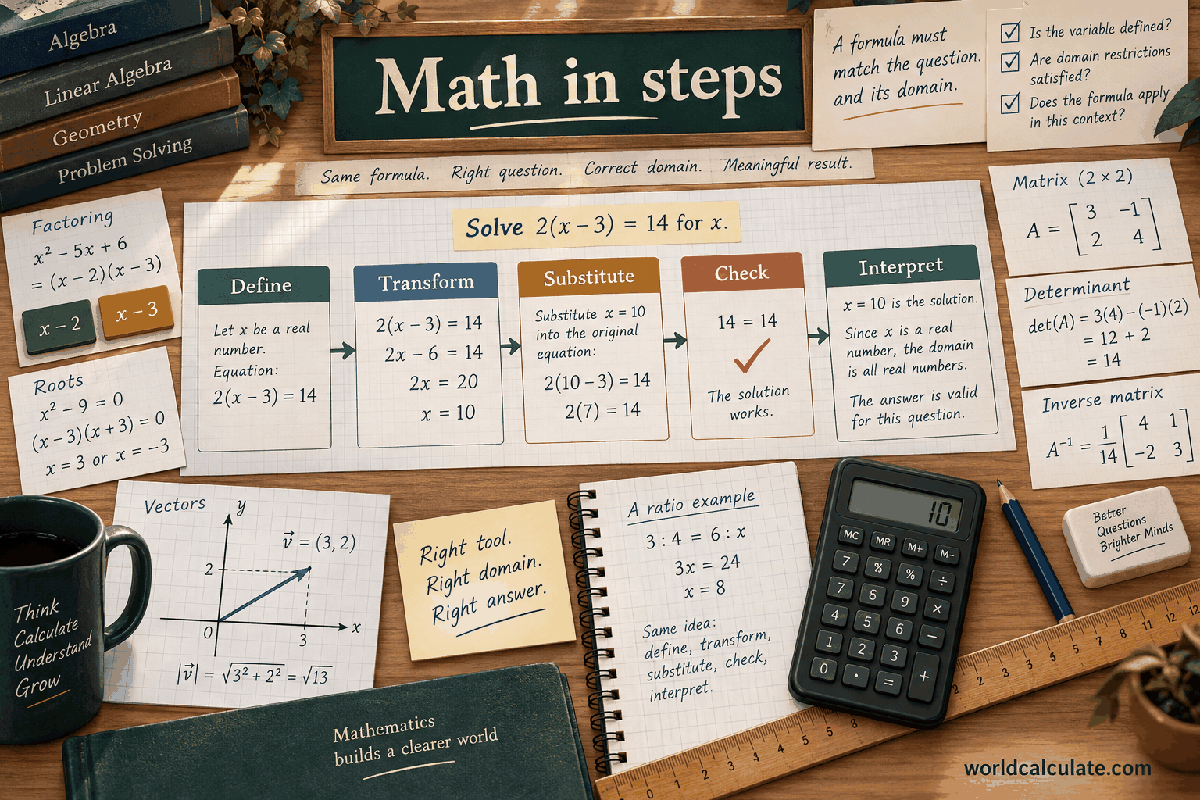
An ellipse is a closed, smooth plane curve that looks like a circle stretched in one direction, although its definition does not depend on imagining a stretch. For this calculator, the important measurements are the two positive semi-axes: a and b. Each is a center-to-edge distance along one of the ellipse's perpendicular symmetry directions, and both values must use the same length unit. The enclosed area is A = pi*a*b, reported in square units of that input unit. The formula is deliberately symmetric, so it does not matter which field is called the major or minor semi-axis. Equal values recover the ordinary circle formula A = pi*r^2. This guide explains how to read an ellipse drawing, distinguish a semi-axis from a full diameter, understand why the area formula works, enter measurements responsibly, interpret units and rounding, and recognize what two numbers cannot establish about a physical shape. The result is a dependable calculation when the boundary really is an ellipse and the supplied dimensions are the correct half-lengths.
An ellipse is the set of points whose distances to two fixed interior points have a constant sum. Those fixed points are called foci. That definition explains many properties of an ellipse, but the area calculator does not need the focal locations. It uses a simpler pair of measurements: the distances from the center to the boundary along the two principal symmetry directions. The enclosed region is the part of the plane inside the curve, not just the curve itself.
Every ordinary ellipse has a center and two perpendicular axes of symmetry. One axis runs through the longer direction when the ellipse is not a circle, and the other runs through the shorter direction. The curve is balanced across both axes, has no corners, and closes back on itself. A positive value for each semi-axis creates a nonzero enclosed region. If either value were zero, the shape would collapse to a line segment rather than remain an ordinary ellipse with area.
In a coordinate system whose axes are aligned with the ellipse, a common equation is (x-h)^2/a^2 + (y-k)^2/b^2 = 1. Here (h, k) is the center and a and b are semi-axis lengths. The equation is useful for describing position and orientation, but h and k do not appear in the area formula. Moving the center changes location, not size. Rotating the entire curve changes its direction, not the amount of plane enclosed by it.
It is useful to keep area separate from other ellipse properties. The area is a two-dimensional quantity covering the interior. The boundary length is the ellipse perimeter, which does not have the same simple expression as the area. Focal distance, eccentricity, orientation, and center location describe shape or placement, but none is needed once the two semi-axis lengths are known. This calculator answers the narrow area question for a supplied ellipse.
A semi-axis is half of the full span across the ellipse in one principal direction. If an ellipse is drawn inside a rectangle, the full horizontal and vertical spans are the rectangle's width and height, while a and b are half of those spans. The word axis can refer to the full center-to-center segment, but the formula uses the corresponding semi-axis, which is a center-to-edge distance. This distinction is the most important interpretation step before entering a value.
Suppose a drawing shows a full width of 10 centimeters and a full height of 6 centimeters. The appropriate semi-axes are a = 5 centimeters and b = 3 centimeters, not 10 and 6. If both full dimensions were entered as though they were semi-axes, the calculated product would be four times too large. If only one dimension were mistaken for a semi-axis, the area would be twice the intended value because the error would multiply one factor by two.
When a source uses the words major axis and minor axis for full center-to-center lengths, convert both to half-lengths before using this page. Some diagrams label the half-lengths directly as a and b, while others label the full lengths 2a and 2b. Read the dimension marks rather than relying on the symbol alone. A radius is also a center-to-edge length, but an ellipse generally has two different such lengths, so treating it as one circle radius is not appropriate unless the axes are equal.
A quick preparation is to draw a small cross through the center of the shape. Mark the distance from the center to the edge in each direction, then write the full spans beside them if they are available. This makes it clear whether a measurement is a semi-axis, a diameter-like span, a distance between endpoints, or a different construction dimension. A number can be positive and still be the wrong geometric quantity, so semantic labeling matters as much as arithmetic.
The two fields are named a and b and are defined as positive semi-axes. Each value must be a finite number from 0.000001 through 1000000000, inclusive. The lower bound prevents a zero or negative geometric length, and the upper bound keeps the supported numeric domain explicit. A missing value, text that is not a number, infinity, a negative value, or a value outside the displayed range is not a valid semi-axis for this record.
Both values must describe lengths in the same unit. The calculator accepts only the numeric magnitudes, so it does not parse a suffix or convert one field automatically. Values such as 5 meters and 3 meters are coherent. Values such as 5 meters and 3 centimeters must be converted to a common unit before entry. The formula uses the product of the two inputs, so an unnoticed unit mismatch changes the scale of the result even when the inputs pass simple positivity checks.
There is no separate field for center, rotation angle, major-axis direction, or a choice between horizontal and vertical placement. That is intentional. Area depends on the two semi-axis lengths and is unchanged by translations, rotations, reflections, or swapping the labels. The handler validates the numbers, multiplies them by pi, and returns one ellipse-area result. It does not attempt to infer omitted geometry from a sketch or from a name supplied outside the fields.
The input contract also assumes that the boundary really is an ellipse. A rounded rectangle, stadium, oval-like freehand drawing, racetrack, circular segment, or irregular region may look similar but can have a different area. Enter measurements only after deciding that the ellipse model is a suitable description. If the shape is made from a ring, a frame, or an ellipse with holes, the filled-area interpretation must be adjusted outside this calculation.
The area formula is A = pi*a*b. It multiplies the first semi-axis by the second semi-axis and then multiplies that product by pi. The order of multiplication has no geometric significance, so A = pi*b*a gives the same result. This symmetry is more than a convenient algebraic fact: either principal direction can be listed first. The area does not depend on which axis is horizontal in a drawing or which field happens to contain the larger number.
The units also follow directly from the product. If a and b are measured in meters, their product is in square meters, and multiplying by the dimensionless constant pi leaves square meters. If both are in inches, the result is square inches. A length unit should not be attached to the output as though area were still one-dimensional. The result describes how much surface or planar region is enclosed, so its unit is the square of the input length unit.
The formula passes a useful bounding check. The ellipse fits inside the rectangle whose half-width and half-height are a and b, so the rectangle area is 4ab. Since pi is less than 4, piab is smaller than 4ab, as it should be. The ellipse also contains a smaller central region, though comparing it with an inscribed rectangle requires more detail. These simple bounds can catch an accidental use of a full diameter or an unexpected unit conversion.
The constant pi appears because a circle is the reference shape behind the geometry. The formula is not pi times the sum of the axes, and it is not the area of a rectangle. A product of the two independent half-spans is required because stretching in one direction changes area according to that direction, while stretching in the other direction contributes a second factor.
A direct way to see the formula is to begin with a unit circle. The unit circle has radius 1 and area pi. Imagine a horizontal stretch that multiplies every horizontal coordinate by a, followed by a vertical stretch that multiplies every vertical coordinate by b. A point with unit-circle coordinates (u, v) becomes (a*u, b*v). The image of the unit circle is an axis-aligned ellipse with semi-axes a and b.
The horizontal stretch multiplies every small width by a, and the vertical stretch multiplies every small height by b. Together they multiply every small area by a*b. Since the original unit disk has area pi, the transformed region has area pi*a*b. This is the area-scaling interpretation of the formula. It also explains why the center does not matter: translating every point after the stretch does not change any small area.
The same conclusion can be expressed through a coordinate change. The transformation from (u, v) to (x, y) has scale factors a and b, so its area factor is the positive product a*b. The unit disk condition u^2 + v^2 <= 1 becomes x^2/a^2 + y^2/b^2 <= 1. Integrating the constant area factor over the unit disk gives a*b times pi. No approximation to the ellipse perimeter is involved in this argument.
This picture gives useful intuition for special cases. Stretch the unit circle equally in both directions by r and the result is a circle of radius r with area pi*r^2. Stretch it twice as far horizontally while leaving the vertical direction unchanged, and the area doubles. Stretch both directions by two, and the area becomes four times as large. The two factors represent independent linear changes in the plane.
When a and b are equal, call their common value r. The ellipse is then a circle of radius r, and the general formula becomes A = pi*r*r, or the familiar A = pi*r^2. This is an exact special case, not an approximation. The handler recognizes equal numeric inputs in its explanatory note and identifies the result as a circle area. The same formula therefore covers circles without requiring a separate calculator path.
For example, if a = 4 centimeters and b = 4 centimeters, the area is pi*4*4 = 16pi square centimeters, approximately 50.27 square centimeters. The full width and full height are both 8 centimeters, which is the circle's diameter. If a drawing reports an 8-centimeter diameter, entering 8 as both fields would be wrong; the fields still require the radius, which is 4 centimeters.
The circle case is a strong consistency check for a general ellipse calculation. If the two entered values are equal, the reported area should match the standard circle result. If a manual calculation produces pi times only one value, or pi times a sum, a factor or operation has been lost. If the two values are nearly equal, the shape is nearly circular, but the exact area still uses their actual product rather than replacing one with the other by eye.
Equal axes do not make orientation meaningful. A circle looks the same after every rotation, while a noncircular ellipse has two distinguished directions. The area formula handles both situations uniformly. The change from a circle to an ellipse is controlled by making one semi-axis different from the other, not by adding a new angle or location parameter.
Take a = 5 and b = 3 in any one consistent length unit. The calculation is A = pi*5*3 = 15pi, which is approximately 47.1238898. With the calculator's two-decimal presentation, the area is 47.12 square units. The associated full spans are 10 units and 6 units. The shape is not a circle because the semi-axes differ, but no orientation decision is needed to obtain its area.
Now take a = 7 and b = 2. The product is 14, so A = 14pi, approximately 43.9822972, or 43.98 square units after rounding to two decimal places. The full spans are 14 and 4 units. This result is smaller than the first example even though one semi-axis is larger, because the product 7*2 is less than 5*3. Looking at only the longest dimension would give the wrong intuition; both half-spans control the area.
The term nonmonic is not a standard geometric classification for ellipse axes. If a source uses it informally, the useful interpretation for this calculator is usually that the two axes are unequal or nonmatching. No special formula is needed for that case. For another unit-aware example, a = 2.5 meters and b = 1.2 meters gives A = 3pi square meters, approximately 9.4248 square meters. The decimal inputs remain lengths, and the output remains a square unit.
Each example can be checked against its bounding rectangle. For a = 5 and b = 3, the rectangle area is 4*5*3 = 60, so 47.12 lies below that bound. For a = 7 and b = 2, the rectangle area is 56, so 43.98 also lies below it. This does not prove that every measurement was interpreted correctly, but it is a quick arithmetic and scale check after the formula is applied.
The calculator does not ask whether a is horizontal, vertical, tilted, or aligned to a particular reference direction. Area is invariant under rotation. If a = 5 and b = 3, rotating the ellipse through any angle preserves its semi-axis lengths and its enclosed area of 15pi square units. A reflection also preserves area. This is why the record can use two numeric inputs without an orientation field.
When the ellipse is not a circle, the larger semi-axis points along the major axis and the smaller semi-axis points along the minor axis. If a is greater than b, then a is the major semi-axis and the full major axis length is 2a. If b is greater than a, then b is the major semi-axis and the full major axis length is 2b. If they are equal, there is no unique major direction because every direction through the center is equivalent.
Swapping the input labels illustrates the distinction between naming and geometry. Inputs a = 5, b = 3 and inputs a = 3, b = 5 describe the same size ellipse, though a drawing may assign the longer direction to a different coordinate direction. The product remains 15, so the area is unchanged. The page does not sort the values because sorting is unnecessary for the requested output.
A rotated ellipse can be described with a more elaborate coordinate equation involving an angle, but that angle affects how points are located, not how much area the region contains. If a later task needs the direction of the major axis, the center coordinates, or the endpoints of the axes, those are separate data requirements. They should be recorded separately rather than smuggled into a or b.
The input length unit can be meters, centimeters, millimeters, inches, feet, or another coherent unit, provided the same choice is used for both semi-axes. The result uses the squared version of that unit. For example, centimeter inputs produce square centimeters, and foot inputs produce square feet. The calculator returns a numeric area; attach the correct square unit when recording or communicating the result.
Unit conversion must happen before multiplication when the two values come from different systems. If a = 2 meters and b = 50 centimeters, first convert 50 centimeters to 0.5 meters, then calculate A = pi*2*0.5 = pi square meters. Entering 2 and 50 without conversion would describe a product one hundred times too large relative to the meter-based result. The fact that both numbers look like reasonable positive lengths does not protect against this error.
Converting a finished area uses a squared conversion factor. Since 1 meter equals 100 centimeters, 1 square meter equals 10000 square centimeters. In the example a = 50 centimeters and b = 30 centimeters, the area is 1500pi square centimeters, approximately 4712.39 square centimeters, which is approximately 0.471239 square meters. Dividing by 100 rather than by 10000 would confuse a length conversion with an area conversion.
A unit label also communicates scale and precision. Writing 47.12 square meters is more informative than writing 47.12 alone. If the input measurements are approximate, the unit should be accompanied by the measurement context when the result matters. The formula supplies the unit transformation, but it cannot guess whether a value came from a plan, a field measurement, a photograph, or a model.
If both semi-axes are multiplied by a common factor k, the new area is pi*(ka)*(kb) = k^2*pi*a*b. Doubling both dimensions makes the area four times as large. Tripling both makes it nine times as large. This square-law behavior is the same reason that a larger circle has area proportional to the square of its radius. A drawing that is twice as wide and twice as tall does not merely cover twice as much plane.
If only a changes while b stays fixed, area changes linearly with a. A small increase delta-a changes the area by approximately pi*b*delta-a, and in this simple formula the relationship is exactly linear in that one variable. Similarly, changing only b by delta-b changes area by pi*a*delta-b. The larger opposite semi-axis creates a larger absolute area change for the same added length in the other direction.
The local sensitivities are the partial derivatives dA/da = pi*b and dA/db = pi*a. They describe how much area responds to a small change in one input while the other is held fixed. In relative terms, a small fractional change in a contributes its fraction directly, and the same is true for b. Thus the approximate relative change is dA/A = da/a + db/b. If both semi-axes increase by about 1 percent, the area increases by about 2 percent.
For the example a = 5 and b = 3, increasing a by one unit while keeping b at 3 adds 3pi, about 9.42 square units. Increasing b by one unit while keeping a at 5 adds 5pi, about 15.71 square units. These are not claims about a physical remodeling process; they are sensitivity checks that show why a measurement error in one direction can matter more when the other semi-axis is long.
A physical measurement usually starts with endpoints or a visible full span, not with a labeled semi-axis. Measure the complete width through the center in one principal direction and the complete height through the center in the perpendicular direction. Divide each full span by two. If the apparent center is uncertain, determine the center from the geometry or fitting method before accepting the half-spans. Measuring a diagonal across a rotated ellipse without accounting for orientation may not produce either semi-axis.
Record how each dimension was obtained. A ruler, caliper, image scale, coordinate fit, or design drawing can have different resolution and systematic bias. Repeating a measurement helps reveal random variation, but repeated readings do not automatically remove a consistent offset. The calculator treats the entered a and b as numbers, not as distributions with confidence levels. It cannot know whether the last digit is measured, inferred, or merely copied.
For small independent uncertainties u_a and u_b, first-order propagation gives u_A approximately pi times the square root of (b*u_a)^2 + (a*u_b)^2. Equivalently, the relative uncertainty is approximately the square root of (u_a/a)^2 + (u_b/b)^2 when the errors are independent and small. This is a planning estimate, not a replacement for a full measurement model. It explains why uncertainty in either semi-axis contributes to the area and why equal percentage uncertainties combine differently from equal absolute uncertainties.
A simple conservative interval can be formed when positive independent bounds are available: use pi*(a-u_a)*(b-u_b) for a lower product and pi*(a+u_a)*(b+u_b) for an upper product, provided the lower semi-axes remain positive. Correlated errors, an uncertain center, a non-elliptical boundary, or a calibration bias can make that interval incomplete. For consequential work, retain the raw observations and state the uncertainty method rather than presenting a rounded area as exact.
The field bounds allow each semi-axis to range from 0.000001 to 1000000000. The smallest permitted product is 1e-12, so the corresponding mathematical area is about 3.14e-12 square units. The largest permitted product is 1e18, so the area is about 3.14e18 square units. These are domain limits, not promises that a physical measurement at either extreme is equally useful. They define the numerical range accepted by this calculator.
The result is formatted for a two-decimal presentation. The unrounded product pi*a*b contains more information than the displayed hundredths, but display digits do not create measurement accuracy. An area of 47.1238898 may be shown as 47.12, while an area much smaller than one hundredth of a square unit may display as 0.00 even though the underlying result is positive. Keep extra digits only when the input precision and purpose justify them.
Use full precision during the calculation and round once at the end. Rounding a and b aggressively before multiplying can move the area more than expected, especially when the dimensions are large or when a result is near a reporting threshold. Conversely, adding artificial decimal places to a rough measurement suggests certainty that the observations do not support. The appropriate number of reported digits depends on the inputs and the decision, not only on the calculator's formatting.
Finite-number validation also matters at the edges. A value written in a way that becomes infinity, a nonnumeric value, or a value outside the lower or upper bound is rejected before multiplication. A very large valid result must remain finite for the handler to return it. If a separate application uses a narrower numeric type, verify its range independently; the mathematical formula itself does not guarantee that every software representation can retain every digit.
The most frequent mistake is entering full width and full height as though they were semi-axes. Write the conversion explicitly: semi-axis = full span divided by two. A second mistake is using one radius for both directions of an ellipse without checking whether the shape is actually circular. If the two half-spans differ, use both values. A third mistake is mixing centimeters and meters, which can produce a plausible-looking but incorrectly scaled product.
Another error is substituting the wrong expression. The ellipse area is pi times the product of the two semi-axes, not pi times their sum and not the product of the full spans. The perimeter is a different measurement and cannot be obtained by replacing area with a circumference formula. An ellipse may be called oval in ordinary conversation, but the precise area formula applies only when the intended boundary is mathematically or practically modeled as an ellipse.
Before accepting a result, check the bounding rectangle. Compute 4ab using the same units and confirm that piab is positive and smaller than 4ab. Check the circle limit if a and b are equal or nearly equal. Swap the two inputs mentally and confirm that the area should not change. Finally, square the unit in the written result. These checks catch many interpretation errors without requiring a second area method.
If a result seems surprising, inspect the source drawing before blaming pi or the calculator. Confirm that the marked center is correct, that the measured lines follow the principal axes, and that the dimensions were not already halved in a specification. Check whether the requested region is a filled ellipse, an elliptical ring, a segment, or a composite shape. A numerical result can be internally correct while answering the wrong geometric question.
The formula is useful whenever a planar footprint is intentionally modeled by an ellipse. Examples include an elliptical tabletop, a sign face, a panel outline, a garden bed, a pond approximation, or a design region with two measured principal spans. In each case, the computed area can support a rough material estimate, a layout comparison, or a labeled drawing. The result describes the ideal filled boundary represented by the two chosen semi-axes.
In mapping or image analysis, an ellipse can summarize an elongated region by a center, two principal dimensions, and an orientation. Once a fitting process has supplied reliable semi-axis lengths, piab gives the area of the fitted ellipse. The fitting process is outside this calculator. It must decide which observations belong to the region, how outliers are handled, and whether an elliptical summary is appropriate. The area page should be treated as the arithmetic stage after those choices.
In design work, sensitivity can be as useful as the area itself. If a panel must cover a target region, the scaling rule shows how increasing both semi-axes affects material quantity. If a measured boundary is uncertain, the uncertainty discussion indicates whether the area estimate is stable enough for an early estimate. A designer may also compare the ellipse area with a rectangular stock sheet, but that comparison needs the stock dimensions and waste assumptions supplied separately.
For reporting, state the two semi-axes, their common unit, the assumption of an elliptical filled region, and the rounding rule. A record such as a = 5 cm, b = 3 cm, A = 47.12 cm^2 is reproducible because it preserves the inputs and the squared unit. If the result informs construction, land management, inventory, or safety decisions, retain the source drawing and measurement method as well.
Two numbers do not prove that an observed boundary is an ellipse. The calculator does not inspect a photograph, select endpoints, find a center, fit a curve, or reject an irregular shape. It assumes that a and b have already been identified as the correct semi-axis lengths. If the boundary has lobes, corners, varying thickness, a cutout, or a shape that is merely oval by eye, another model may be needed.
The result does not include center coordinates, orientation, major-axis bearing, focal points, eccentricity, perimeter, chord lengths, or point-by-point coordinates. It also does not determine whether a region lies on a flat plane. A three-dimensional surface, a curved geographic surface, a projected image, or an inclined physical object may require a different interpretation of distance and area. The formula is for the planar ellipse described by the inputs.
The page does not subtract material thickness, holes, inner ellipses, or attached shapes. For an elliptical ring, calculate the outer area and subtract the inner area using the appropriate four semi-axes. For a composite design, split it into regions and combine them deliberately. For a boundary formed by a chord and an arc, do not call the result an ellipse area without checking the actual geometry. The simple result is not a universal area engine.
Finally, the calculator does not decide whether a result is adequate for a contract, a regulated drawing, a structural calculation, a medical image, a land survey, or a safety-critical decision. It validates numeric bounds and applies the stated formula. Review the measurement method, uncertainty, model choice, and relevant professional requirements when the consequences of an error are significant.
Start by identifying the boundary and the region whose area is wanted. Decide whether the filled shape is reasonably represented by an ellipse. Find the center and the two principal directions. Measure or obtain the full span in each direction, then divide both spans by two. Label the resulting half-lengths as a and b rather than copying a symbol without checking what it means.
Next, convert both semi-axes to one common length unit and preserve the source precision. Confirm that each value is finite, positive, and within 0.000001 to 1000000000. Enter the two numbers and compute A = pi*a*b. Attach the squared unit to the output. If the two values are equal, compare the result with pi*r^2; if they differ, compare it with the bounding rectangle area 4ab.
Then inspect the interpretation rather than only the displayed digits. Ask whether a diameter was entered as a radius, whether a full span was divided by two, whether the principal direction was measured correctly, and whether the output is an area rather than a perimeter. If the result will be used beyond a rough estimate, calculate or document an uncertainty interval and retain the original observations.
A complete record can be short: ellipse model, a, b, common unit, formula, unrounded result if needed, displayed result, and rounding rule. This makes the calculation auditable and makes a later correction possible if a measurement or assumption changes. The page supplies the final arithmetic, while the person using it remains responsible for choosing the right geometry and communicating its limitations.
Area enclosed by an ellipse from its semi-major and semi-minor axes.
A = πab. A stretched circle: area πr² generalizes to πab. Equal axes recover the circle exactly.
Enter Semi-axis a, Semi-axis b, then choose Calculate.
a and b are semi-axes (half-lengths), positive and in the same unit. Output is in square units of the input.
This calculator is part of the WorldCalculate library. Its formula, example, assumptions, input bounds, and output formatting follow the official methodology.
These WorldCalculate collections connect this tool with related questions while keeping each calculation separate and transparent.