
Goal
Compare planned coffee servings with a visitor-entered daily caffeine limit and a transparent body-weight sensitivity scenario.
Worldwide context
Saved once here, used across the site.
Currency changes display only. Country selection guides tax input; no tax rate is guessed.
Compare planned coffee servings with a visitor-entered daily caffeine limit and a transparent body-weight sensitivity scenario.
Weight-based scenario = body weight × selected sensitivity factor; planning limit = min(weight-based scenario, entered daily limit); planned caffeine = servings × caffeine per serving; remaining = planning limit − planned caffeine.A clearer path to an answer
This page keeps the calculation transparent: define the goal, enter the matching values, inspect the method, and decide what the result means in your situation.
Compare planned coffee servings with a visitor-entered daily caffeine limit and a transparent body-weight sensitivity scenario.
Body weight · Sensitivity scenario · Caffeine per serving · Planned servings · Your comparison limit
Weight-based scenario = body weight × selected sensitivity factor; planning limit = min(weight-based scenario, entered daily limit); planned caffeine = servings × caffeine per serving; remaining = planning limit − planned caffeine.
Calculate, review the assumptions below, then compare a related tool when the decision needs more context.
Compare planned coffee servings with a visitor-entered daily caffeine limit and a transparent body-weight sensitivity scenario.
Open the Coffee Caffeine Intake Scenario Calculator pageMore food tools
Download PDFDownload Word (.doc)
Enter your values above and choose Calculate to see the result here.
Calculation map
Weight-based scenario = body weight × selected sensitivity factor; planning limit = min(weight-based scenario, entered daily limit); planned caffeine = servings × caffeine per serving; remaining = planning limit − planned caffeine.
Bounded, transparent calculation
Your recent runs stay in this browser session only.
Formula: Weight-based scenario = body weight × selected sensitivity factor; planning limit = min(weight-based scenario, entered daily limit); planned caffeine = servings × caffeine per serving; remaining = planning limit − planned caffeine.
Coffee strength and serving sizes vary widely. This page does not assign a universal personal limit; it keeps the beverage label, a chosen scenario factor, and the visitor's comparison limit visible so the arithmetic can be checked or replaced.
Worked example: The lower planning limit is 400 mg/day; three 95 mg servings total 285 mg, leaving 115 mg in this scenario.
The displayed limits are checked before the handler runs. Model-specific domain checks may also reject impossible or non-finite inputs.
Methodology: This calculator follows the WorldCalculate input, formula, precision, and boundary policy. Read the official methodology.
Calculator usage statistics
This section counts anonymous successful Calculate submissions, not unique visitors. Counts and top tools appear only when trusted aggregate data is available; country analysis is shown only under the same condition and reporting threshold.
Answer-first guide
Compare planned coffee servings with a visitor-entered daily caffeine limit and a transparent body-weight sensitivity scenario. Start with one clearly defined goal, enter values in the units shown, and keep the result attached to the assumptions below.
This tool is useful when your question includes coffee calculator, how much coffee can I drink, caffeine per serving calculator. It returns the outputs declared in the calculator contract rather than a live quote, approval, diagnosis, or professional sign-off.
Body weight · Sensitivity scenario · Caffeine per serving · Planned servings · Your comparison limit. Keep the same time period, unit system, and currency wherever the form requires comparable values.
Run the worked example first, compare its output with the page's example, then change one input at a time. This makes an unexpected result easier to trace to a unit, boundary, or assumption.
Need a wider view? Browse Food & Recipe Calculators or compare the related tools below. The WorldCalculate methodology explains how formulas, examples, limits, and revisions are reviewed.
Weight-based scenario = body weight × selected sensitivity factor; planning limit = min(weight-based scenario, entered daily limit); planned caffeine = servings × caffeine per serving; remaining = planning limit − planned caffeine.
Coffee strength and serving sizes vary widely. This page does not assign a universal personal limit; it keeps the beverage label, a chosen scenario factor, and the visitor's comparison limit visible so the arithmetic can be checked or replaced.
The lower planning limit is 400 mg/day; three 95 mg servings total 285 mg, leaving 115 mg in this scenario.
Context and background
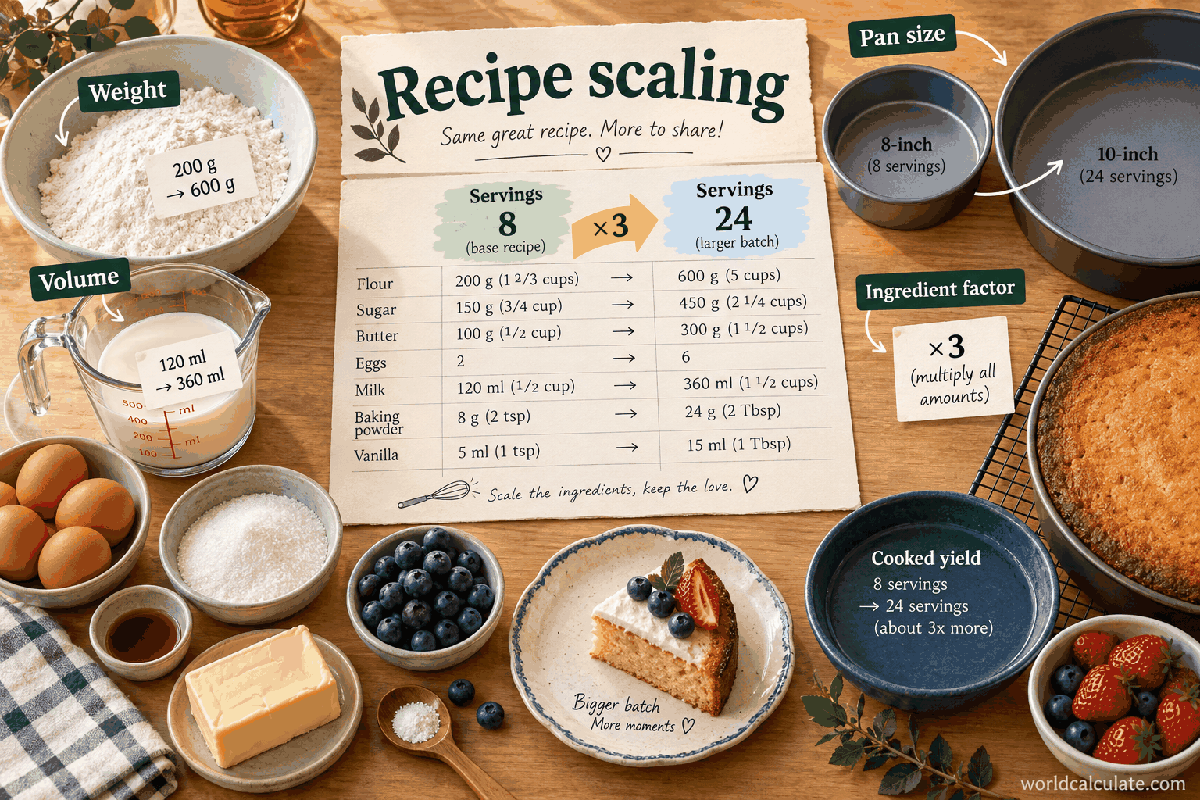
Recipe scaling uses a serving ratio, then keeps the ingredient unit visible. Cooking chemistry, pan size, heat, texture, and safety can require adjustments beyond linear arithmetic.
Scaling a recipe is a familiar applied ratio problem. The useful calculation is the transparent factor; the cooking result still depends on the ingredient and method.
Research and review
Researched by Hassan ALRowaie, Founder and editorial researcher at WorldCalculate.
This guide follows the live calculator's declared inputs, formula, worked example, assumptions, validation boundaries, and source-backed methodology. The review date describes editorial review of the calculator explanation; it is not a promise that external facts or rates remain current.
A coffee question usually has two separate parts: how much caffeine is in the drink and what comparison limit makes sense for the person or scenario. This page keeps both visible instead of hiding a personal recommendation inside one number.
Enter caffeine per serving from the drink you actually plan to consume. A small brewed cup, a large café drink, an espresso-based beverage, and an energy drink can have very different amounts.
The calculator does not guess a brand, cup size, roast, or recipe. That makes the result portable across countries and products when the label is available.
Total caffeine is a simple multiplication: the number of servings times the caffeine in each serving. One large drink can therefore represent several small servings if the label defines it that way.
Write down the serving unit beside the result. A result in milligrams is only useful when the serving basis is still known.
The page offers four transparent factors expressed in milligrams per kilogram. They are comparison scenarios, not a medical scale and not a promise that a person with one label will react in a particular way.
Changing the factor lets a visitor test how a conservative or more tolerant assumption changes the planning amount without changing the product input.
The handler calculates a weight-based scenario and compares it with the visitor-entered daily limit. It uses the lower number so a broad scenario does not silently override a stricter chosen boundary.
If a clinician, employer, sport rule, product instruction, or local guidance supplies a different limit, enter that value and retain its context outside the page.
A 70 kg visitor using the typical 6 mg/kg scenario has a weight-based amount of 420 mg. With a 400 mg comparison limit, the page uses 400 mg.
Three servings at 95 mg each total 285 mg, leaving 115 mg against that scenario. The remaining value is arithmetic, not permission to consume it.
Caffeine effects depend on age, pregnancy, medicines, sleep, anxiety, cardiovascular conditions, metabolism, and sensitivity. Body weight alone cannot capture those factors.
Use the page to organize label information and a stated scenario. Ask a qualified professional when personal health or symptoms are involved.
A useful record includes the product, serving definition, caffeine amount, number of servings, sensitivity scenario, and comparison limit. If the recipe or cup size changes, calculate again.
Do not compare two totals while silently changing the unit from a can to a serving or from milligrams to grams.
A cup, mug, shot, bottle, or serving is a container description, not a fixed caffeine amount. Brewing method, bean blend, recipe, serving volume, concentration, and preparation time can change the amount. The calculator therefore asks for caffeine per serving instead of assuming that a named coffee style has one universal value. Use the serving definition printed on the package or supplied by the café, and keep the physical size in your notes.
When a label gives caffeine for the whole container but you drink only part of it, convert the amount to the portion you intend to consume before entering it. When it gives caffeine per 100 millilitres or another basis, convert that value to the serving size you will actually use. Do not enter the container volume in the caffeine field. The tool multiplies the entered milligrams; it does not perform an unspoken serving conversion.
Coffee is often only one source of caffeine. Tea, chocolate, energy drinks, pre-workout products, medicines, and combination beverages may contribute to the same daily total. This calculator can represent any one product or a grouped scenario if the entered serving value covers the group, but it has no product database and no automatic record of what was consumed. A simple ledger with product, time, serving basis, and milligrams makes the calculation more honest.
Add the products together before comparing the total with the chosen limit when the question is about a whole day. If the products use different serving bases, normalize each one first. A large drink can contain multiple label servings, while a package that looks like one serving may define a smaller portion. The arithmetic remains simple only after the units and portions have been made comparable.
The page calculates planned caffeine as servings multiplied by caffeine per serving. Separately, it calculates a weight-based scenario as body weight multiplied by the selected factor, then chooses the lower of that scenario and the visitor-entered comparison limit. The remaining value is the selected planning limit minus the planned caffeine. Each output can therefore be traced to a visible input rather than a hidden average.
This structure also makes a negative remaining result meaningful. It says that the entered plan exceeds the selected comparison boundary under the scenario. It does not diagnose harm, prove that the boundary is medically appropriate, or tell the visitor how to compensate. A negative value is a prompt to review the product, serving count, and applicable guidance, not an invitation to change the arithmetic until the message disappears.
Body weight is included as one sensitivity scenario because it provides a transparent way to test a changing input. It is not a complete model of caffeine response. Metabolism, tolerance, sleep, age, pregnancy, medicines, health conditions, and individual sensitivity can matter in ways that body weight cannot represent. The four factors are labels for planning comparisons in this calculator, not clinical categories or personal recommendations.
Use the scenario to ask a narrow question: how would the arithmetic change if the selected factor were different while the product and serving count stayed fixed? Run the same inputs with the conservative and typical choices, record both results, and explain which assumption you are using. Do not describe the selected factor as a biological diagnosis or as proof that a person belongs to a tolerance group.
The daily-limit field is deliberately visitor-entered. It may represent a current official reference, a professional instruction, a product policy, a study protocol, or a household planning boundary. The calculator does not look up the correct limit for a person or country. Enter the value in milligrams per day, then keep the authority, date, population, and context in the accompanying notes when those details matter.
A lower entered limit can override a higher weight-based scenario because the handler chooses the smaller boundary. That does not make the lower number universally correct; it only keeps the selected scenario conservative. If guidance changes, rerun the calculation with the updated value and record the change rather than editing the old result to make it look current.
Start with the example inputs: 70 kg body weight, the typical 6 mg/kg factor, 95 mg per serving, three servings, and a 400 mg comparison limit. The weight-based scenario is 420 mg, so the lower planning limit is 400 mg. Three servings produce 285 mg, leaving 115 mg in that named scenario.
Now hold the product and limits constant and change servings from three to four. Planned caffeine becomes 380 mg and the remaining amount becomes 20 mg. Change the per-serving value instead of the serving count in a separate run if the drink recipe changes. This one-variable comparison shows whether the difference came from consuming more portions or from choosing a stronger product.
Two drinks should be compared using the same unit: milligrams per actual serving, milligrams per container, or a normalized volume. A product with a smaller cup can still contain more caffeine if it is more concentrated. A larger container can contain multiple label servings. Copy the serving definition and preparation description next to each value before deciding that one drink is weaker.
The calculator does not judge roast, bean origin, brewing quality, taste, or nutritional value. If two products differ in sugar, calories, or other ingredients, those are separate comparison dimensions. Keep caffeine arithmetic separate from a health score or product ranking. This prevents a simple milligram total from being presented as a complete evaluation of the beverage.
The page totals planned caffeine for the scenario but does not model the clock time of consumption, absorption, clearance, sleep effects, or interactions between doses. Two schedules with the same daily total can feel different to a person, and a single total cannot describe that experience. If timing is the real question, record each serving time and use appropriate current guidance rather than treating the daily total as a timing model.
Do not reverse-engineer a personal schedule from the remaining output. The remaining number is a subtraction against a selected boundary, not a guarantee that consuming that amount later will be comfortable or appropriate. A visitor who notices symptoms, has a relevant condition, or is unsure about a medicine or supplement should seek qualified advice instead of relying on a calculator result.
Age, pregnancy or breastfeeding, medical conditions, medication use, sleep disruption, anxiety, heart symptoms, and high athletic or occupational demands can change the relevance of a generic comparison. The calculator's body-weight field cannot account for those circumstances. Keep the warning close to the result so a reader does not mistake a generic scenario for individualized guidance.
A professional or current official source may define a different boundary or advise avoiding a product entirely. In that situation, use the calculator only to organize the label and serving arithmetic, and preserve the instruction as the controlling context. Do not use the page to override advice, interpret symptoms, or certify that a high intake is safe because the math is finite.
Zero servings is mathematically valid and represents a no-planned-serving scenario. Zero caffeine per serving is not accepted because it usually signals missing label information rather than a meaningful product value; enter a documented small value only when the product actually reports it and the field permits it. Fractional servings are allowed for this record, so a half serving must still use a caffeine value defined for the full serving before multiplication.
A high but valid total may mean that the serving count or caffeine value describes a large batch. It is not automatically a software error. Check whether the product value was entered per cup, per container, or per package and whether the daily limit was entered in milligrams rather than grams. If the result is negative, inspect the units and context before interpreting the comparison.
This calculator uses kilograms and milligrams and does not apply a country, currency, language, or national product database. That makes the arithmetic portable, but it also means the visitor must supply the local label and the relevant comparison context. A translated page should translate the labels and warnings together without quietly substituting a different limit or serving convention.
Regional product names can hide different formulations. Record the manufacturer, package size, serving definition, and date when a real purchase or study depends on the answer. If a local authority publishes a different reference, use the local documented value and explain its scope. Do not create country pages that repeat the same text while implying that one limit applies everywhere.
If you are comparing coffee preparation methods, keep the bean or product, water volume, serving definition, and measurement method consistent. Record the caffeine value from a current label or a documented analysis, not a guess based only on color or taste. Run one scenario for each preparation and keep the calculation inputs beside the observation. The tool can compare the arithmetic once the per-serving values are known; it cannot measure caffeine concentration.
Change one variable at a time and avoid turning one person's observation into a population rule. A person may report different effects even with the same calculated amount because response is not captured by this model. The useful result is a documented comparison that helps the visitor ask a better question, not a claim that the calculator has measured an individual biological response.
Begin with the product label, normalize the serving, enter the body weight only as a named scenario, and choose a comparison limit with its context. Read the planned caffeine, weight-based scenario, selected planning limit, and remaining value in that order. Then test a meaningful alternative, such as one fewer serving or a different label value, while leaving the other inputs fixed.
Finish by deciding what the number can support: a shopping comparison, a beverage ledger, a classroom unit-rate exercise, or a conversation with a professional. It cannot support a diagnosis, a personal safety guarantee, or a universal recommendation. That honest final step is what turns a caffeine multiplication into a useful article for real readers rather than a confident-looking number without context.
A package may list caffeine per serving, per container, or per prepared volume. If the container holds two servings and the label reports 95 mg per serving, drinking the entire container represents 190 mg in the ledger. If a café provides a value for a standard size but your drink is larger, do not copy the number without checking whether the larger drink contains more than one serving or a different recipe.
Write the conversion beside the calculator input. For example, if a powder label reports a quantity per scoop and the planned drink uses two scoops, multiply the label amount before entering caffeine per serving. If you use half the prepared drink, halve the documented amount only when the mixture is uniform and the serving definition supports that assumption. The tool cannot see how a product was prepared, so the input record must carry the reasoning.
Imagine one product provides 80 mg in a small serving and 140 mg in a large serving. Two small servings total 160 mg, while one large serving totals 140 mg. The larger container is not automatically the larger caffeine scenario, and the smaller container is not automatically safer or weaker. The arithmetic follows the entered milligram values, not the visual size of the cup.
Now compare a recipe change that raises the per-serving value from 80 mg to 110 mg while keeping two servings fixed. The total moves from 160 mg to 220 mg. Because only one input changed, the reason for the difference is clear. Repeat this process for a different serving count, then keep the product label and scenario names with each result so an old value is not mistaken for a current formulation.
The remaining output is useful for showing the arithmetic distance between a planned intake and a selected comparison boundary. It is not a quota, a prescription, or a promise that consuming the remainder is appropriate. A positive number can still be irrelevant for someone whose health or professional guidance uses a different boundary, and a negative number does not by itself describe a person's symptoms or risk.
Present the result as a conditional sentence: under these product, serving, sensitivity, and comparison-limit assumptions, the plan is below or above the selected scenario. That wording keeps the calculation honest and gives the reader a reason to review the assumptions. It also prevents a simple subtraction from being quoted out of context as a universal daily allowance.
Caffeine is one property of a drink. Sugar, calories, alcohol, medication ingredients, allergens, hydration, and dietary pattern are separate questions with different evidence requirements. This calculator intentionally reports the caffeine arithmetic and does not convert it into a wellness grade or product ranking. A drink with less caffeine may still contain other ingredients that matter to the visitor's actual question.
If the page is used alongside a nutrition plan, link the decisions conceptually but keep the inputs separate. Use the label or an appropriate food-composition source for calories, and use this tool for the caffeine portion. Do not infer a complete diet recommendation from the remaining milligrams field. Separating the dimensions helps readers understand exactly what the result does and does not answer.
A familiar product can change size, recipe, roast, concentration, package labeling, or serving definition. Reuse an old caffeine value only when the product and serving basis are still documented. Record the date and package description for an important decision, then recalculate when any of those details changes. The calculator is designed to make this refresh easy because the inputs are explicit rather than hidden in a fixed database.
The same rule applies when switching from home coffee to a café drink or from coffee to tea or an energy beverage. Keep the sensitivity and comparison-limit assumptions visible, but replace the product amount and serving count. If two results seem inconsistent, compare the source label, units, and serving basis before assuming that the formula is wrong. Most disagreements are definition differences, not multiplication errors.
A refresh is especially important when the serving label changes from a single cup to a multi-serving container. Record the old and new serving descriptions so a future reader can tell whether the difference came from a formulation change or from measuring the same drink differently. Never preserve a convenient old number simply because it keeps a plan below the selected comparison boundary.
Does the result tell me a safe amount? No. It compares entered numbers under a named scenario and does not replace personal or current official guidance.
Why can two coffee calculators disagree? They may use different serving sizes, label values, limits, or definitions of tolerance. Compare those inputs before comparing the outputs.
Compare planned coffee servings with a visitor-entered daily caffeine limit and a transparent body-weight sensitivity scenario.
Weight-based scenario = body weight × selected sensitivity factor; planning limit = min(weight-based scenario, entered daily limit); planned caffeine = servings × caffeine per serving; remaining = planning limit − planned caffeine. Coffee strength and serving sizes vary widely. This page does not assign a universal personal limit; it keeps the beverage label, a chosen scenario factor, and the visitor's comparison limit visible so the arithmetic can be checked or replaced.
Enter Body weight, Sensitivity scenario, Caffeine per serving, Planned servings, Your comparison limit, then choose Calculate.
Body weight and caffeine quantities use kilograms and milligrams as labeled. The sensitivity factor is a planning scenario, not a clinical dose rule or a diagnosis of tolerance. The entered daily limit is a visitor-supplied comparison value and may be changed for a product, policy, or professional instruction. Caffeine per serving should come from the actual package, café specification, or other current label source. Servings can represent coffee, tea, energy drinks, or another beverage if the caffeine value is entered consistently. Medication interactions, pregnancy, age, sleep, medical conditions, and individual responses are outside the arithmetic. A negative remaining result means the entered scenario has been exceeded; it is not a diagnosis of toxicity.
This calculator is part of the WorldCalculate library. Its formula, example, assumptions, input bounds, and output formatting follow the official methodology.
These WorldCalculate collections connect this tool with related questions while keeping each calculation separate and transparent.