
Goal
Perform exact signed-integer arithmetic without converting large inputs to floating-point numbers.
Worldwide context
Saved once here, used across the site.
Currency changes display only. Country selection guides tax input; no tax rate is guessed.
Perform exact signed-integer arithmetic without converting large inputs to floating-point numbers.
Apply the selected operation with arbitrary-precision signed integers; integer division returns a quotient and remainder.A clearer path to an answer
This page keeps the calculation transparent: define the goal, enter the matching values, inspect the method, and decide what the result means in your situation.
Perform exact signed-integer arithmetic without converting large inputs to floating-point numbers.
First integer · Second integer · Operation
Apply the selected operation with arbitrary-precision signed integers; integer division returns a quotient and remainder.
Calculate, review the assumptions below, then compare a related tool when the decision needs more context.
Perform exact signed-integer arithmetic without converting large inputs to floating-point numbers.
Open the Big Number Calculator pageMore math tools
Download PDFDownload Word (.doc)
Enter your values above and choose Calculate to see the result here.
Calculation map
Apply the selected operation with arbitrary-precision signed integers; integer division returns a quotient and remainder.
Bounded, transparent calculation
Your recent runs stay in this browser session only.
Formula: Apply the selected operation with arbitrary-precision signed integers; integer division returns a quotient and remainder.
The inputs remain text so the browser does not round them through an IEEE-754 floating-point number before calculation.
Worked example: 12345678911111111100.
The displayed limits are checked before the handler runs. Model-specific domain checks may also reject impossible or non-finite inputs.
Methodology: This calculator follows the WorldCalculate input, formula, precision, and boundary policy. Read the official methodology.
Calculator usage statistics
This section counts anonymous successful Calculate submissions, not unique visitors. Counts and top tools appear only when trusted aggregate data is available; country analysis is shown only under the same condition and reporting threshold.
Answer-first guide
Perform exact signed-integer arithmetic without converting large inputs to floating-point numbers. Start with one clearly defined goal, enter values in the units shown, and keep the result attached to the assumptions below.
This tool is useful when your question includes big number calculator, arbitrary precision, big integer. It returns the outputs declared in the calculator contract rather than a live quote, approval, diagnosis, or professional sign-off.
First integer · Second integer · Operation. Keep the same time period, unit system, and currency wherever the form requires comparable values.
Run the worked example first, compare its output with the page's example, then change one input at a time. This makes an unexpected result easier to trace to a unit, boundary, or assumption.
Need a wider view? Browse Math Calculators or compare the related tools below. The WorldCalculate methodology explains how formulas, examples, limits, and revisions are reviewed.
Apply the selected operation with arbitrary-precision signed integers; integer division returns a quotient and remainder.
The inputs remain text so the browser does not round them through an IEEE-754 floating-point number before calculation.
12345678911111111100.
Context and background
Math calculators move from named quantities to a relation, then to a result that can be checked with substitution, units, or an alternate form.
Arithmetic, algebra, geometry, trigonometry, and number theory provide reusable structures for classroom work and everyday reasoning. Each page narrows that structure to one declared problem.
Research and review
Researched by Hassan ALRowaie, Founder and editorial researcher at WorldCalculate.
This guide follows the live calculator's declared inputs, formula, worked example, assumptions, validation boundaries, and source-backed methodology. The review date describes editorial review of the calculator explanation; it is not a promise that external facts or rates remain current.

Large whole numbers are easy to damage when they pass through an ordinary floating-point input. This calculator keeps the first integer and second integer as text, validates signed decimal whole-number syntax, and converts the validated strings directly to browser BigInt values. That design lets addition, subtraction, multiplication, integer division, powers, GCD, and LCM operate without first rounding a long value to the nearest representable JavaScript Number. The page is an exact integer tool, not a decimal calculator, expression evaluator, or unlimited computer algebra system. Division returns both a quotient and a remainder; the quotient is truncated toward zero and the remainder keeps the sign of the dividend. Power uses the second integer as a nonnegative exponent from 0 through 1,000. The input fields are bounded to 1,000 characters so the browser has a finite, reviewable workload, although especially large products and powers can still require substantial memory. This guide explains the text contract, each operation, signed edge cases, worked checks, browser limits, and the difference between exact integer arithmetic and a broader numerical workflow.
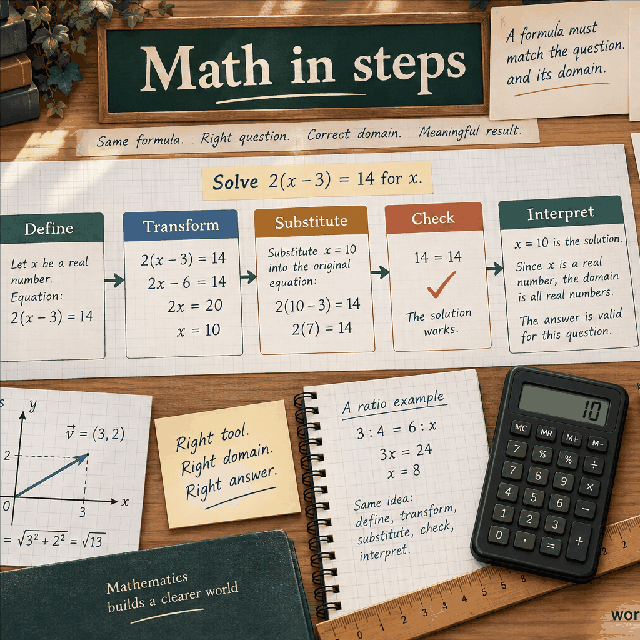
The left and right controls are text fields rather than ordinary number fields. That choice protects the digits before the handler sees them. An ordinary JavaScript Number uses a finite binary floating-point representation, so a long decimal integer may be rounded during parsing even though the digits looked correct in the form. Once a digit has been rounded away, later addition or multiplication cannot recover it. Here the handler reads the text, checks its whole-number grammar, and constructs a BigInt value from the resulting string.
Text does not mean that the calculator accepts arbitrary prose. Each field must describe one signed whole number. An optional leading plus or minus sign may be followed by decimal digits, and surrounding whitespace is removed before the grammar check. Decimal points, exponent notation, commas used as digit separators, currency symbols, and arithmetic expressions are not part of this input contract. The text representation is a transport format for an integer, not a mini programming language.
The distinction matters most when a value has more digits than a typical safe integer. The default left value has twenty digits, which is intentionally larger than the range where every integer can be represented exactly by a JavaScript Number. BigInt preserves the integer value represented by those digits. It does not preserve cosmetic formatting: leading zeroes and a plus sign are normalized when the result is converted back to text. The mathematical integer is preserved, not the way it was typed.
The first integer and second integer fields each have a maximum length of 1,000 characters. The length check happens before trimming, so padding a value with a large amount of whitespace still consumes the field limit. After trimming, the handler requires a pattern equivalent to an optional plus or minus followed by one or more digits. An empty value, a sign with no digits, or text containing any other character is rejected with a whole-number validation error.
A value such as +00042 represents the same integer as 42, while -00042 represents negative forty-two. A value such as 12.0 is not accepted even though it has an integer numerical value when considered mathematically. Likewise, 1e6 is not accepted as a shorthand for 1,000,000. Requiring explicit digits makes the size and sign of the submitted integer visible and avoids giving the page responsibility for interpreting an expression or a unit-bearing label.
The length bound is a browser-workload rule, not a mathematical statement that integers longer than 1,000 characters do not exist. BigInt can represent integers with many digits, but this page deliberately keeps user input finite. If a calculation needs a file-sized integer, a symbolic expression, a decimal fraction, or a domain-specific encoding, prepare and verify it in a tool whose input and storage model is designed for that purpose rather than pasting it into this bounded form.
The Operation selector supplies seven exact choices: Add, Subtract, Multiply, Integer divide, Power, GCD, and LCM. The handler checks that the submitted selector is one of those values. It does not infer an operation from punctuation in either text field, and an unknown selector is rejected instead of silently falling back to addition. Keeping the operation separate from the operands makes a copied result easier to audit: a reader can see both integers and the intended relationship.
Most operations return one result labeled Exact result. Integer divide is the exception because one division has two useful integer outputs: an integer quotient and a remainder. The result values are returned as strings so that their digits are not passed through a floating-point formatter. A large result may therefore look like an ordinary decimal sequence without a decimal point or scientific notation.
The selector does not change the meaning of the two fields. In every mode, left is the first operand and right is the second operand. That order is visible in subtraction, division, and power, where exchanging the fields usually changes the answer. GCD and LCM are mathematically symmetric in their inputs, but retaining the field order still helps document what was entered and keeps the form consistent across operations.
Addition follows ordinary signed-integer rules with arbitrary precision. The handler computes left + right as BigInt values. If the signs match, the magnitudes add and the shared sign remains. If the signs differ, the smaller magnitude is subtracted from the larger magnitude and the sign of the larger magnitude remains. There is no decimal rounding step and no fixed-width overflow wraparound in the result representation used by this page.
Subtraction is evaluated in field order as left - right. It can be read as adding the additive inverse of right, which makes negative operands easier to reason about. For example, 1,000,000,000,000,000,000,000 minus 1 produces 999,999,999,999,999,999,999 exactly. If the right operand is negative, subtracting it increases the result: 12 - (-5) is 17. The sign belongs to the operand value, not to a display decoration.
When checking a result by hand, align the input interpretation before aligning the digits. A leading plus sign does not make a value positive in a different way from an unsigned value, and leading zeroes do not change its magnitude. The most reliable check is to write the signed operands, perform the operation in the same order, and compare the canonical decimal result. Do not compare only the number of characters, because a negative sign and a carry can change that count.
Multiply computes left x right exactly as a BigInt product. The product of two nonzero values is positive when their signs match and negative when their signs differ. A zero operand makes the result zero. Because multiplication combines every digit position from both operands, the result can have substantially more digits than either input. That growth is expected and is one reason to return the answer as text instead of forcing it into a numeric display field.
For a concrete scale check, 12,345,678,901,234 x 100,000 produces 1,234,567,890,123,400,000. The trailing zeroes come from the factors of ten in the second operand, not from a rounding policy. A product such as -250 x 4 is -1,000, while -250 x -4 is 1,000. These small sign examples are useful before trusting a much longer result because they isolate the operation from digit transcription.
Exact arithmetic does not remove resource limits. Two valid 1,000-character operands can produce a result around 2,000 digits, and the browser must allocate memory for the intermediate and final values. The page protects syntax and input length, but it does not promise constant execution time or unlimited result size. If a multiplication is part of a repeated batch or a very large computation, use a workflow that can monitor resource use and retain intermediate values deliberately.
Integer divide uses the BigInt division and remainder operations. It returns Integer quotient as left / right and Remainder as left% right. The divisor is the right operand, so the operation is undefined when right is zero and the handler rejects that case before dividing. The quotient is an integer by construction. Any fractional part that would appear in ordinary decimal division is discarded according to truncation toward zero rather than rounded to the nearest integer or floored toward negative infinity.
The two outputs satisfy the reconstruction identity left = right x quotient + remainder. This identity is the best general-purpose verification because it works for positive and negative operands. For 23 divided by 5, the quotient is 4 and the remainder is 3, giving 5 x 4 + 3 = 23. For -23 divided by 5, the quotient is -4 and the remainder is -3, giving 5 x -4 + -3 = -23.
A remainder of zero means the division is exact, not that the quotient is necessarily positive. A negative divisor changes the quotient sign while the remainder follows the dividend-sign rule described below. The page does not return a decimal expansion, a mixed number, or a formatted long-division trace. If you need those representations, use the quotient and remainder as inputs to a separate, explicitly chosen presentation method.
Signed division is a common source of disagreement because different systems use different remainder conventions. This handler follows BigInt behavior: the quotient is truncated toward zero, and the remainder preserves the sign of the dividend. For -17 divided by 5, the quotient is -3 because -3 is the integer toward zero from -3.4, and the remainder is -2 because 5 x -3 + -2 = -17. The remainder is not +3 under this contract.
If the dividend is positive and the divisor is negative, 17 divided by -5 gives quotient -3 and remainder 2. The reconstruction is -5 x -3 + 2 = 17. If both operands are negative, -17 divided by -5 gives quotient 3 and remainder -2. In all three examples the magnitude of the remainder is smaller than the magnitude of the nonzero divisor, but its sign tracks the dividend rather than the divisor.
This detail matters in indexing, batching, cyclic calculations, and any algorithm that interprets a remainder as a position. Do not replace the returned remainder with an always-nonnegative modulo value without deciding that this is a different convention. If an application needs Euclidean modulo, it can transform the signed remainder explicitly after checking the divisor's sign and magnitude. The calculator reports the language-level signed result, not every possible definition of modulo.
In Power mode, left is the base and right is the exponent. The handler requires right to be a whole number from 0 through 1,000 inclusive. It then computes left raised to that integer power using BigInt arithmetic. Negative bases are valid because an integer exponent has a clear parity: an even exponent produces a nonnegative result, while an odd exponent preserves a negative base's sign. Fractional, negative, or noninteger exponents are outside this calculator's integer contract.
Every integer base has a zeroth power of 1 in the operation implemented here, including 0 raised to 0. That convention is a property of the exponentiation operation used by the handler; it should not be confused with an answer to every limiting question involving zero. For example, 7^0 is 1, (-2)^3 is -8, and (-2)^4 is 16. The result remains an exact integer string.
The exponent limit is especially important because powers grow far faster than products. A 1,000-character base with exponent 1,000 may require a very large result even though both inputs pass their individual checks. The bound prevents unbounded exponent input but is not a guarantee that every allowed combination is appropriate for a low-memory device. Start with a small exponent when exploring a new base, and retain the base, exponent, and operation with any copied result.
GCD mode computes the greatest common divisor of the two integer magnitudes. The handler first takes the absolute value of each BigInt, then applies the Euclidean algorithm: repeatedly replace the pair with the divisor and the remainder until the second value is zero. The remaining first value is the result. Because signs are removed for this operation, gcd(-84, 30) is 6, the same as gcd(84, 30). The result is nonnegative.
The Euclidean algorithm is efficient because each remainder is smaller than the divisor that produced it. For gcd(84, 30), the sequence is 84 remainder 30 = 24, 30 remainder 24 = 6, and 24 remainder 6 = 0, leaving 6. This method does not factor either input into primes. It uses exact remainder steps, so it remains useful for long integers without converting them into approximate decimals.
Zero has a meaningful role in the implementation. gcd(84, 0) is 84 because the loop ends with the nonzero magnitude. gcd(0, 0) returns 0 because both magnitudes are already zero. That result is a defined output of this calculator's algorithm, not a claim that every external convention assigns the same explanatory meaning to the greatest common divisor of two zero values. Keep the zero case visible when documenting a result.
LCM mode computes the least common multiple using the relation lcm(a, b) = abs(a x b) / gcd(a, b) for nonzero operands. The absolute value makes the result nonnegative even when one or both inputs are negative. The handler gives zero a direct rule: if either operand is zero, the LCM result is zero. That rule avoids dividing by gcd values in a case where a conventional positive multiple does not exist.
For 12 and 18, the GCD is 6 and the absolute product is 216, so the LCM is 216 / 6 = 36. The same result appears for -12 and 18 because signs are removed in the product. The answer is a multiple of both magnitudes: 36 / 12 = 3 and 36 / 18 = 2. Checking those divisibility relationships is useful when validating a long result copied from the page.
The formula multiplies before dividing, so the intermediate product can be much larger than the final LCM. BigInt keeps that product exact, but the browser still has to store it. The calculator does not expose a prime-factorization proof, a list of common multiples, or a scheduling interpretation. It supplies one exact integer under its zero and sign conventions; any use involving periods or synchronization needs the units and context added separately.
Take left = 12345678901234567890 and right = 9876543210 with Add selected. The result is 12345678911111111100. The important verification is positional: the right operand contributes 9,876,543,210 to the twenty-digit left operand, and the result is returned without a decimal point or scientific notation. Because the example values remain text through validation, the browser never has an opportunity to round the left operand first.
Now use smaller values to compare the operations without hiding their different meanings. With left = 84 and right = 30, Subtract gives 54, Multiply gives 2520, GCD gives 6, and LCM gives 420. These answers are not competing formats for one result; they answer different questions. GCD identifies the largest shared positive divisor under the handler's magnitude rule, while LCM identifies the smallest shared positive multiple for nonzero magnitudes.
Select Integer divide for left = 84 and right = 30 and the page returns quotient 2 and remainder 24. Reconstructing the input gives 30 x 2 + 24 = 84. Select Power with left = -2 and right = 5 and the answer is -32. A compact test set like this checks operation selection, field order, sign behavior, two-output division, and the relationship between GCD and LCM before moving to very long inputs.
Zero is an ordinary BigInt value in addition, subtraction, multiplication, power, GCD, and LCM, subject to each operation's rule. Adding zero leaves the other operand unchanged, multiplying by zero returns zero, and a zeroth power returns one under the implemented exponentiation behavior. Division by zero is different: it is rejected because no integer quotient and remainder pair can satisfy a division by zero operation.
The parser accepts signed zero forms such as -0 and +0 because they match the signed whole-number grammar. BigInt normalizes all of them to the same integer value, 0n. Consequently, result text does not carry a negative-zero distinction. This differs from some floating-point display situations, but it is appropriate for mathematical integers, where zero has no sign in the value represented by this page.
GCD and LCM deserve separate attention at zero. GCD uses the Euclidean loop and returns the nonzero magnitude when only one input is zero, while GCD of two zero values returns zero. LCM returns zero as soon as either input is zero. These rules are visible in the implementation behavior and should be included in a test or a written calculation rather than inferred from a generic formula that divides by GCD in every case.
BigInt exactness means that the integer operations do not intentionally round a valid operand to a floating-point approximation. It does not mean the browser has infinite memory, infinite time, or an infinite result display. A product has to store its digits, and a power may create dramatically more digits than its base. The 1,000-character operand limit and 1,000 exponent limit are practical boundaries chosen to keep this interactive page bounded.
The limits also do not turn an arbitrary integer into a safe domain decision. A large identifier, a cryptographic value, a financial minor-unit total, and a scientific count may all be written as integers but have different validation, provenance, and rounding requirements. This page checks syntax and performs the selected operation; it does not know whether the value is authorized, measured correctly, within a business limit, or appropriate for a protocol.
If a result is used outside the page, keep it as text until the receiving system has an explicit integer representation. Converting a long result back to a JavaScript Number, a spreadsheet cell with a narrow numeric type, or a formatted currency field can recreate the precision problem after the exact calculation has finished. Preserve the operands, operation, result, and any domain unit together so the next system does not mistake an exact integer for a universally safe one.
A failed calculation usually means the submitted value does not match the narrow contract. Empty text, a decimal point, an exponent marker, a comma, an embedded space, or a nonnumeric label causes the corresponding integer field to be rejected. A value longer than 1,000 characters is also rejected. For Power, an exponent below zero or above 1,000 is rejected even though it is syntactically a signed whole number. For Integer divide, right = 0 is rejected before any quotient is computed.
A frequent mistake is entering a decimal that happens to represent a whole number, such as 7.0, and expecting the page to coerce it. Coercion would hide whether the original question was integer arithmetic or decimal arithmetic, so the handler does not do it. Another mistake is treating the remainder as always positive. Use the reconstruction identity with the returned signs instead of applying a remembered modulo rule from another language or textbook convention.
Operation-specific confusion is also easy to spot if the inputs and selector are recorded together. Power uses right as an exponent, while GCD and LCM use both values as integer operands. LCM is not the product unless the operands are relatively prime, and GCD is not the smaller operand unless the divisibility relationship supports that answer. Read the result label and the displayed steps, then reproduce the exact operation rather than checking only whether the number looks plausible.
This page handles signed whole-number arithmetic only. It does not add decimal fractions, simplify rational expressions, evaluate variables, parse parentheses, expand algebraic notation, or attach units. A string such as 2+2 is invalid rather than an expression that evaluates to 4. A value such as 0.125 belongs to a decimal or rational workflow, even if a later conversion could represent it as an integer after scaling.
The page also does not provide specialized algorithms for every large-number task. It does not factor a number, test primality, generate a cryptographic key, calculate a hash, solve a modular equation, or certify that a long integer came from a trusted source. GCD and LCM are available because they have direct, bounded integer contracts here; their presence should not be read as a promise of a complete number-theory toolkit.
Finally, the result is not a replacement for type-safe storage in an application. The handler can demonstrate the exact arithmetic for entered values, but a production system still needs its own rules for input authorization, persistence, overflow policy in other languages, audit records, and user-visible formatting. Use this page to understand or check one BigInt calculation, then carry the result into a system that preserves the same integer semantics.
Begin by writing the two operands as signed decimal whole numbers and checking that neither text value exceeds the 1,000-character field limit. Remove labels, commas, decimal points, exponent notation, and embedded spaces. Keep any intentional leading sign, but remember that the output will use canonical integer text rather than preserving leading zeroes or a signed-zero spelling.
Choose the operation explicitly. For Add, Subtract, and Multiply, check the operand order and sign. For Integer divide, require a nonzero right operand and reconstruct the dividend from quotient and remainder. For Power, check that right is a nonnegative exponent no greater than 1,000. For GCD and LCM, account for absolute values and their separate zero rules rather than applying a formula blindly.
Finally, copy the result as text with the operation and both inputs. If the result will be converted into another numeric type, verify that type's exact range before converting. The page gives a transparent BigInt calculation with bounded browser work; it does not supply decimal formatting, domain meaning, or unlimited computation. Used within that boundary, it preserves the digits that a floating-point first step could silently change.
Perform exact signed-integer arithmetic without converting large inputs to floating-point numbers.
Apply the selected operation with arbitrary-precision signed integers; integer division returns a quotient and remainder. The inputs remain text so the browser does not round them through an IEEE-754 floating-point number before calculation.
Enter First integer, Second integer, Operation, then choose Calculate.
Only signed whole numbers are accepted; division truncates toward zero. Power exponents are restricted to nonnegative integers through 1,000 to keep browser work bounded.
This calculator is part of the WorldCalculate library. Its formula, example, assumptions, input bounds, and output formatting follow the official methodology.
These WorldCalculate collections connect this tool with related questions while keeping each calculation separate and transparent.