
Goal
Add two three-dimensional Cartesian vectors component by component and return the summed x, y, and z values.
Worldwide context
Saved once here, used across the site.
Currency changes display only. Country selection guides tax input; no tax rate is guessed.
Add two three-dimensional Cartesian vectors component by component and return the summed x, y, and z values.
A + B = (ax + bx, ay + by, az + bz).A clearer path to an answer
This page keeps the calculation transparent: define the goal, enter the matching values, inspect the method, and decide what the result means in your situation.
Add two three-dimensional Cartesian vectors component by component and return the summed x, y, and z values.
Vector A x · Vector A y · Vector A z · Vector B x · Vector B y · Vector B z
A + B = (ax + bx, ay + by, az + bz).
Calculate, review the assumptions below, then compare a related tool when the decision needs more context.
Add two three-dimensional Cartesian vectors component by component and return the summed x, y, and z values.
Open the 3D Vector Addition pageMore math tools
Download PDFDownload Word (.doc)
Enter your values above and choose Calculate to see the result here.
Calculation map
A + B = (ax + bx, ay + by, az + bz).
Bounded, transparent calculation
Your recent runs stay in this browser session only.
Formula: A + B = (ax + bx, ay + by, az + bz).
Vector addition preserves coordinate order: add the x components, then the y components, then the z components. The result is a new three-dimensional vector in the same Cartesian basis.
Worked example: A + B = (5, 7, 9).
The displayed limits are checked before the handler runs. Model-specific domain checks may also reject impossible or non-finite inputs.
Methodology: This calculator follows the WorldCalculate input, formula, precision, and boundary policy. Read the official methodology.
Calculator usage statistics
This section counts anonymous successful Calculate submissions, not unique visitors. Counts and top tools appear only when trusted aggregate data is available; country analysis is shown only under the same condition and reporting threshold.
Answer-first guide
Add two three-dimensional Cartesian vectors component by component and return the summed x, y, and z values. Start with one clearly defined goal, enter values in the units shown, and keep the result attached to the assumptions below.
This tool is useful when your question includes vector addition, add vectors, 3D vector sum. It returns the outputs declared in the calculator contract rather than a live quote, approval, diagnosis, or professional sign-off.
Vector A x · Vector A y · Vector A z · Vector B x · Vector B y · Vector B z. Keep the same time period, unit system, and currency wherever the form requires comparable values.
Run the worked example first, compare its output with the page's example, then change one input at a time. This makes an unexpected result easier to trace to a unit, boundary, or assumption.
Need a wider view? Browse Math Calculators or compare the related tools below. The WorldCalculate methodology explains how formulas, examples, limits, and revisions are reviewed.
A + B = (ax + bx, ay + by, az + bz).
Vector addition preserves coordinate order: add the x components, then the y components, then the z components. The result is a new three-dimensional vector in the same Cartesian basis.
A + B = (5, 7, 9).
Context and background
Math calculators move from named quantities to a relation, then to a result that can be checked with substitution, units, or an alternate form.
Arithmetic, algebra, geometry, trigonometry, and number theory provide reusable structures for classroom work and everyday reasoning. Each page narrows that structure to one declared problem.
Research and review
Researched by Hassan ALRowaie, Founder and editorial researcher at WorldCalculate.
This guide follows the live calculator's declared inputs, formula, worked example, assumptions, validation boundaries, and source-backed methodology. The review date describes editorial review of the calculator explanation; it is not a promise that external facts or rates remain current.

Vector addition combines two ordered three-dimensional vectors into one ordered three-dimensional vector. This calculator reads A from ax, ay, az and B from bx, by, bz, then adds matching coordinates without sorting, normalizing, or converting them. The returned values are the sum x, sum y, and sum z components in that order. Negative entries, zeros, and fractional components are ordinary parts of the model, while non-finite and out-of-range values are rejected. The result can represent a resultant direction or displacement when the surrounding problem gives it that meaning, but the page itself performs only component arithmetic. This article explains the field contract, formula, geometric picture, examples, boundary cases, checking methods, privacy boundary, and model limits.
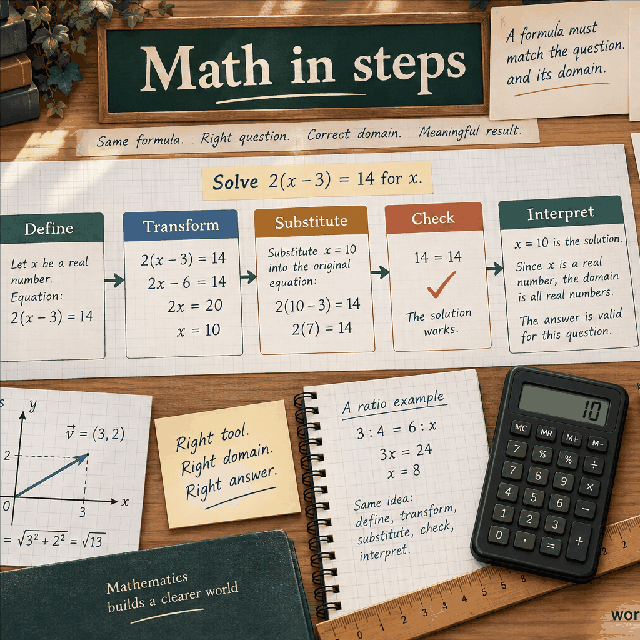
The calculator asks for two vectors, not two points. A vector is represented by an ordered triple of components relative to a coordinate basis. A is (ax, ay, az), B is (bx, by, bz), and their sum is another triple. The operation is defined by adding corresponding positions. The first result is the x component of the sum, the second is its y component, and the third is its z component. This explicit result order is part of the interface contract.
Component addition is different from adding vector lengths. The magnitude of A plus the magnitude of B is generally not the magnitude of A + B. Direction and cancellation determine the difference. Two equal vectors reinforce one another, while opposite vectors can cancel. The calculator intentionally leaves magnitude as a separate operation so a reader can see whether the question concerns components or length.
The output remains in the same coordinate basis and carries the same unit convention as the inputs when those inputs are compatible. The page has no unit selector, so it cannot convert metres to feet or reconcile a vector of force with a vector of distance. Put the unit and basis in the problem notes before entry.
The first group of fields defines A from left to right: ax, ay, az. The second group defines B: bx, by, bz. Read each label rather than relying on screen position alone, especially when copying values from a table. A negative x component points toward the negative x direction under the chosen convention. A zero y component means no y contribution. There is no special handling for an integer versus a decimal component.
Each field accepts a finite value between negative 1,000,000 and positive 1,000,000. The visible HTML limits and the engine limits agree. Direct calls with a string, blank, infinity, not-a-number, or a number beyond the limit fail with a readable error. The finite check keeps arithmetic from returning non-renderable values, while the numeric range keeps ordinary browser scenarios bounded. The limits are practical software boundaries, not universal vector laws.
When vectors come from endpoints, subtract the starting point from the ending point before using this page if the problem defines a displacement. When vectors come from a coordinate table, confirm whether the table gives components or point locations. Adding two points as if they were free vectors can be a valid algebraic operation, but it may not answer the intended geometric question.
The formula is A + B = (ax + bx, ay + by, az + bz). There are three independent additions and no multiplication between A and B. The x result uses only ax and bx. The y result uses only ay and by. The z result uses only az and bz. Keeping those three lines separate prevents the common mistake of using one vector's x value in another coordinate position.
For the default values, sum x is 1 + 4 = 5, sum y is 2 + 5 = 7, and sum z is 3 + 6 = 9. The engine checks each derived component for finiteness before constructing its result entries. A component sum may be outside the individual input range while remaining a valid finite result. For example, two upper-bound x components sum to 2,000,000, which is accepted because the bound applies to inputs rather than a hidden output clamp.
Addition is commutative and associative for ordinary finite component arithmetic. Swapping A and B should leave all three sums unchanged. Adding the zero vector should leave the original vector unchanged. These properties are useful verification checks and also explain why the form's A/B names are for clarity rather than a mathematical direction of operation.
For A = (1, 2, 3) and B = (4, 5, 6), the result is (5, 7, 9). This is the direct default example. If all components describe compatible displacements, the sum is the net displacement obtained by performing A followed by B in a translation-invariant setting. That physical reading comes from the displacement model, not from the arithmetic alone.
Use A = (8, -3, 2) and B = (-5, 7, 4) to see signed addition. The x result is 3, the y result is 4, and the z result is 6, so A + B = (3, 4, 6). The negative values do not make the operation invalid. They indicate opposing coordinate contributions that partly cancel in x and reinforce in y and z.
For complete cancellation, A = (2, -4, 6) and B = (-2, 4, -6) produce (0, 0, 0). A zero result vector does not mean that the input vectors were absent. It means they were equal and opposite component by component. A later magnitude calculation would return zero, while a dot-product calculation on the original vectors would still carry information about their opposition.
The zero vector is valid input and valid output. If A is zero, the result is B; if B is zero, the result is A. A single zero component also has a simple effect: it leaves the matching component of the other vector unchanged. There is no division, norm, or direction requirement in this page, so it does not reject a vector merely because its length is zero.
At the lower and upper input boundaries, addition remains finite. A pair of negative lower-bound components produces -2,000,000 in that result position, and a pair of positive upper-bound components produces 2,000,000. The engine returns those values without forcing them back into the input interval. It still rejects any non-finite input before arithmetic and checks every derived component so the renderer receives only finite numbers.
JavaScript has a signed zero representation. A subtraction-like combination can sometimes create negative zero in other implementations, so K1's numeric helper normalizes it. The displayed result for a zero component is therefore ordinary 0. This is a display hygiene rule and does not change the algebraic identity of zero.
Geometrically, vectors can be translated without changing their components. Place the tail of B at the head of A; the vector from the tail of A to the head of the translated B is A + B. The same result is obtained by the parallelogram construction. In coordinates, that visual rule becomes the three component additions returned by the calculator. The page does not draw the parallelogram, but its output is the coordinate form of that construction.
The magnitude and direction of the resultant depend on the relationship between A and B. If they point the same way, the resultant tends to be longer. If they point in opposing directions, it can be shorter or zero. If they are perpendicular, the resultant magnitude follows a right-triangle relationship. Those are separate geometric observations; this page does not report the resultant length or angle because its exact outputs are the three components.
In a physical setting, vector addition can describe forces, velocities, displacements, or fields, but each setting has conditions such as frame, time, and unit compatibility. Adding velocity components in one frame is not the same as adding arbitrary quantities from different frames. The calculator makes no claim about those conditions.
A frequent mistake is adding ax to by because both fields are visually near the top of the form. Use the coordinate suffix as the rule: x with x, y with y, z with z. Another is adding the magnitudes and treating that scalar as the vector sum. Write the result as a parenthesized triple until a later step explicitly asks for its magnitude. A third mistake is discarding negative signs because the result is expected to be a positive length; component results are signed.
Check commutativity by swapping A and B. Check the identity by adding a zero vector. Check inverse behavior by adding a vector to its negation and looking for (0, 0, 0). If you later compute the magnitude of the result, compare that value with the triangle inequality: it should not exceed |A| + |B| for ordinary Euclidean vectors. The addition page itself does not calculate the comparison, but these checks help audit a larger workflow.
If a copied answer differs, inspect whether the source uses row vectors, column vectors, homogeneous coordinates, or a different axis order. This calculator uses exactly three Cartesian components and does not infer an additional fourth coordinate. Preserve the raw inputs and the displayed result so another person can reproduce the check.
The model is finite three-dimensional Cartesian arithmetic. It does not rotate coordinates, convert units, apply relativistic velocity composition, add matrices, or operate on symbolic expressions. It also does not decide whether a list of numbers truly represents a vector. An output can be mathematically correct and still be the wrong model if the source values describe unrelated quantities or incompatible frames.
Only component values are needed. Avoid putting names, addresses, credentials, customer records, or other identifying details into labels or notes attached to a shared calculation. A vector may encode a route, body movement, or proprietary design even without an explicit name. The calculator is not a data-classification or confidentiality assessment; the person handling the source data remains responsible for choosing a safe setting.
For robotics, navigation, structural work, medical systems, or other safety-sensitive applications, use validated libraries, calibrated data, unit checks, uncertainty analysis, and professional review. This page is useful for learning and transparent first-pass arithmetic. It is not a certification, control law, measurement validation, or operational instruction.
Can vector addition produce a zero vector? Yes. Equal and opposite inputs cancel component by component. The zero result is a valid vector and can be passed to a magnitude calculator, where its Euclidean length is zero. It should not be interpreted as proof that no individual contribution existed; the input vectors may have been large and opposite.
Why not add vector lengths? Length discards direction, so adding lengths cannot show cancellation. Two vectors of length five can sum to length ten, zero, or an intermediate value depending on their directions. Component addition preserves the information needed for that later geometry. If only a scalar total is required, use a tool whose formula explicitly asks for scalar quantities.
Can the result be used as a new vector? Yes, the three returned entries are the components of A + B in the same basis. Keep them in x, y, z order. If the next operation needs a norm, angle, dot product, or projection, apply that operation to the complete returned triple and preserve the same unit and coordinate convention.
A vector sum is easiest to audit when the source triples, the three component additions, and the resulting triple are stored together. The final vector is not a replacement for its inputs when a later reviewer needs to know which contribution came from A and which came from B. Preserve the order and coordinate convention even if the immediate task only asks for one component or for the length of the result.
Addition has useful identities for checking an implementation. Swapping A and B must produce the same three components. Adding the zero vector must leave the other vector unchanged. Adding the negative of A to A must produce the zero vector. These tests exercise each coordinate independently and make it difficult for a handler to pass a single default example while silently shifting one axis.
The sum is also associative in exact component arithmetic: (A + B) + C equals A + (B + C). With decimal JavaScript values, the order of floating-point additions can create a tiny last-digit difference, especially when values have very different scales. The K1 bounds make ordinary results finite, but a displayed rounded component should not be used as proof that two evaluation orders are mathematically different.
If the vectors represent displacements, adding them head to tail gives a resultant displacement. If they represent forces, the same component rule can describe a resultant only after the forces share a frame and compatible units. If they represent points, adding their coordinates is an algebraic operation but is not automatically a meaningful geometric point. The calculator returns the sum without deciding which interpretation is valid.
A zero component in the result can arise because both inputs have zero there or because their signed contributions cancel. Those cases have the same summed coordinate but different histories. When cancellation matters, keep the intermediate addition visible. Do not replace a signed sum with absolute values, because that would turn a vector operation into a different positive-only calculation.
For a handoff, include whether the vector is free or attached to a point, the origin and basis if relevant, the unit convention, and the intended downstream operation. A magnitude page can consume the complete sum, while a dot product can compare it with another vector. Each downstream operation adds its own domain rules, so the sum should not be described as a length or direction until those operations have actually been performed.
Component sums are also useful in incremental workflows. If several contributions arrive over time, retain the partial sums and the order in which they were added. This lets a reviewer find the first sign or coordinate change that introduced a discrepancy and distinguishes a genuine new contribution from a transcription error. When values have very different scales, compare full-precision partial sums and state the acceptable rounding tolerance rather than treating a last-digit change as a new physical effect.
For a displacement chain, make the tail-to-head convention explicit. Adding free vectors is translation-independent, but a point-based drawing may require the current endpoint to be updated after every addition. The arithmetic page supplies the resultant components; it does not decide whether an application should anchor the result at the origin, at the first point, or at a moving state. That placement rule belongs in the surrounding geometry or simulation contract.
When combining vectors from separate records, confirm that their timestamps and frames agree before adding them. A valid component sum of measurements taken at different times may not represent any single state. The same review applies to coordinate handedness: mirroring one source frame changes signs and can make a correct addition appear to violate an expected direction. Record any conversion before the values enter the six fields.
A useful visual check is the parallelogram rule. Draw A and B from a common origin; the diagonal from the origin to the opposite corner has components A + B. Drawing the same vectors head to tail gives the same endpoint. This picture explains commutativity while keeping the formula component-wise. It should be used as an explanatory check, not as a replacement for the numeric calculation when a precise result is required.
The magnitude of the sum obeys a triangle inequality under the Euclidean model: the length of A + B cannot exceed the sum of the separate lengths. The lower bound depends on cancellation and is at least the absolute difference of the two lengths. These are useful downstream checks after applying the magnitude operation, but the addition handler itself does not calculate or enforce them because it returns components only.
If a result is exported to another system, use named coordinates or an explicitly documented array order. An unlabeled sequence such as 5, 7, 9 can be read incorrectly as y, z, x or as a point rather than a vector. The catalog's labels and result order are designed for a renderer, while an integration should preserve those labels or document the same order at its boundary.
A component sum can be reviewed locally without knowing the eventual physical meaning. Recompute each result coordinate from exactly two source coordinates, confirm the sign, and then compare the complete triple. This small discipline is especially valuable when a renderer collapses the three result cards into one visual label or when an integration serializes the result as an unnamed array.
If one component is deliberately omitted from a two-dimensional problem, enter zero explicitly rather than changing the coordinate order. The three-dimensional contract remains intact and makes the later magnitude, dot product, or projection operation unambiguous. A zero z component is data about the vector, not permission to treat the remaining entries as a different type of object.
When adding a vector to a running state, distinguish the state point from the increment vector. The same three numbers can be added correctly while a caller still places the result at the wrong origin. Document whether A and B are both free vectors, whether one is an offset, and where the resulting vector is anchored. The handler intentionally returns only the component sum so that placement is not guessed.
Add two three-dimensional Cartesian vectors component by component and return the summed x, y, and z values.
A + B = (ax + bx, ay + by, az + bz). Vector addition preserves coordinate order: add the x components, then the y components, then the z components. The result is a new three-dimensional vector in the same Cartesian basis.
Enter Vector A x, Vector A y, Vector A z, Vector B x, Vector B y, Vector B z, then choose Calculate.
A and B are Cartesian 3D vectors in one common coordinate basis and compatible unit convention. The calculator reports the component sum only; it does not add magnitudes or interpret a physical resultant.
This calculator is part of the WorldCalculate library. Its formula, example, assumptions, input bounds, and output formatting follow the official methodology.
These WorldCalculate collections connect this tool with related questions while keeping each calculation separate and transparent.