
Goal
Estimate UK-style capital gains tax by applying entered losses, annual exempt amount, unused basic-rate band, and two entered gain rates.
Worldwide context
Saved once here, used across the site.
Currency changes display only. Country selection guides tax input; no tax rate is guessed.
Estimate UK-style capital gains tax by applying entered losses, annual exempt amount, unused basic-rate band, and two entered gain rates.
Net gain = max(0, gross gain − allowable losses); taxable gain = max(0, net gain − annual exempt amount); gain at basic rate = min(taxable gain, max(0, basic-rate band − taxable income)); gain at higher rate = taxable gain − gain at basic rate; estimated tax = basic-rate gain × basic rate + higher-rate gain × higher rate.A clearer path to an answer
This page keeps the calculation transparent: define the goal, enter the matching values, inspect the method, and decide what the result means in your situation.
Estimate UK-style capital gains tax by applying entered losses, annual exempt amount, unused basic-rate band, and two entered gain rates.
Gross chargeable gain · Allowable losses used · Annual exempt amount · Taxable income before gains · Basic-rate band remaining before gains · Basic CGT rate · Higher CGT rate
Net gain = max(0, gross gain − allowable losses); taxable gain = max(0, net gain − annual exempt amount); gain at basic rate = min(taxable gain, max(0, basic-rate band − taxable income)); gain at higher rate = taxable gain − gain at basic rate; estimated tax = basic-rate gain × basic rate + higher-rate gain × higher rate.
Calculate, review the assumptions below, then compare a related tool when the decision needs more context.
Estimate UK-style capital gains tax by applying entered losses, annual exempt amount, unused basic-rate band, and two entered gain rates.
Open the UK Capital Gains Tax Scenario Calculator pageMore finance tools
Download PDFDownload Word (.doc)
Enter your values above and choose Calculate to see the result here.
Calculation map
Net gain = max(0, gross gain − allowable losses); taxable gain = max(0, net gain − annual exempt amount); gain at basic rate = min(taxable gain, max(0, basic-rate band − taxable income)); gain at higher rate = taxable gain − gain at basic rate; estimated tax = basic-rate gain × basic rate + higher-rate gain × higher rate.
Bounded, transparent calculation
Your recent runs stay in this browser session only.
Formula: Net gain = max(0, gross gain − allowable losses); taxable gain = max(0, net gain − annual exempt amount); gain at basic rate = min(taxable gain, max(0, basic-rate band − taxable income)); gain at higher rate = taxable gain − gain at basic rate; estimated tax = basic-rate gain × basic rate + higher-rate gain × higher rate.
This calculator turns the structure described by HMRC into an editable planning scenario. Rates, allowances, reliefs, and the treatment of gains differ by tax year and asset, so every jurisdictional parameter is exposed rather than hidden in an unchangeable formula.
Worked example: The taxable gain is 17,000; 17,700 of basic band remains, so the full gain is modelled at 18% and the estimated tax is 3,060.
The displayed limits are checked before the handler runs. Model-specific domain checks may also reject impossible or non-finite inputs.
Methodology: This calculator follows the WorldCalculate input, formula, precision, and boundary policy. Read the official methodology.
Calculator usage statistics
This section counts anonymous successful Calculate submissions, not unique visitors. Counts and top tools appear only when trusted aggregate data is available; country analysis is shown only under the same condition and reporting threshold.
Answer-first guide
Estimate UK-style capital gains tax by applying entered losses, annual exempt amount, unused basic-rate band, and two entered gain rates. Start with one clearly defined goal, enter values in the units shown, and keep the result attached to the assumptions below.
This tool is useful when your question includes UK capital gains tax calculator, CGT calculator UK, capital gains allowance calculator. It returns the outputs declared in the calculator contract rather than a live quote, approval, diagnosis, or professional sign-off.
Gross chargeable gain · Allowable losses used · Annual exempt amount · Taxable income before gains · Basic-rate band remaining before gains · Basic CGT rate · Higher CGT rate. Keep the same time period, unit system, and currency wherever the form requires comparable values.
Run the worked example first, compare its output with the page's example, then change one input at a time. This makes an unexpected result easier to trace to a unit, boundary, or assumption.
Need a wider view? Browse Finance Calculators or compare the related tools below. The WorldCalculate methodology explains how formulas, examples, limits, and revisions are reviewed.
Net gain = max(0, gross gain − allowable losses); taxable gain = max(0, net gain − annual exempt amount); gain at basic rate = min(taxable gain, max(0, basic-rate band − taxable income)); gain at higher rate = taxable gain − gain at basic rate; estimated tax = basic-rate gain × basic rate + higher-rate gain × higher rate.
This calculator turns the structure described by HMRC into an editable planning scenario. Rates, allowances, reliefs, and the treatment of gains differ by tax year and asset, so every jurisdictional parameter is exposed rather than hidden in an unchangeable formula.
The taxable gain is 17,000; 17,700 of basic band remains, so the full gain is modelled at 18% and the estimated tax is 3,060.
Context and background
Finance tools compare amounts across time, rates, and definitions. A payment, balance, return, or ratio is meaningful only when its period, cash-flow timing, and units are stated.
Financial planning developed around making cash flows and performance comparable. WorldCalculate keeps that practical tradition visible through explicit formulas and scenario inputs rather than assuming a universal contract.
Research and review
Researched by Hassan ALRowaie, Founder and editorial researcher at WorldCalculate.
This guide follows the live calculator's declared inputs, formula, worked example, assumptions, validation boundaries, and source-backed methodology. The review date describes editorial review of the calculator explanation; it is not a promise that external facts or rates remain current.
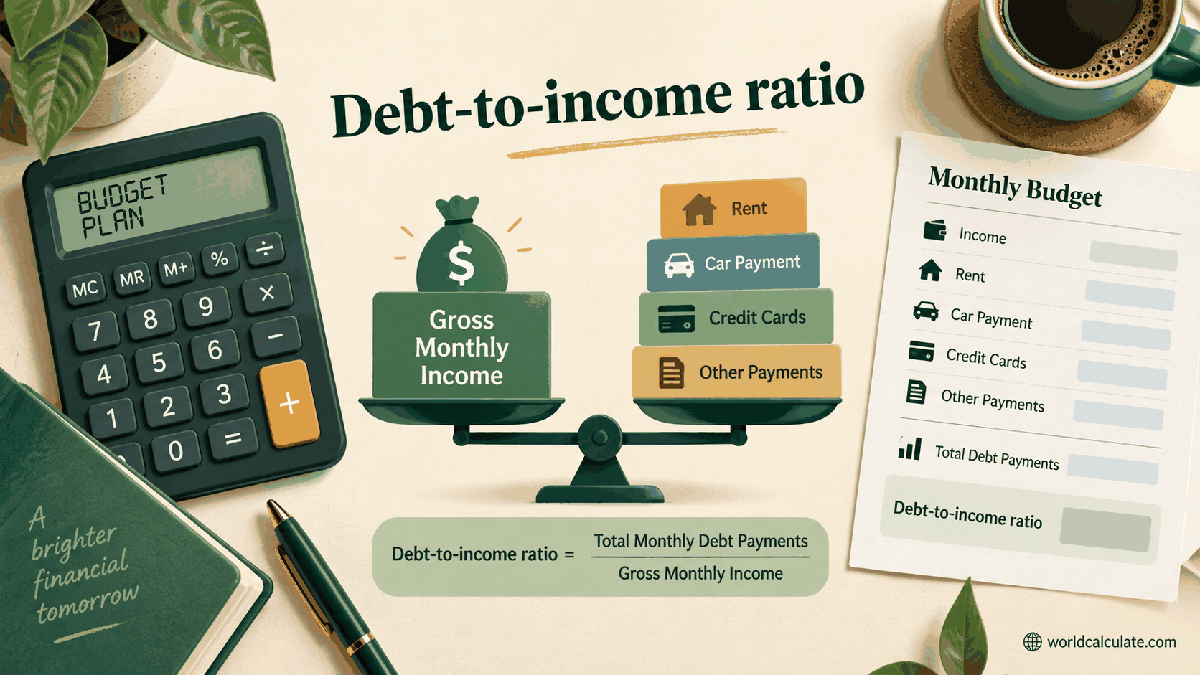
Capital gains tax is not simply a flat percentage of a sale price. A gain can be reduced by allowable losses and an annual exempt amount, then split between an unused income-tax band and a higher rate. This page exposes that sequence so the visitor can see what drives the estimate.
The result estimates tax on an entered chargeable gain using entered tax-year parameters. It is a planning worksheet, not a substitute for the full HMRC rules or a completed Self Assessment return.
Enter the chargeable gain for the asset scenario. A sale price alone is not the gain: purchase cost, allowable expenses, valuations, and the relevant pooling or matching rules may be needed before this page is appropriate.
The worksheet subtracts the entered allowable losses before applying the annual exempt amount. Real-world rules can govern which losses are available, how they are claimed, and whether reliefs apply.
HMRC describes an annual exempt amount for eligible taxpayers, with amounts that can change by year and taxpayer type. Enter the amount for the year being considered instead of assuming today’s figure lasts forever.
The remaining basic-rate band can affect the rate applied to a gain. The calculator therefore asks for taxable income and a basic-rate band input, then sends only the remainder to the higher-rate line.
A 20,000 gain with no losses and a 3,000 exemption leaves 17,000 taxable. If 37,700 of band is available and taxable income is 20,000, the model leaves the full 17,000 in the basic-rate portion and applies the entered 18% rate.
Rates can differ for residential property, carried interest, trustees, reliefs, and other cases. This page asks for rates precisely because a hard-coded generic percentage could mislead a visitor in another tax year or asset category.
Keep acquisition, disposal, fee, loss, and relief records. The tax year of disposal and the rules in force then matter more than the date a calculator page was first opened.
Compare the result with current HMRC guidance and, for a complicated disposal, a qualified adviser. Confirm residence, asset type, reliefs, losses, and the correct annual exempt amount before using a number in a tax return.
Estimate UK-style capital gains tax by applying entered losses, annual exempt amount, unused basic-rate band, and two entered gain rates.
Net gain = max(0, gross gain − allowable losses); taxable gain = max(0, net gain − annual exempt amount); gain at basic rate = min(taxable gain, max(0, basic-rate band − taxable income)); gain at higher rate = taxable gain − gain at basic rate; estimated tax = basic-rate gain × basic rate + higher-rate gain × higher rate. This calculator turns the structure described by HMRC into an editable planning scenario. Rates, allowances, reliefs, and the treatment of gains differ by tax year and asset, so every jurisdictional parameter is exposed rather than hidden in an unchangeable formula.
Enter Gross chargeable gain, Allowable losses used, Annual exempt amount, Taxable income before gains, Basic-rate band remaining before gains, Basic CGT rate, Higher CGT rate, then choose Calculate.
The entered gross gain is chargeable under the visitor’s chosen scenario. Entered losses are applied against the gain before the annual exempt amount. The annual exempt amount is entered for the relevant tax year and taxpayer type. Taxable income is entered in the same tax-year and currency context as the band. The basic-rate band input is the portion available to gains before the gain is added. Two entered rates are used for a simple split between the unused basic band and the remainder. Residential property, carried interest, business reliefs, trusts, and special regimes are not inferred. The calculator does not determine residence, filing status, or whether an asset is chargeable. Transaction costs, pooling rules, valuations, and record-keeping adjustments are outside the arithmetic. HMRC guidance and the current tax year must be checked before a return or payment decision.
This calculator is part of the WorldCalculate library. Its formula, example, assumptions, input bounds, and output formatting follow the official methodology.
These WorldCalculate collections connect this tool with related questions while keeping each calculation separate and transparent.