
Goal
Estimate energy use and electricity cost from appliance power, hours, days, and an entered rate.
Worldwide context
Saved once here, used across the site.
Currency changes display only. Country selection guides tax input; no tax rate is guessed.
Estimate energy use and electricity cost from appliance power, hours, days, and an entered rate.
Energy per day = watts / 1,000 x hours; period energy = daily energy x days; cost = kWh x entered rate.A clearer path to an answer
This page keeps the calculation transparent: define the goal, enter the matching values, inspect the method, and decide what the result means in your situation.
Estimate energy use and electricity cost from appliance power, hours, days, and an entered rate.
Power requirement · Hours used per day · Number of days · Electricity rate
Energy per day = watts / 1,000 x hours; period energy = daily energy x days; cost = kWh x entered rate.
Calculate, review the assumptions below, then compare a related tool when the decision needs more context.
Estimate energy use and electricity cost from appliance power, hours, days, and an entered rate.
Open the Electricity Use and Cost Calculator pageMore utility tools
Download PDFDownload Word (.doc)
Enter your values above and choose Calculate to see the result here.
Calculation map
Energy per day = watts / 1,000 x hours; period energy = daily energy x days; cost = kWh x entered rate.
Bounded, transparent calculation
Your recent runs stay in this browser session only.
Formula: Energy per day = watts / 1,000 x hours; period energy = daily energy x days; cost = kWh x entered rate.
Power, time, energy, and price are kept separate so the result does not silently assume a utility tariff or appliance duty cycle.
Worked example: A 1,000 W appliance used 4 hours daily for 30 days uses 120 kWh.
The displayed limits are checked before the handler runs. Model-specific domain checks may also reject impossible or non-finite inputs.
Methodology: This calculator follows the WorldCalculate input, formula, precision, and boundary policy. Read the official methodology.
Calculator usage statistics
This section counts anonymous successful Calculate submissions, not unique visitors. Counts and top tools appear only when trusted aggregate data is available; country analysis is shown only under the same condition and reporting threshold.
Answer-first guide
Estimate energy use and electricity cost from appliance power, hours, days, and an entered rate. Start with one clearly defined goal, enter values in the units shown, and keep the result attached to the assumptions below.
This tool is useful when your question includes electricity calculator, energy use, kWh calculator. It returns the outputs declared in the calculator contract rather than a live quote, approval, diagnosis, or professional sign-off.
Power requirement · Hours used per day · Number of days · Electricity rate. Keep the same time period, unit system, and currency wherever the form requires comparable values.
Run the worked example first, compare its output with the page's example, then change one input at a time. This makes an unexpected result easier to trace to a unit, boundary, or assumption.
Need a wider view? Browse Everyday Utility Calculators or compare the related tools below. The WorldCalculate methodology explains how formulas, examples, limits, and revisions are reviewed.
Energy per day = watts / 1,000 x hours; period energy = daily energy x days; cost = kWh x entered rate.
Power, time, energy, and price are kept separate so the result does not silently assume a utility tariff or appliance duty cycle.
A 1,000 W appliance used 4 hours daily for 30 days uses 120 kWh.
Context and background
Everyday tools turn a measured quantity, a rate, or a simple ratio into a practical estimate while leaving live prices, routes, and local rules to the visitor.
Practical calculators are small applied models. Their value is that a person can inspect an assumption, change it, and see how the decision changes without mistaking the result for a promise.
Research and review
Researched by Hassan ALRowaie, Founder and editorial researcher at WorldCalculate.
This guide follows the live calculator's declared inputs, formula, worked example, assumptions, validation boundaries, and source-backed methodology. The review date describes editorial review of the calculator explanation; it is not a promise that external facts or rates remain current.
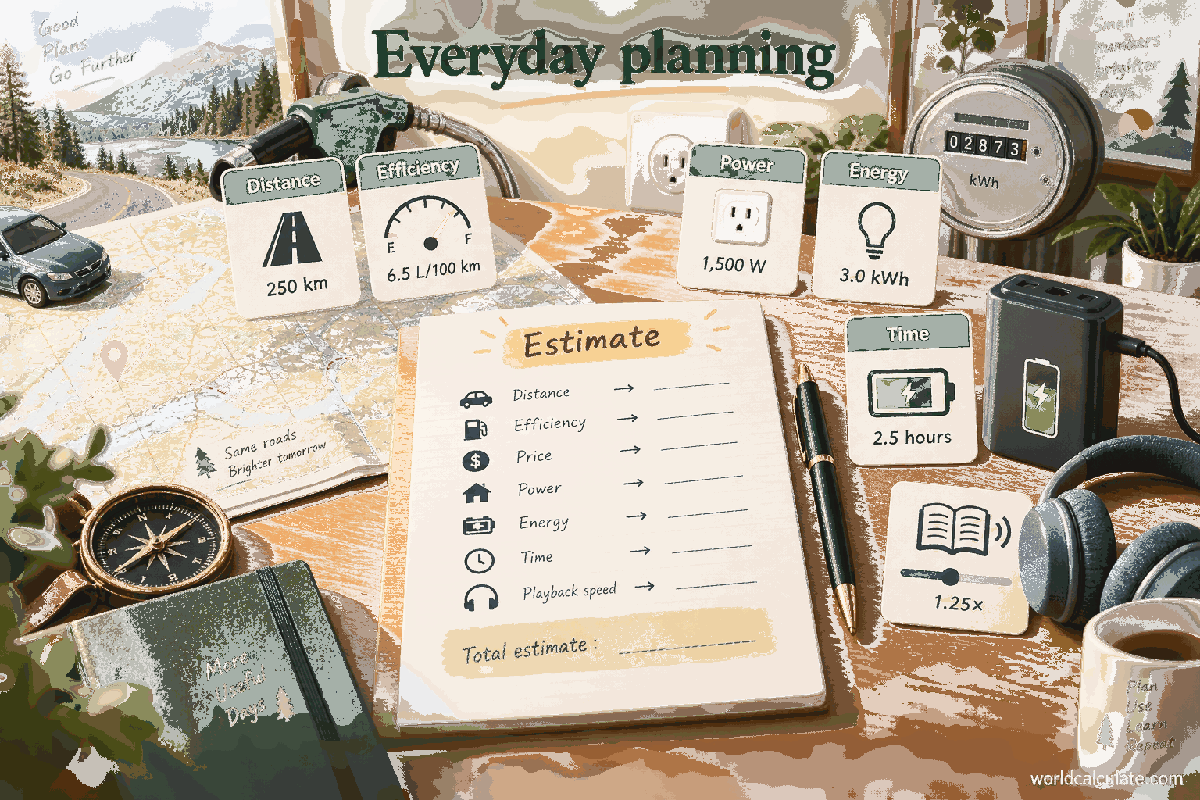
Electricity bills combine a power level, a time interval, and a price for energy. This calculator keeps those ideas separate. You enter appliance power in watts, hours used per day, a whole-number count of days, and a rate in currency units per kilowatt-hour. The handler first calculates daily energy as watts divided by 1,000 and multiplied by hours, then multiplies that daily amount by the number of days, and finally multiplies period kilowatt-hours by the entered rate. With 1,000 W used for 4 hours each day over 30 days, the result is 4 kWh per day, 120 kWh for the period, and 18 currency units at a rate of 0.15 per kWh. This is a constant-power arithmetic estimate. It does not model a device's duty cycle, standby interval, voltage behavior, solar production, demand charges, taxes, tiered prices, or other utility-specific fees. The guide explains watts versus watt-hours, every field, unit cancellation, worked scenarios, zero and boundary inputs, rounding, tariff exclusions, and when measured or billing data should replace a simple estimate.
The Power requirement field is a numeric power value in watts. It describes the rate at which the assumed load uses energy while it is operating. Hours used per day is the number of hours during an average day for which that power is applied. Number of days is the length of the calculation period, and Electricity rate is the price assigned to one kilowatt-hour. These four fields form one scenario; none of them identifies a utility account or reads an appliance automatically.
Power accepts values from 0 through 1,000,000 W, and hours per day accepts 0 through 24 hours. Days must be a whole number from 1 through 366. Rate accepts finite values from 0 through 100 currency units per kWh. Decimal power, hours, and rate values are allowed, while a fractional day count is rejected. The validation is numerical and bounded: it does not check a model number, meter reading, billing currency, or whether the entered power is a rated value or a measured average.
Before entering a number, decide what interval it describes. A label on a device may show a maximum or nominal wattage, while an energy monitor may show an average over changing loads. Either can be used as the entered scenario if its meaning is recorded, but they are not interchangeable facts. A good note names the device, the assumed operating state, the period, and whether the number is rated, observed, or supplied by another record.
A watt measures power, while a watt-hour measures energy. Power answers how fast a load uses energy; energy answers how much has been used over a time interval. Multiplying a constant power of 100 W by 2 hours gives 200 Wh. Because utility billing commonly expresses larger energy totals in kilowatt-hours, the calculator divides the watt-hour result by 1,000: 200 Wh is 0.2 kWh.
The unit cancellation makes the daily formula easy to inspect. Power in W multiplied by time in hours produces Wh. Dividing power by 1,000 first changes watts to kilowatts, so kW multiplied by hours produces kWh. The handler uses daily kWh = power / 1,000 x hours per day. It is not converting watts directly into a currency amount; the time and rate stages are still required.
This distinction prevents a common tenfold or thousandfold mistake. Entering 1,000 as power means 1,000 W, or 1 kW, not 1,000 kWh. Entering 4 as hours means four hours in each day, not four minutes and not four days. Read the unit beside every number before multiplying. If a source already gives energy in kWh, do not enter that energy as the Power requirement; use a method that accepts energy directly or convert the source data to an appropriate average power first.
The first arithmetic stage is daily energy use = power / 1,000 x hours per day. For a 60 W lamp used 5 hours per day, daily energy is 60 / 1,000 x 5 = 0.3 kWh. In Wh terms, the same result is 60 x 5 = 300 Wh, and 300 / 1,000 = 0.3 kWh. The calculator reports this first value as Daily energy use so the daily assumption remains visible.
A larger load demonstrates the same relationship. A 2,400 W heater used for 0.5 hours per day consumes 2.4 x 0.5 = 1.2 kWh per day under the constant-power assumption. Changing the hours while holding power fixed changes energy in direct proportion: twice as many operating hours gives twice the daily energy. Changing power has the same proportional effect when the time stays fixed.
The word daily describes the input pattern, not a measured average over a calendar or billing database. The page does not ask which hours the device runs, whether the period crosses a daylight-saving change, or whether the utility defines a billing day differently. It applies the entered hours to each modeled day. If usage differs substantially by day, use separate scenarios or a data-based calculation rather than treating one average as a detailed load history.
After calculating daily kWh, the handler multiplies it by Number of days. Period energy use = daily energy use x days. A device using 0.3 kWh per day for 30 days therefore uses 9 kWh for the selected period. The days field is intentionally a simple integer count. It can represent a 30-day planning window, a 7-day week, a 366-day upper-bound scenario, or another period the user has chosen.
The calculator does not derive the day count from start and end dates. It does not know whether February has 28 or 29 days in a named month, whether a billing cycle contains partial days, or whether the device ran for different hours on weekends. If the question is about a specific calendar interval, count the modeled days deliberately and decide how partial days should be represented before entering the value.
The upper bound of 366 allows a one-year-sized count, including a leap-year-sized scenario, but it is not a calendar validator. A value of 366 does not tell the page which year was intended. A value of 30 does not automatically mean the previous month or a utility billing cycle. The period result is only as meaningful as the relationship between the chosen count and the hours-per-day assumption.
The cost stage is Estimated electricity cost = period energy in kWh x entered rate in currency units per kWh. For 120 kWh at 0.15 currency units per kWh, the product is 18 currency units. The currency is deliberately not named in the form, so the result should be read with the user's rate context. The page does not know whether 0.15 means dollars, euros, pounds, or another unit, and it should not invent a symbol.
The rate must be entered per kilowatt-hour, not per watt, per hour, or per day. If a source states a price per Wh, divide or otherwise normalize it to a price per kWh before entering it. If a source gives a total bill for a period, do not use that total as the rate. Derive a rate only when the relevant bill components and energy quantity are clearly defined, and retain the original source values in your notes.
A rate of zero is accepted and produces an estimated cost of zero even when energy use is positive. That can represent a deliberately free scenario for arithmetic testing, but it is not evidence that an actual account has no service charge or energy price. Conversely, a positive rate applied to zero energy produces zero energy cost in this model. Both cases show why the calculation separates energy from price.
Use the catalog defaults: power 1,000 W, hours per day 4, days 30, and rate 0.15 currency units per kWh. Convert power to kilowatts: 1,000 / 1,000 = 1 kW. Daily energy is 1 kW x 4 hours = 4 kWh. That value is the first output and describes the assumed use on each modeled day.
Extend the daily value to the period: 4 kWh x 30 days = 120 kWh. The cost product is 120 x 0.15 = 18 currency units. The result is therefore 4 kWh daily, 120 kWh for the period, and an estimated energy cost of 18 in the rate's currency units, before any excluded bill components. The arithmetic can also be checked in Wh: 1,000 W x 4 x 30 = 120,000 Wh, which is 120 kWh.
This example is deliberately simple because the entered power is constant and the daily hours are fixed. It does not say that an appliance rated at 1,000 W always consumes exactly 1,000 W while plugged in, or that a real bill for 30 days will contain only an 18-unit energy line. It demonstrates the calculator's contract: one assumed power, one daily duration, one integer period, and one supplied energy price.
Consider a 60 W lamp used for 5 hours per day over 30 days at a rate of 0.20 currency units per kWh. Daily energy is 60 / 1,000 x 5 = 0.3 kWh. Period energy is 0.3 x 30 = 9 kWh. Estimated energy cost is 9 x 0.20 = 1.80 currency units. The lamp's wattage is small, but the same three-stage calculation applies without a special lighting rule.
Now change only the operating time to 10 hours per day. Daily energy becomes 0.6 kWh and period energy becomes 18 kWh, so the energy portion of cost becomes 3.60 currency units at the same rate. This illustrates proportionality rather than a new tariff. Doubling the assumed hours doubles the modeled energy and the modeled energy cost when the power and rate remain unchanged.
If the lamp has several brightness settings, choose a power that matches the scenario being described. A maximum label may overstate an average setting, while an observed meter value may include a power adapter's own consumption. The calculator cannot distinguish those sources. Put the choice in the scenario label and compare separate settings rather than blending incompatible wattages into one unexplained input.
The handler treats the entered power as constant for every entered hour. That is a useful first model for a steady lamp, a continuously running resistive load, or a defined operating state, but many appliances do not behave that way. A refrigerator cycles, a thermostat-controlled heater switches, and a computer changes power with workload. For such devices, the nameplate value may be a maximum or nominal value rather than the average over the selected hours.
If an average power has been measured for the exact operating pattern, entering that average can make the constant-power model a reasonable summary of that pattern. The page itself does not measure or derive the average. Alternatively, split the use into scenarios: one power for active operation and another for an idle state, each with its own hours, then add the resulting energy values. This preserves the difference between a high-power short interval and a low-power long interval.
Do not multiply a peak rating by a full day and call that a measured bill unless the device truly operates at that rating for the full modeled time. The calculator will perform the requested product, but it cannot know whether the assumption is conservative, typical, or impossible for a particular device. The power input is the user's model choice and should be labeled accordingly.
A duty cycle describes the share of an interval during which a load is active. This calculator has no duty-cycle field. If a 1,500 W heater is active for only one third of a stated 6-hour window, entering 6 hours with 1,500 W would model 9 kWh, not the lower energy that a one-third active average would produce. To represent the cycle in this page, use an average power of 500 W for the six-hour window or model the active and inactive intervals separately.
Standby use is also not inferred. If a device draws power while plugged in outside the hours entered as active use, that standby interval is absent from the estimate unless it is included in a separate scenario. A zero hours-per-day entry therefore means zero modeled operating energy; it does not prove that a plugged-in device consumes nothing in standby. The note beside the calculator explicitly identifies standby loads as excluded from the simple arithmetic.
Startup surges, battery charging losses, power-factor behavior, voltage variation, and changing load states are likewise not separate fields. They may matter in a measured or engineering analysis, but adding an invented correction would make the output less transparent. Keep this page's result as the constant-power portion, then use measured interval energy or a domain-specific load model when those effects are material.
The entered rate is a single flat price applied to every modeled kWh. Real billing arrangements can include time-of-use prices, seasonal prices, tiered blocks, demand charges, fixed customer charges, taxes, credits, delivery fees, and other utility-specific items. This calculator has no fields for those components. Its cost result is therefore an energy-price product, not a complete bill forecast or a statement of what an account will be charged.
A tiered rate cannot be represented faithfully by choosing one rate unless the user intentionally wants a simplified average. If the first block has one price and later energy has another, the correct calculation must allocate kWh across those blocks before adding the subtotals. Similarly, a time-of-use tariff requires separate energy totals for each time band. Entering one blended rate can be useful for a labeled rough scenario, but it should not be described as the tariff schedule itself.
Demand charges are especially different because they can depend on a peak power or interval demand measure rather than total kWh. The page does not ask for a demand window or a billing peak. It also does not calculate credits for exports, renewable generation, or equipment rebates. Keep the estimated electricity cost label intact and compare it with a bill only after identifying which bill lines are energy-priced and which are excluded.
Power may be zero, hours per day may be zero, and rate may be zero. If power is zero, daily and period energy are zero regardless of the hours. If hours are zero, no operating energy is modeled regardless of power. If the rate is zero, the cost product is zero even when the period contains positive kWh. These are valid numerical scenarios and can help test whether the three stages are being kept separate.
Days cannot be zero because the field requires an integer from 1 through 366. A one-day period is the smallest accepted period. Power may be as high as 1,000,000 W, which is 1,000 kW for the unit conversion, and hours may be as high as 24. The rate's maximum is 100 currency units per kWh. These limits bound the form; they do not certify that a large load or high rate is realistic for a particular installation.
All numeric values must be finite and within their field bounds. Negative power, negative hours, negative days, negative rate, a fractional day count, and nonfinite numeric values are rejected. A negative number might be meaningful in an export, credit, or accounting model, but this calculator does not define those signed quantities. Use a contract that explicitly represents energy exported or a bill credit rather than treating a rejected negative input as a missing feature.
The handler computes daily energy and period energy as ordinary JavaScript numbers, then returns both energy results with a display precision of three decimal places. The estimated cost uses the shared currency result format. Display precision is a presentation choice: it does not mean the input power, usage duration, or utility rate was measured to three decimal places, and it does not replace the account's billing-rounding rule.
Do not manually multiply a rounded daily display when a more exact period result is available. For example, a daily value that displays as 0.333 kWh may come from a calculation whose unrounded value has more digits. The handler multiplies its calculated daily value by days before formatting the period result. Recomputing from the displayed daily text can introduce a small difference, especially over many days.
For a real bill comparison, retain the source readings and decide when rounding belongs in the process. A supplier may round energy at a meter interval, a bill line, or a final total. The calculator does not know that policy. Use the displayed numbers for a readable estimate, but keep enough unrounded input detail and label the result as an estimate when a small difference could affect reconciliation.
To estimate several independent loads, calculate each load with its own power and hours, then add the daily or period kWh values. A 100 W fan used 8 hours daily and a 60 W lamp used 5 hours daily are not combined by adding 100 and 60 alone. Their modeled daily energies are 0.8 kWh and 0.3 kWh, for a combined 1.1 kWh per day before extending across days. Adding powers without their operating times would assume both loads run for the same hours and would hide an important difference.
If two devices always run together for the same duration, adding their powers first and multiplying by the shared hours gives the same arithmetic as calculating their energies separately. If their schedules differ, separate calculations are clearer. If one appliance's power includes another device, such as a measured whole-system value that already includes a monitor, do not add the subcomponent again. The calculator cannot detect double counting; the scenario record must define the boundary of each load.
Use the same rate only when the rate is intentionally shared across the scenarios. If time bands or account rates differ, keep those energy quantities separate and apply the appropriate prices outside this single-rate page. The goal is not to force every household load into one number, but to make each multiplication auditable before totals are combined.
A calculation from a nameplate power and assumed hours is useful for planning, comparison, and identifying which loads deserve closer measurement. It is not the same as a meter reading. A meter records the energy that actually passed through a defined point over an interval, while this page multiplies a user-supplied constant power by a user-supplied schedule. Differences between the two can be informative rather than evidence that one arithmetic product is malformed.
When comparing with a bill or energy monitor, align the boundaries first. Check whether the measured value includes standby time, multiple appliances, conversion losses, or a different number of days. Check whether the billed energy covers a partial period and whether the entered rate includes only the energy line. Comparing a 30-day constant-use estimate with a meter interval of 27 days and a whole-account bill mixes unlike quantities.
If the observed data is available, use it to improve the assumption instead of adding an unexplained correction factor. An average power can be derived from measured energy and measured hours when the interval and units are clear, then used as a labeled scenario. The page remains useful as a transparent check, but the observation should be the better basis when the decision depends on actual consumption.
The calculator can answer questions such as: how much energy would a 500 W load use if it ran 3.5 hours each day for 14 days, or what would 45 kWh cost at a supplied flat rate? It can compare two operating schedules, show why reducing hours affects energy, and turn a stated wattage into a first kWh estimate. These are arithmetic planning questions with a clear relationship among power, time, energy, and price.
It cannot select an efficient appliance, predict future utility prices, size wiring or protection, calculate a demand peak, verify an electrical installation, forecast solar generation, or determine whether a tariff applies to an account. It has no voltage, current, phase, power-factor, efficiency, battery, export, or weather inputs. Those omissions are not hidden defaults; they mark the boundary of the model represented by the four fields.
A result should therefore be reported with its assumptions attached: entered power, daily hours, day count, rate unit, modeled load, and excluded charges. A bare number such as 120 is ambiguous because it could be watts, watt-hours, kilowatt-hours, or currency units. The page provides labeled outputs to reduce that ambiguity, but the person using the result still has to preserve the scenario definition.
First confirm that the power value is in watts and decide whether it is rated, peak, or an average for the operating state. Enter the hours that the chosen power applies to each modeled day. Use a whole-number period from 1 through 366 and make sure the rate is expressed in currency units per kWh. Reject the temptation to put a kWh total or a complete bill amount into a field whose unit is different.
Next, check the three stages independently. Convert watts to kilowatts, multiply by hours to obtain daily kWh, multiply by days to obtain period kWh, and multiply by the flat entered rate to obtain the modeled energy cost. For a changing appliance, use an average or separate scenarios. For standby use, include it deliberately or state that it is outside the estimate. For several loads, sum compatible energy quantities without double counting.
Finally, compare the result with the purpose of the question. The page gives a finite constant-power estimate with displayed energy precision and an explicit single-rate cost product. It does not include taxes, fees, tiered or time-based tariffs, demand charges, standby that was not entered, or utility account rules. Keeping those limits beside the number is what turns a quick multiplication into a useful, honest energy scenario.
Estimate energy use and electricity cost from appliance power, hours, days, and an entered rate.
Energy per day = watts / 1,000 x hours; period energy = daily energy x days; cost = kWh x entered rate. Power, time, energy, and price are kept separate so the result does not silently assume a utility tariff or appliance duty cycle.
Enter Power requirement, Hours used per day, Number of days, Electricity rate, then choose Calculate.
The entered power remains constant during the selected usage hours. Taxes, demand charges, tiered rates, standby power, and utility-specific fees are excluded.
This calculator is part of the WorldCalculate library. Its formula, example, assumptions, input bounds, and output formatting follow the official methodology.
These WorldCalculate collections connect this tool with related questions while keeping each calculation separate and transparent.