
Goal
Calculate an area-completion rate in acres per hour from a nonnegative area and a positive elapsed time.
Worldwide context
Saved once here, used across the site.
Currency changes display only. Country selection guides tax input; no tax rate is guessed.
Calculate an area-completion rate in acres per hour from a nonnegative area and a positive elapsed time.
Acres per hour = acres / hours.A clearer path to an answer
This page keeps the calculation transparent: define the goal, enter the matching values, inspect the method, and decide what the result means in your situation.
Calculate an area-completion rate in acres per hour from a nonnegative area and a positive elapsed time.
Area completed · Elapsed time
Acres per hour = acres / hours.
Calculate, review the assumptions below, then compare a related tool when the decision needs more context.
Calculate an area-completion rate in acres per hour from a nonnegative area and a positive elapsed time.
Open the Acres Per Hour pageMore science tools
Download PDFDownload Word (.doc)
Enter your values above and choose Calculate to see the result here.
Calculation map
Acres per hour = acres / hours.
Bounded, transparent calculation
Your recent runs stay in this browser session only.
Formula: Acres per hour = acres / hours.
This is a bounded productivity-rate calculation. It divides the entered area by the elapsed time and reports acres per hour; it does not estimate yield, cost, fuel, labor, equipment capability, or job completion quality.
Worked example: The area-completion rate is 15 acres per hour.
The displayed limits are checked before the handler runs. Model-specific domain checks may also reject impossible or non-finite inputs.
Methodology: This calculator follows the WorldCalculate input, formula, precision, and boundary policy. Read the official methodology.
Calculator usage statistics
This section counts anonymous successful Calculate submissions, not unique visitors. Counts and top tools appear only when trusted aggregate data is available; country analysis is shown only under the same condition and reporting threshold.
Answer-first guide
Calculate an area-completion rate in acres per hour from a nonnegative area and a positive elapsed time. Start with one clearly defined goal, enter values in the units shown, and keep the result attached to the assumptions below.
This tool is useful when your question includes acres per hour, acre rate, field productivity. It returns the outputs declared in the calculator contract rather than a live quote, approval, diagnosis, or professional sign-off.
Area completed · Elapsed time. Keep the same time period, unit system, and currency wherever the form requires comparable values.
Run the worked example first, compare its output with the page's example, then change one input at a time. This makes an unexpected result easier to trace to a unit, boundary, or assumption.
Need a wider view? Browse Science Calculators or compare the related tools below. The WorldCalculate methodology explains how formulas, examples, limits, and revisions are reviewed.
Acres per hour = acres / hours.
This is a bounded productivity-rate calculation. It divides the entered area by the elapsed time and reports acres per hour; it does not estimate yield, cost, fuel, labor, equipment capability, or job completion quality.
The area-completion rate is 15 acres per hour.
Context and background
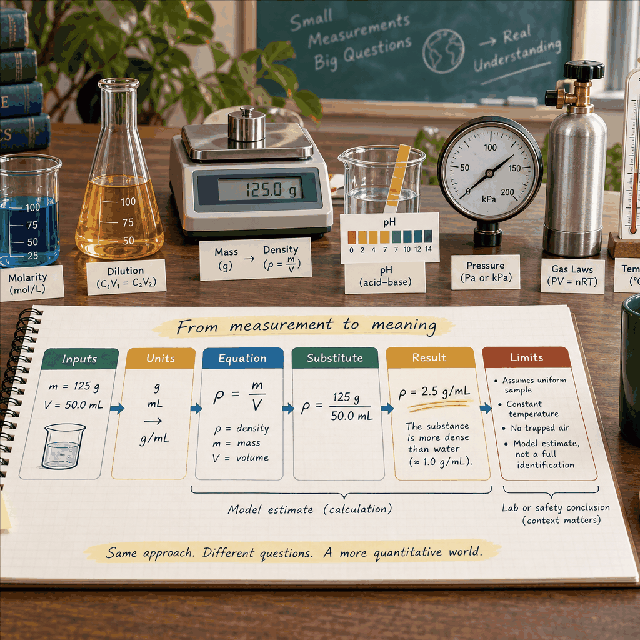
Science calculators define a system, choose an equation, apply units and constants, and show the substitution. Effects outside that model remain outside the result.
Introductory science problem solving builds from measured quantities and idealized relationships. Those models are valuable for learning and first-pass estimates, while experiments and engineering decisions need additional evidence.
Research and review
Researched by Hassan ALRowaie, Founder and editorial researcher at WorldCalculate.
This guide follows the live calculator's declared inputs, formula, worked example, assumptions, validation boundaries, and source-backed methodology. The review date describes editorial review of the calculator explanation; it is not a promise that external facts or rates remain current.

An acres-per-hour result is a compact way to describe how much area was completed during a measured interval. This calculator divides a nonnegative area in acres by a positive duration in hours, then reports the resulting rate. It is intentionally a productivity and rate tool only. It does not estimate crop yield, soil quality, fuel use, labor cost, equipment suitability, weather effects, or whether a future job will finish at the same speed. The sections below explain the input contract, the unit relationship, worked examples, comparison methods, measurement choices, validation boundaries, and the limits that keep this simple division from becoming an unsupported operational forecast.
A rate describes an amount associated with a unit of time. Here the amount is area and the time unit is the hour, so the result answers the narrow question of how many acres correspond to one hour at the observed average pace. If 120 acres are associated with 8 hours, the quotient is 15 acres per hour. That statement summarizes the entered interval; it does not claim that every minute had the same speed or that the next interval will repeat it.
The word completed needs a definition outside the arithmetic. It might mean an area that was worked, inspected, mapped, treated, harvested, or otherwise counted under a particular project rule. The calculator does not inspect the activity label and cannot decide whether a partially covered area qualifies as complete. A useful record should state what the area represents, where the measurement starts and ends, and whether pauses or setup time belong in the elapsed hours.
The result is not a measure of quality. Two teams may cover the same number of acres per hour while leaving different amounts of rework, overlap, waste, damage, or unfinished detail. The rate also does not identify the equipment or people responsible for the observation. It is a numerical summary that can sit beside those facts, not a replacement for them. Keeping the scope narrow makes the quotient easier to reproduce and harder to overinterpret.
The acres field accepts a finite numeric value from 0 through 1,000,000,000 inclusive. Zero is valid because an observation can cover no area during a positive interval. Negative area is rejected because this page describes completed area rather than a signed balance. The upper bound is a computational contract, not a claim that every project of that size is ordinary. Values outside it need a separately designed large-scale workflow.
The hours field accepts a finite positive number from 0.000001 through 1,000,000 inclusive. A fractional value is expected: 30 minutes can be entered as 0.5 hours and 15 minutes as 0.25 hours. Zero is not allowed because division by zero has no finite rate, and a negative duration would not describe the elapsed interval defined by this tool. The small positive lower bound also keeps the quotient inside a practical finite numeric range when paired with the area bound.
Both fields are numbers, not text with automatic suffix parsing. Enter the area as an acre value and the duration as hours before calculating. If a source reports minutes, convert minutes to hours first. If the source reports hectares or another area unit, convert the area separately and record that conversion; this page will not silently reinterpret the entered number. A result is meaningful only when numerator, denominator, and their units refer to the same observation.
The formula is Acres per hour = acres / hours. Division removes the time quantity from the numerator conceptually: acres divided by hours leaves a compound unit of acres per hour. No additional constant is needed because the requested denominator is already an hour. The handler applies ordinary finite arithmetic after checking both fields, then guards the result before returning it. The displayed number is an average rate for the interval represented by the inputs.
A rate can be read in two equivalent ways. Fifteen acres per hour says that one hour at the average rate corresponds to 15 acres. It also says that 120 acres over 8 hours has a quotient of 15. The second reading is useful for checking the calculation, while the first is useful for comparing observations. Multiplying the reported rate by the entered hours reconstructs the entered acres, subject to ordinary display rounding.
The units must stay attached to the arithmetic. Dividing 120 acres by 8 minutes without converting would produce a number labeled acres per minute in substance, even if the screen were called acres per hour. Likewise, entering 8 hours as 8 days changes the meaning by a factor of 24. The calculator cannot detect a semantic unit mistake because the fields contain only numbers. Write the units beside source values before converting them.
Use the example inputs of 120 acres and 8 hours. Substitute the numerator and denominator directly: R = 120 / 8. The quotient is 15, so the displayed result is 15 acres per hour. The arithmetic can be checked by reversing it: 15 acres per hour multiplied by 8 hours equals 120 acres. That check confirms the unit path and catches a common mistake in which a duration is accidentally multiplied instead of divided.
The result describes the average across the eight-hour window. It does not mean that the activity covered exactly 15 acres during every individual hour. A pause, a slow section, a setup period, or a faster section can all be present inside the interval and still produce the same average quotient. If those details matter, keep them in the source log or calculate separate interval rates rather than assigning them to this single result.
A second observation can be compared only after its area definition and timing rule are made comparable. For example, an 80-acre observation over 5 hours also produces 16 acres per hour, which is numerically higher than 15. That comparison is useful if both observations include the same kinds of time and the same completion standard. If one excludes setup time and the other includes it, the arithmetic is valid but the operational comparison is not like for like.
Zero acres over a positive duration returns zero acres per hour. This is a valid arithmetic result, not a validation failure, because the numerator is allowed to be zero and the denominator remains positive. It can represent a stopped operation, a survey interval with no qualifying area, or a deliberately chosen baseline. The page does not decide which story is true; that context belongs in the measurement record.
Fractional areas and durations are also valid within the finite bounds. If 2.5 acres are completed in 0.5 hours, the rate is 5 acres per hour. If 0.25 acres are completed in 0.125 hours, the result is again 2 acres per hour. Fractions often provide a better representation of a short interval than rounding the area or time to a whole number. Preserve source precision until the final display.
A very short positive duration can create a large rate even when the area is moderate. That is not automatically a software error; it may indicate a brief measurement window, a timing convention that excludes setup, or a mistaken unit conversion. The handler still enforces the lower duration bound and checks the finite result. When a result seems surprising, review the time basis before changing the formula or forcing a smaller number.
Holding hours fixed, doubling acres doubles the calculated rate. If 120 acres in 8 hours gives 15, then 240 acres in the same 8-hour interval gives 30. This is a mathematical scaling property, not evidence that a real operation can double its output without changing resources or conditions. The calculator shows the consequence of the entered values and does not estimate whether the changed scenario is feasible.
Holding acres fixed, doubling hours halves the rate. The same 120 acres over 16 hours gives 7.5 acres per hour. This makes the denominator especially important: including travel, loading, calibration, breaks, or cleanup can lower the average, while excluding them can raise it. Either convention can be useful when clearly labeled, but mixing conventions across records can create a misleading comparison.
If a target rate is known, the same equation can be rearranged outside this page. Required hours for a chosen area and target rate would be area divided by target rate, while area associated with a rate and duration would be rate multiplied by hours. Those rearrangements are planning calculations, not extra outputs here. The page intentionally reports only the observed or supplied acres-per-hour quotient.
The arithmetic is exact for the numbers supplied, but the numbers may be estimates. An area measured from a map, a machine display, a field boundary, or a manual record can carry different rounding and boundary rules. The calculator does not attach uncertainty intervals or choose a preferred measurement method. Keep the source method with the result so a later reader knows what the numerator actually counted.
Elapsed hours need an equally clear convention. A gross rate may include all clock time from start to finish. A net rate may exclude refueling, movement between areas, maintenance, or other pauses. Neither convention is universally correct for every question. The important rule is consistency: label the timing convention and apply it the same way when comparing crews, machines, plots, or dates.
Area can also be segmented. A single average may hide slow slopes, wet ground, narrow rows, inspection zones, or sections that require repeated passes. Segment rates can reveal those differences, while the combined rate remains useful for a project summary. This page does not ingest a list of segments, so any aggregation must happen before or after the single calculation with the method documented separately.
An area rate says how fast an area was associated with time. Yield answers a different question about amount produced per area, and cost answers a question about money per area or time. A high acres-per-hour value can coexist with low yield, high fuel use, expensive labor, or substantial rework. The calculator intentionally does not combine those dimensions, because doing so would require additional definitions and data that are not present in the two fields.
Capacity is another distinct idea. A machine specification may describe a theoretical or rated capacity under selected conditions, while this page calculates a supplied observation. Comparing an observed rate with a rated value can be informative only when the area definition, working conditions, and timing convention are understood. The quotient itself does not certify that equipment is being used within a safe or recommended limit.
Scheduling also needs more than a rate. A project may have travel, setup, weather, access, staffing, maintenance, and interruptions. Multiplying a historical rate by a long future duration assumes that all of those conditions remain compatible. Treat that multiplication as a transparent scenario assumption rather than a guarantee. This page supports the arithmetic for the rate, not the broader decision.
The handler validates type, finiteness, and bounds before dividing. A value such as NaN or infinity is not allowed even if a surrounding interface could technically carry it. Negative acres and nonpositive hours are rejected because they violate the page's domain. The engine normalizes negative zero to ordinary zero so the result does not expose a confusing signed-zero artifact in a zero-area case.
The area maximum and duration minimum are chosen together with a finite-result guard. At the largest supported area and smallest supported positive duration, the quotient is 1e15 acres per hour, which is finite in the JavaScript number model. The guard remains important because arithmetic changes should not silently introduce an infinity or NaN. A finite input is necessary but not sufficient for every future formula; result validation stays explicit.
Values just beyond a documented boundary are rejected rather than clipped to the nearest allowed value. Clipping would change the observation without telling the user and could make a reported rate appear more precise than the source record. If a project genuinely needs a larger area, a shorter timing resolution, or a different unit family, that is a signal to define and test a separate contract instead of weakening this one.
A useful report includes the two inputs as well as the quotient. Write the area, the elapsed hours, the rate, the date or interval, and the definition of completed area. A bare number such as 15 is ambiguous: it could mean acres per hour, acres per day, or something unrelated. Attaching the units and interval makes the result portable to a spreadsheet, field note, classroom exercise, or later review.
When comparing records, align the factors that affect interpretation before comparing the numbers. Use the same area unit, the same time basis, and the same rule for breaks or setup. If the conventions differ, label the comparison as a difference in accounting rather than a difference in underlying performance. The calculator cannot normalize hidden choices because those choices are not represented by fields.
Round only at the presentation stage. The handler keeps the numeric quotient, while the page renderer chooses a readable precision. If two close rates display the same rounded value, retain the underlying inputs for a more precise comparison. Conversely, do not report many decimal places as if they represented measurement certainty that the source data did not have. Numerical precision and practical accuracy are separate questions.
This calculator does not forecast production, diagnose an operational problem, choose equipment, estimate a harvest, price a job, or certify compliance with an agricultural or environmental requirement. It also does not convert an acres-per-hour rate into yield, emissions, fuel economy, or labor productivity. Those questions require additional inputs and domain rules. Keeping them outside the contract protects the meaning of the one result that this page does calculate.
For a dependable check, first define what the counted acres represent. Next convert the elapsed duration to hours and confirm it is positive. Enter the values without premature rounding, calculate R = A / H, and verify that multiplying the rate by H returns A within the displayed precision. Finally, record the timing convention and any important measurement note. This routine is short enough for repeated use and makes the assumptions visible.
The most useful final question is not whether the quotient looks familiar, but whether the quotient answers the intended question. If the intended question concerns a future schedule, a resource limit, a cost, or a quality outcome, treat this page as one arithmetic input to a broader analysis. If the intended question is simply how much area corresponded to each hour in a defined interval, the bounded division contract is the appropriate scope.
A single rate becomes more useful when it is attached to the observation that produced it. A field note might include the date, area boundary, activity definition, start and stop times, interruptions, and the person or instrument that recorded the values. The calculator needs only acres and hours, but the surrounding record explains why those two numbers deserve comparison with another observation. Without that context, a rate can be copied into a report while its meaning quietly changes.
For a series of intervals, calculate each rate from its own area and elapsed time before summarizing. A simple average of interval rates is not always the same as total acres divided by total hours, especially when intervals have different durations. The correct summary depends on the question. This page performs one quotient and does not choose a weighting rule, so any multi-interval aggregation should be labeled and checked separately.
The rate can also serve as a diagnostic clue for arithmetic, not for machinery or people. If an observation unexpectedly doubles, first verify that the area unit, elapsed-time inclusion rule, and boundary definition stayed stable. If they did, the difference may be worth operational investigation. The calculator itself remains neutral: it establishes the quotient and leaves causes, remedies, and decisions to the evidence and scope of a broader review.
Calculate an area-completion rate in acres per hour from a nonnegative area and a positive elapsed time.
Acres per hour = acres / hours. This is a bounded productivity-rate calculation. It divides the entered area by the elapsed time and reports acres per hour; it does not estimate yield, cost, fuel, labor, equipment capability, or job completion quality.
Enter Area completed, Elapsed time, then choose Calculate.
Acres is a nonnegative area value and hours is a positive elapsed-time value. Both inputs describe the same activity and time interval, with no hidden unit conversion. The result is a rate-only estimate and does not predict field conditions, output quality, or future performance.
This calculator is part of the WorldCalculate library. Its formula, example, assumptions, input bounds, and output formatting follow the official methodology.
These WorldCalculate collections connect this tool with related questions while keeping each calculation separate and transparent.