
Goal
Secant slope (f(b)-f(a))/(b-a) between two points.
Worldwide context
Saved once here, used across the site.
Currency changes display only. Country selection guides tax input; no tax rate is guessed.
Secant slope (f(b)-f(a))/(b-a) between two points.
Rate = (f(b) - f(a)) / (b - a).A clearer path to an answer
This page keeps the calculation transparent: define the goal, enter the matching values, inspect the method, and decide what the result means in your situation.
Secant slope (f(b)-f(a))/(b-a) between two points.
f(a) · f(b) · Point a · Point b
Rate = (f(b) - f(a)) / (b - a).
Calculate, review the assumptions below, then compare a related tool when the decision needs more context.
Secant slope (f(b)-f(a))/(b-a) between two points.
Open the Average Rate of Change pageMore math tools
Download PDFDownload Word (.doc)
Enter your values above and choose Calculate to see the result here.
Calculation map
Rate = (f(b) - f(a)) / (b - a).
Bounded, transparent calculation
Your recent runs stay in this browser session only.
Formula: Rate = (f(b) - f(a)) / (b - a).
Rise over run between the two function points. Equal x-values leave no run, so they are rejected.
Worked example: 2 per x-unit.
The displayed limits are checked before the handler runs. Model-specific domain checks may also reject impossible or non-finite inputs.
Methodology: This calculator follows the WorldCalculate input, formula, precision, and boundary policy. Read the official methodology.
Calculator usage statistics
This section counts anonymous successful Calculate submissions, not unique visitors. Counts and top tools appear only when trusted aggregate data is available; country analysis is shown only under the same condition and reporting threshold.
Answer-first guide
Secant slope (f(b)-f(a))/(b-a) between two points. Start with one clearly defined goal, enter values in the units shown, and keep the result attached to the assumptions below.
This tool is useful when your question includes average rate of change, secant slope, difference quotient. It returns the outputs declared in the calculator contract rather than a live quote, approval, diagnosis, or professional sign-off.
f(a) · f(b) · Point a · Point b. Keep the same time period, unit system, and currency wherever the form requires comparable values.
Run the worked example first, compare its output with the page's example, then change one input at a time. This makes an unexpected result easier to trace to a unit, boundary, or assumption.
Need a wider view? Browse Math Calculators or compare the related tools below. The WorldCalculate methodology explains how formulas, examples, limits, and revisions are reviewed.
Rate = (f(b) - f(a)) / (b - a).
Rise over run between the two function points. Equal x-values leave no run, so they are rejected.
2 per x-unit.
Context and background
Math calculators move from named quantities to a relation, then to a result that can be checked with substitution, units, or an alternate form.
Arithmetic, algebra, geometry, trigonometry, and number theory provide reusable structures for classroom work and everyday reasoning. Each page narrows that structure to one declared problem.
Research and review
Researched by Hassan ALRowaie, Founder and editorial researcher at WorldCalculate.
This guide follows the live calculator's declared inputs, formula, worked example, assumptions, validation boundaries, and source-backed methodology. The review date describes editorial review of the calculator explanation; it is not a promise that external facts or rates remain current.

Average rate of change compresses what happened between two supplied points into one slope. This calculator receives f(a), f(b), a, and b as four independent numeric fields, then divides the change in the output by the change in the input. The result is a secant slope: it describes the net change across the chosen interval, not every turn that may have occurred inside it. That distinction matters when a table records a quantity at two dates, when a graph is sampled at two horizontal positions, or when a physical measurement is summarized over a time or distance span. The page intentionally does not ask for a function formula and does not evaluate one behind the scenes. You supply both endpoint values directly. This guide explains how to associate each value with its point, preserve the sign when the interval runs backward, check the units, and read a zero or negative result. It also documents the exact JavaScript-number validation, the one-result display contract, the difference between an interval average and an instantaneous derivative, and the situations in which this transparent quotient is too small a model for the question.
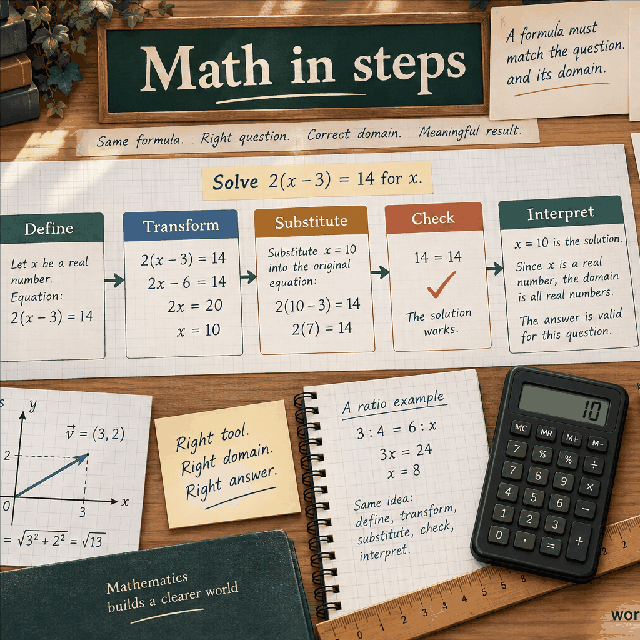
A rate of change asks how much an output changes for a specified amount of input change. If the input is time and the output is revenue, the rate describes revenue per unit of time. If the input is distance and the output is temperature, it describes temperature units per distance unit. The quotient is meaningful only after the roles of the horizontal and vertical quantities have been identified. The calculator calls the horizontal values a and b and the corresponding outputs f(a) and f(b), but those symbols can represent many practical quantities.
The word average refers to the whole interval from a to b. It does not mean that the output moved at exactly the returned rate at every intermediate input. A quantity may rise quickly, pause, fall, and rise again while having the same net endpoint quotient as a steadily changing quantity. The calculation retains the start and finish information and deliberately discards the path between them. That makes it useful for summary comparisons, while also making the missing intermediate behavior an important limitation.
Geometrically, the two observations are points (a, f(a)) and (b, f(b)) on a coordinate plane. The line segment joining them is a secant line, and its slope is the average rate of change. The page reports that slope directly. It does not draw a curve, infer the shape of a function, locate a turning point, or decide whether the points came from a continuous process. Those questions require additional data or a separate model.
The field fa is the output value f(a), and fb is the output value f(b). The field a is the input coordinate attached to fa, while b is the input coordinate attached to fb. They are not four interchangeable numbers. A reliable entry routine is to write the first point as (a, fa), write the second point as (b, fb), and only then place each value in its field. This pairing prevents an output from being attached to the wrong date, position, or experimental condition.
Every field is expected to arrive at the handler as a JavaScript number. Each value must be finite and within -1e12 through 1e12, inclusive. A numeric-looking string such as 9 is not the same input as the number 9 for this contract. Neither NaN nor Infinity is accepted, and values beyond either bound are rejected. The browser's number control may help with ordinary entry, but the handler performs the authoritative type, finiteness, and range checks itself.
The bounds are engineering safeguards for predictable arithmetic, not a claim that every permitted value describes a sensible measurement. A coordinate of 1e12 could represent a very large time or position in a mathematical exercise, but its practical meaning depends on the chosen units. Likewise, a function value near either limit may be legal while being impossible for a particular instrument. Validate the domain meaning separately from the page's generic numeric boundary.
The handler applies one formula: rate = (fb - fa) / (b - a). The numerator is the change in output, often called the rise. The denominator is the change in input, often called the run. Subtracting in the same endpoint order is essential. The output belonging to b is subtracted from the output belonging to a, and b is subtracted from a. Mixing the order in only one part would reverse the answer or otherwise change the quotient.
The formula can be read as a two-step audit. First calculate delta-y = fb - fa. Next calculate delta-x = b - a. Divide delta-y by delta-x. For the default values, delta-y is 9 - 3 = 6 and delta-x is 4 - 1 = 3, so the rate is 6 / 3 = 2. Keeping these two differences visible makes the sign and the units easier to check than entering numbers into a memorized pattern without labels.
The denominator cannot be zero. When a equals b, the two fields describe the same input coordinate, so there is no horizontal change over which to spread the output difference. Even if fa and fb differ, the quotient would involve division by zero; even if they match, there would be no interval rate to report. The handler therefore rejects a === b before returning a result. Distinct input values, including extremely close distinct JavaScript numbers, are allowed subject to finite-result protection.
The page does not require b to be greater than a. If b is less than a, the denominator is negative and the supplied endpoint order is preserved. There is no hidden sort that rearranges the points into ascending input order. This matters because a rate is directional with respect to the chosen subtraction order: the calculation follows the pair attached to a first and the pair attached to b second.
Suppose the original observations are f(1) = 3 and f(4) = 9. In the forward arrangement, the rate is (9 - 3) / (4 - 1) = 6 / 3 = 2. The same secant can be entered backward as a = 4, fa = 9, b = 1, and fb = 3. The handler then computes (3 - 9) / (1 - 4) = -6 / -3 = 2. Both differences changed sign, so the slope is unchanged, as it should be when the same two points are traversed in reverse.
A backward interval does not authorize arbitrary swapping of values. If b is smaller but fb is not the value actually associated with b, the quotient faithfully reflects that inconsistent pairing and may have an unexpected sign. Treat the fields as coordinates, not as a list that the calculator can repair. When comparing several intervals, record the endpoint order alongside the result so that a negative denominator is not mistaken for a software error.
Use fa = 3, fb = 9, a = 1, and b = 4. The first point is (1, 3), and the second point is (4, 9). The output rises by fb - fa = 9 - 3 = 6 units. The input advances by b - a = 4 - 1 = 3 units. Dividing gives rate = 6 / 3 = 2. The page therefore returns one numeric result labeled Average rate of change with a value of 2.
The result is not simply the output difference. An increase of 6 over an input span of 3 is different from an increase of 6 over a span of 12. The denominator gives the result its scale. If a represents years and f represents dollars, the same arithmetic would be read as 2 dollars per year. If a represents meters and f represents kilograms, it would be 2 kilograms per meter. The number alone cannot supply these units.
The calculation also does not assert that the endpoint values came from an explicitly defined function. The notation f(a) and f(b) is a convenient way to name paired values. A table of observations, two points selected from a graph, and two values evaluated from a known formula can all use the handler. What changes is the evidence supporting the points, not the arithmetic performed by the page.
For a decreasing example, enter fa = 12, fb = 4, a = 2, and b = 10. The output change is 4 - 12 = -8, while the input change is 10 - 2 = 8. The rate is -8 / 8 = -1. The negative sign says that the output is lower at the second endpoint as the input moves from 2 to 10. It does not mean that the output is negative; all the supplied function values in this example are positive.
Equal endpoint values produce a zero rate. For example, fa = 7, fb = 7, a = -3, and b = 5 gives (7 - 7) / (5 - (-3)) = 0 / 8 = 0. The output may have moved away from 7 and returned to 7 inside the interval, but the endpoint summary is zero. The calculator reports the net result, not a proof that the quantity was constant throughout.
A zero or negative result should be interpreted with the interval direction in view. With b < a, a negative numerator can combine with a negative denominator to produce a positive rate. That is not contradictory: both the input traversal and the output difference are reversed. A quick sign check is to write delta-y and delta-x separately before deciding whether the result agrees with the story behind the data.
The result units are y-units per x-unit. The catalog and handler intentionally leave the displayed unit field empty because the page cannot know what the entered quantities represent. If f is a population measured in people and the input is time measured in weeks, the result is people per week. If f is a balance measured in dollars and the input is a quarter number, the result is dollars per quarter. Supply the interpretation from the problem context rather than assuming a universal unit.
A positive rate means that the output difference has the same sign as the input difference. A negative rate means they have opposite signs. When b > a, this lines up with the familiar language of increasing and decreasing endpoint values. When b < a, the same algebra still applies, but the phrase moving forward in input may no longer match the entered subtraction direction. The sign is a property of the ordered pair of observations and the chosen x-axis convention.
Changing the scale of an input changes the numerical rate. If time is converted from hours to minutes while the output stays in dollars, the denominator becomes sixty times as large and the numeric rate becomes one-sixtieth as large, with units dollars per minute. Changing both input and output units can produce another scaling. The handler performs no unit conversion, so convert values before entry and document the basis after calculation.
An average rate uses a finite interval and two endpoint values. An instantaneous rate describes behavior at one input location and generally requires information about a function in a neighborhood of that location. As the interval becomes shorter, average rates may help approximate an instantaneous derivative for a suitably smooth function, but this page neither takes a limit nor checks the conditions that would make that approximation valid.
The calculator also does not evaluate a function. If a user knows a formula such as f(x) = x squared, they must independently evaluate that formula at a and b and enter the two resulting numbers. The handler will divide the supplied values, but it has no expression parser, no symbolic variable, no derivative engine, and no ability to notice that a supplied endpoint value is inconsistent with a formula held elsewhere.
This distinction prevents overclaiming. A two-point slope can compare a beginning and ending state, estimate a broad trend, or describe a secant line. It cannot reveal a sharp peak between the points, certify a local slope, or replace a derivative when the question is specifically about an instant. If the application needs local behavior, collect nearby points or use a derivative method appropriate to the known function and its uncertainty.
The direct handler checks fa, fb, a, and b with a finite-number bound before doing the subtraction. An integer is not required; decimal and exponential JavaScript numbers are valid when they are actually numbers and remain within the range. Negative coordinates and negative output values are also valid. The bounds apply independently to each field, so a value is not accepted merely because a related field is small or because the eventual story sounds plausible.
Numeric strings are rejected rather than coerced. This is important for callers that deserialize form values as text. A string containing 9, an empty value, a boolean, null, undefined, NaN, and Infinity do not satisfy the handler's numeric contract. Values below -1e12 or above 1e12 are rejected as well. The visible form may prevent many of these cases, but direct calls and alternate clients still receive the same validation behavior.
After the four fields pass, the handler rejects a and b when they are exactly equal. It allows b < a, so a caller should not add a separate greater-than check that would incorrectly narrow the page's behavior. Finally, the output helper rejects a nonfinite computed result. This last guard matters for extreme scale combinations or future changes even though ordinary bounded inputs usually produce a finite quotient.
The result remains a JavaScript number rather than a preformatted sentence. The handler returns exactly one result entry, labeled Average rate of change, with number format, an empty unit string, and precision metadata set to 6. The renderer uses the precision setting for presentation, while calculations and the result value are performed before display rounding. A displayed six-place value is therefore a presentation of the numeric quotient, not a promise of six reliable significant figures.
The shared output helper normalizes negative zero to ordinary zero. This keeps a mathematically zero endpoint change from appearing as a confusing signed zero when floating-point arithmetic produces one. The helper also checks that a numeric result is finite. These behaviors affect safety and presentation only; they do not add a unit, change endpoint order, or infer extra decimal accuracy.
Floating-point arithmetic can affect the last displayed places when very large values are subtracted or when the input interval is very small. The subtraction of two nearby JavaScript numbers can lose relative precision, and a rate based on an uncertain measurement can be unstable even if the arithmetic is finite. Preserve the original four inputs and, when the result matters, compare the displayed number with an independently calculated quotient at an appropriate precision.
For a time series, use the value at the beginning date as fa and the value at the ending date as fb, with dates or elapsed times in a consistent x-unit. The result can summarize a change in sales, population, concentration, distance, or another measured quantity. For a spatial profile, the same structure describes change per meter, kilometer, or other position unit. In every case, state whether the endpoints are observations, model evaluations, or readings copied from a graph.
The quotient is useful for comparing intervals of different lengths. A total increase alone favors long intervals, while the average rate puts the change on a per-input basis. Compare rates only after checking that the output units, input units, endpoint definitions, and sign conventions match. A rate from January to June cannot be compared casually with a rate from one day to the next if seasonal conditions or measurement definitions differ.
A reproducible report should include fa, fb, a, b, the formula, the endpoint order, the unit statement, and the displayed precision. Add the data source and any rounding applied before entry. If decisions depend on the result, report the interval alongside the rate rather than presenting the rate as a universal property of the entire function or process.
The calculator has no access to observations between a and b. It cannot test whether the output was monotonic, detect a local maximum or minimum, estimate curvature, or determine whether a straight secant line is a reasonable representation. Two processes with identical endpoint pairs can have radically different intermediate histories and will receive the same result. That is a mathematical consequence of using only two points, not a missing feature that can be inferred from the final decimal.
It also has no uncertainty field, error model, regression procedure, outlier handling, weighting, or missing-data policy. If fa and fb are noisy measurements, the quotient inherits uncertainty from both values and from the interval scale. If the input coordinates are uncertain, a small denominator can amplify that uncertainty. The page does not attach confidence intervals or test whether the observations satisfy a particular scientific law.
The accepted numeric range is not a physical validation system. It does not check dimensional compatibility, unit conversion, causation, domain restrictions, or whether the values belong to the same population or experiment. It does not calculate total change from all available samples, fit a best line, or forecast a future value. It is a deliberately narrow rise-over-run operation. Use a richer statistical, calculus, or domain-specific method when the intermediate path, uncertainty, or prediction is part of the question.
The safest interpretation is therefore precise: this is the average rate implied by the two supplied endpoint pairs, with result units of y per x. It is not an instantaneous derivative, a proof of constant behavior, a forecast, or a substitute for checking the provenance and suitability of the data.
Secant slope (f(b)-f(a))/(b-a) between two points.
Rate = (f(b) - f(a)) / (b - a). Rise over run between the two function points. Equal x-values leave no run, so they are rejected.
Enter f(a), f(b), Point a, Point b, then choose Calculate.
Finite function values at two distinct points. Result carries y-units per x-unit over that interval.
This calculator is part of the WorldCalculate library. Its formula, example, assumptions, input bounds, and output formatting follow the official methodology.
These WorldCalculate collections connect this tool with related questions while keeping each calculation separate and transparent.