
Goal
Calculate the scalar dot product of two three-dimensional Cartesian vectors from their six ordered components.
Worldwide context
Saved once here, used across the site.
Currency changes display only. Country selection guides tax input; no tax rate is guessed.
Calculate the scalar dot product of two three-dimensional Cartesian vectors from their six ordered components.
A dot B = ax bx + ay by + az bz.A clearer path to an answer
This page keeps the calculation transparent: define the goal, enter the matching values, inspect the method, and decide what the result means in your situation.
Calculate the scalar dot product of two three-dimensional Cartesian vectors from their six ordered components.
Vector A x · Vector A y · Vector A z · Vector B x · Vector B y · Vector B z
A dot B = ax bx + ay by + az bz.
Calculate, review the assumptions below, then compare a related tool when the decision needs more context.
Calculate the scalar dot product of two three-dimensional Cartesian vectors from their six ordered components.
Open the 3D Dot Product pageMore math tools
Download PDFDownload Word (.doc)
Enter your values above and choose Calculate to see the result here.
Calculation map
A dot B = ax bx + ay by + az bz.
Bounded, transparent calculation
Your recent runs stay in this browser session only.
Formula: A dot B = ax bx + ay by + az bz.
The dot product multiplies corresponding components of two three-dimensional vectors and adds the three products. It returns one scalar that describes alignment in their shared Cartesian coordinate system.
Worked example: A dot B = 1 x 4 + 2 x 5 + 3 x 6 = 32.
The displayed limits are checked before the handler runs. Model-specific domain checks may also reject impossible or non-finite inputs.
Methodology: This calculator follows the WorldCalculate input, formula, precision, and boundary policy. Read the official methodology.
Calculator usage statistics
This section counts anonymous successful Calculate submissions, not unique visitors. Counts and top tools appear only when trusted aggregate data is available; country analysis is shown only under the same condition and reporting threshold.
Answer-first guide
Calculate the scalar dot product of two three-dimensional Cartesian vectors from their six ordered components. Start with one clearly defined goal, enter values in the units shown, and keep the result attached to the assumptions below.
This tool is useful when your question includes dot product, scalar product, vector dot product. It returns the outputs declared in the calculator contract rather than a live quote, approval, diagnosis, or professional sign-off.
Vector A x · Vector A y · Vector A z · Vector B x · Vector B y · Vector B z. Keep the same time period, unit system, and currency wherever the form requires comparable values.
Run the worked example first, compare its output with the page's example, then change one input at a time. This makes an unexpected result easier to trace to a unit, boundary, or assumption.
Need a wider view? Browse Math Calculators or compare the related tools below. The WorldCalculate methodology explains how formulas, examples, limits, and revisions are reviewed.
A dot B = ax bx + ay by + az bz.
The dot product multiplies corresponding components of two three-dimensional vectors and adds the three products. It returns one scalar that describes alignment in their shared Cartesian coordinate system.
A dot B = 1 x 4 + 2 x 5 + 3 x 6 = 32.
Context and background
Math calculators move from named quantities to a relation, then to a result that can be checked with substitution, units, or an alternate form.
Arithmetic, algebra, geometry, trigonometry, and number theory provide reusable structures for classroom work and everyday reasoning. Each page narrows that structure to one declared problem.
Research and review
Researched by Hassan ALRowaie, Founder and editorial researcher at WorldCalculate.
This guide follows the live calculator's declared inputs, formula, worked example, assumptions, validation boundaries, and source-backed methodology. The review date describes editorial review of the calculator explanation; it is not a promise that external facts or rates remain current.
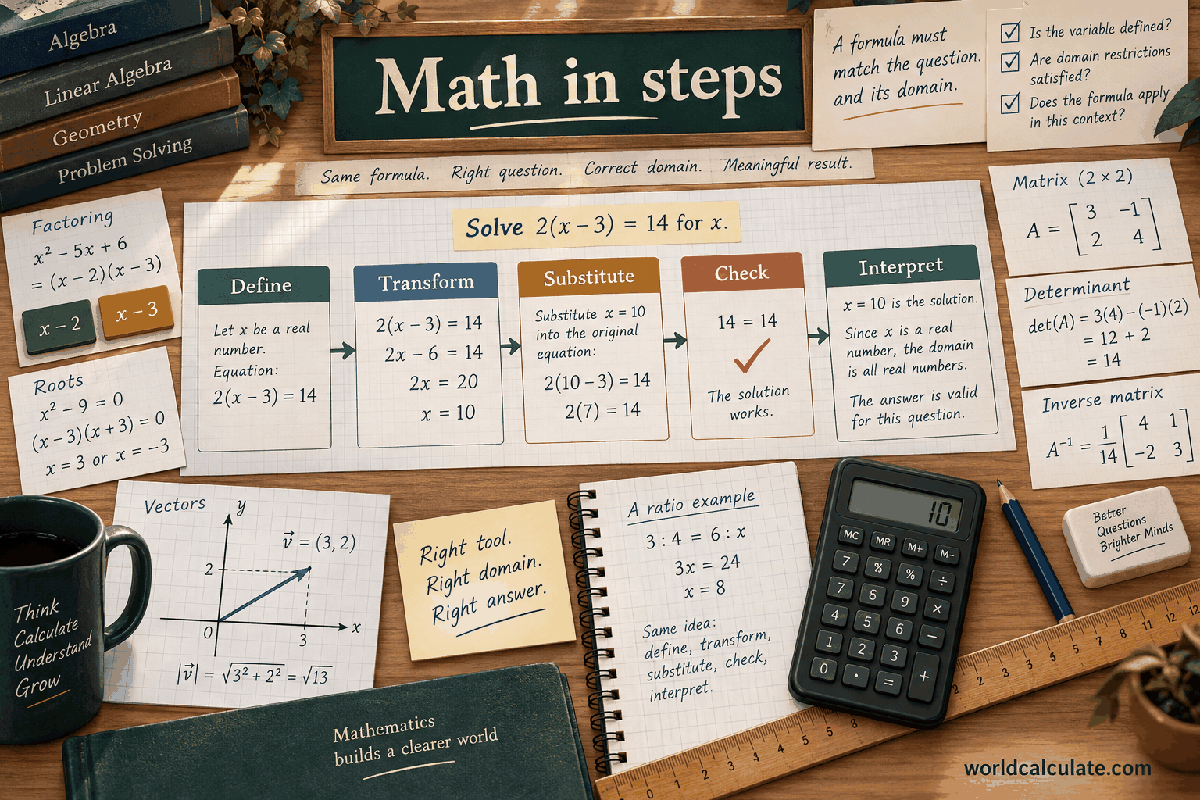
The 3D dot product is a compact way to combine two ordered Cartesian vectors into one scalar. This calculator accepts the x, y, and z components of vector A followed by the x, y, and z components of vector B, all within the displayed finite bounds. It multiplies matching components and adds the products in that order. The answer can be positive, zero, or negative because the sign records a kind of directional alignment. The page is intentionally narrow: it does not guess units, rotate coordinates, or turn a scalar into a physical conclusion. The guide below explains the exact input order, the arithmetic, geometric meaning, useful checks, unusual cases, and the limits that should stay attached to any shared result.
The result is one number named A dot B. It is not a three-component vector and it is not a length. The operation treats the six values as two vectors written in the same coordinate basis. A component in the x position of A is paired only with the x position of B, and the same rule applies to y and z. That fixed pairing is the central contract of the page. Once the three products are formed, their sum is the scalar result shown by the calculator.
The dot product is sometimes called a scalar product because its output is a scalar. A scalar may carry units if the two input vectors carry units, but the page does not assign or convert those units. If both vectors represent lengths, the product has squared-length units; if they are unitless directions, the result is unitless. The form cannot know which interpretation applies. Keep the physical or mathematical meaning of the components in your own notes when the result is used outside a classroom exercise.
A positive result usually indicates that the vectors have a component of alignment under the chosen axes. A negative result indicates an opposing component, and zero indicates orthogonality in the Euclidean dot-product sense. These interpretations are useful only when A and B describe comparable directions in one coordinate system. The number itself does not identify an angle unless the vector magnitudes are also used in a separate formula. This page reports the requested scalar and does not silently add that second operation.
The first three fields are ax, ay, and az. Together they define A as (ax, ay, az). The next three are bx, by, and bz, defining B as (bx, by, bz). The labels deliberately repeat the vector name so that a value is not mistaken for a coordinate of the other vector. Enter a negative component when the vector points in the negative direction of that axis. Zero is a valid component and means that the vector has no contribution along that axis.
Every numeric field accepts a finite number from negative 1,000,000 through positive 1,000,000. The bound is applied by the visible form and again by the pure handler. It is a calculation safety boundary, not a claim that vectors outside it are mathematically invalid. Decimal values are allowed because a vector component need not be an integer. Values such as a blank field, infinity, not-a-number, or a number outside the bound are rejected instead of being converted into a result.
Use one scale and one coordinate convention for all six entries. If A is measured in metres and B is measured in seconds, the arithmetic still produces a number, but its interpretation is not the usual geometric dot product of comparable vectors. Similarly, swapping ay with az changes the question even if the same six digits remain on screen. Before calculating, read the labels from left to right and write the two ordered triples separately.
The formula is A dot B = ax bx + ay by + az bz. The spaces in that expression mean multiplication, not an additional variable. First multiply ax by bx. Then multiply ay by by. Finally multiply az by bz. Add those three products with their signs. Writing the products separately makes a sign error visible and mirrors the calculation steps returned by the engine. No sorting, normalization, absolute value, or square root belongs in this particular operation.
For the default values, the three products are 1 x 4 = 4, 2 x 5 = 10, and 3 x 6 = 18. Their sum is 4 + 10 + 18 = 32. If one component is negative, its product is negative when paired with a positive component and positive when both paired components are negative. The sum can therefore be smaller than every positive product, equal to zero through cancellation, or negative. Cancellation is a mathematical property of the inputs, not an engine warning.
The arithmetic is commutative in the sense that A dot B and B dot A have the same value, although the form keeps an explicit A/B order for readability and for later tools that treat one vector as a reference. The engine checks all inputs before calculating, uses ordinary finite JavaScript numbers for this bounded range, and checks the scalar result before returning it. The visible precision is a presentation choice; the stored numeric result is not rounded by the handler.
Take A = (1, 2, 3) and B = (4, 5, 6). Pair the first entries: 1 x 4 gives 4. Pair the second entries: 2 x 5 gives 10. Pair the third entries: 3 x 6 gives 18. Add them: 4 + 10 + 18 = 32. The result is positive because the products all point in the same positive arithmetic direction for this example. The calculator returns the scalar 32 and includes a text step showing the same substitution.
Now change B to (4, -5, 6) while leaving A unchanged. The products become 4, -10, and 18, so the result is 12. The change is not caused by a special rule for negative coordinates; it follows directly from the second pair. If B is (4, -5, -6), the result is 4 - 10 - 18 = -24. Looking at the three products explains why the sign changes more reliably than looking only at the final number.
A cancellation example is A = (1, 1, 0) and B = (1, -1, 7). The products are 1, -1, and 0, giving zero. The z component of B does not affect the result because A has zero z component. This does not mean B is the zero vector or that the two vectors have no coordinates. It means their signed component contributions cancel under the dot-product operation.
The zero vector is valid for a dot product. If A is (0, 0, 0), every product is zero and the result is zero for any valid B. The same is true when B is the zero vector. This differs from the angle and unit-vector pages, which need a nonzero length to divide by a norm. Do not transfer those restrictions to this scalar operation. A zero component in just one position is also ordinary and simply removes that position's contribution.
At the numeric edges, a component may be exactly -1,000,000 or 1,000,000. Three products at the positive upper edge sum to 3,000,000,000,000, which is finite and safely within the range of ordinary floating-point arithmetic. The engine still checks the final value because finite input alone is not a universal guarantee in other formulas. A value just beyond an edge, or a non-finite value supplied directly to the handler, receives a clear validation error.
Negative zero is another small edge case. JavaScript can represent negative zero after some signed arithmetic, but it is not a useful distinction for this calculator. Inputs and numeric result values are normalized so the renderer does not show a misleading negative zero. This normalization does not change ordinary zero or any nonzero result. It is part of the output hygiene contract shared by the K1 engine.
For Euclidean vectors, A dot B also equals the product of the two magnitudes and the cosine of the angle between them. That relationship explains why a positive value is associated with an acute directional relationship, zero with perpendicular directions, and a negative value with an obtuse relationship, provided neither vector is zero. The dot-product page itself does not calculate the angle because the requested output is the scalar product. Use the angle page when the principal angle is the actual question.
Magnitude matters when comparing dot products from different vector sizes. A value of 20 could come from two long vectors that are weakly aligned or two short vectors that are strongly aligned. The scalar alone cannot distinguish those cases. Normalizing the vectors before taking a dot product produces a cosine-like quantity, but that is a different input transformation and should be stated explicitly. This page preserves the original component scale instead of silently normalizing it.
In coordinate geometry, the dot product can test perpendicularity by checking whether it is zero. In projection work, it supplies the numerator that measures how much one vector points along another. In physics, it can appear in work or flux relations, but those applications add quantities, units, and model assumptions not represented by these six fields. A correct scalar is therefore a building block, not automatic evidence about a physical system.
The most frequent error is pairing the wrong coordinates, such as ax with by or ay with bz. Write the triples in parentheses before multiplying. A second error is dropping a minus sign when adding the products. Keep each product on its own line and carry the sign into the sum. A third error is treating the result as a magnitude and applying an absolute value. A negative dot product is meaningful under the stated operation and should not be erased.
A quick independent check is to compute the three products with a spreadsheet or by hand, then compare their sum with the calculator. If you exchange A and B, the scalar should stay the same. If you replace one vector by its negative, the result should change sign. If one vector is zero, the result should be zero. These checks test the pairing and sign rules without depending on a particular default example.
When a result looks surprising, inspect the units and coordinate basis before blaming rounding. A component measured in degrees, pixels, or a local axis may not be interchangeable with a component measured in a physical length. Also confirm that a copied value did not move between the A and B groups. The calculator can validate numeric shape and range, but it cannot validate the meaning of a label in an external data source.
This is a bounded arithmetic tool, not a coordinate-system detector or symbolic algebra system. It assumes a standard three-dimensional Euclidean component model and does not handle four-vectors, curved spaces, matrices, changing bases, or hidden unit conversions. It also does not infer whether a vector represents velocity, force, a normal, a color, or a software direction. Those meanings belong to the surrounding problem statement and should not be attributed to the scalar merely because the formula is familiar.
The form needs only six numbers. Do not enter names, account identifiers, private coordinates, access tokens, or other information that the formula does not require. Aggregate coordinates can still reveal a location, measurement, or design, so use an appropriate private setting when the values are sensitive. The calculator is designed for local browser arithmetic; a shared result should still be treated according to the sensitivity of the source data.
For safety-critical navigation, robotics, structural analysis, medical imaging, or regulated engineering work, use validated domain software and qualified review rather than treating this page as approval. The bounded result can support a lesson or a preliminary arithmetic check, but it does not test sensor quality, calibration, coordinate alignment, uncertainty, or operational constraints. Keeping that boundary visible is part of interpreting the number responsibly.
Does a zero dot product prove that two real objects are physically perpendicular? No. It proves orthogonality only for the entered vectors under the assumed Cartesian inner product. The vectors might be abstract, mismeasured, or expressed in incompatible bases. If the coordinates are trusted and the model is Euclidean, the geometric interpretation is appropriate. Otherwise, zero is simply the result of the supplied arithmetic.
Why is the output not a length? A length uses a vector with itself and a square root, while this operation combines two vectors without taking a square root. The dot product can be negative, but a Euclidean magnitude cannot. Why does the page accept a zero vector? Because multiplication and addition remain defined even though an angle or normalization would not be. Each calculator keeps its domain rule tied to its own formula.
Can the dot product be used for an angle or projection? Yes, it can be one ingredient. The angle calculation also needs both nonzero norms, and a projection onto B needs B dot B as a nonzero denominator. Use the dedicated pages when those outputs are required so the additional validation and result labels remain visible. This separation prevents a scalar building block from being mistaken for a complete geometric answer.
A useful dot-product record contains more than the final scalar. Preserve the six components in their displayed order, the coordinate convention, the unit convention, and the date or scenario that gave them meaning. The calculator can reproduce the arithmetic from the six numbers, but another person cannot reconstruct a coordinate frame or a measurement unit from the scalar alone. A short note such as A and B are velocities in the same Cartesian frame is more valuable than a second copy of 32 without context.
There are several equivalent ways to check the result. Compute the three signed products separately, add them from left to right, and then repeat the sum in a different order. For ordinary bounded K1 inputs, the answers should agree to the available floating-point precision. Exchange the vectors and verify that the scalar is unchanged. Negate one complete vector and verify that the scalar changes sign. These checks exercise pairing, commutativity, and sign preservation rather than merely repeating the same written formula.
Rounding deserves its own record. The page returns a finite numeric value and the renderer chooses a readable display precision. If a product or sum is used in a later calculation, use the underlying value rather than copying a rounded label from a screenshot. Conversely, do not report extra decimal places as if they represented measurement accuracy. A component entered to two decimal places cannot create trustworthy twelve-decimal physical knowledge merely because a browser can print it.
Scale can change how a dot product should be compared. Multiplying A by ten multiplies the dot product by ten, while multiplying both vectors by ten multiplies it by one hundred. That behavior is correct for a bilinear operation. If the real question is directional similarity independent of length, compare a normalized dot product or use the angle calculator instead. Do not alter this page's formula to make its scale behavior resemble a different operation.
When the result is zero, distinguish exact cancellation from a small rounded display. Exact component arithmetic can cancel positive and negative products. Measured or decimal inputs can instead produce a small residual that is shown as zero at a chosen display precision. If a threshold matters, inspect the numeric value and define the threshold in the surrounding domain. The calculator does not decide whether a small residual is practically zero, statistically meaningful, or safe to ignore.
For a clean review, record the input object, the result entries, and the calculation steps together. A reviewer can then compare the component pairs, independently recompute the products, and check whether the scalar is being passed into an angle, projection, work, or flux formula with the required extra assumptions. This handoff makes the dot product a transparent building block instead of an unexplained number detached from the vector data.
If a later calculation depends on a threshold, preserve the unrounded scalar and document the threshold's units. A result close to zero can be mathematically valid while still requiring careful interpretation in a noisy application.
Calculate the scalar dot product of two three-dimensional Cartesian vectors from their six ordered components.
A dot B = ax bx + ay by + az bz. The dot product multiplies corresponding components of two three-dimensional vectors and adds the three products. It returns one scalar that describes alignment in their shared Cartesian coordinate system.
Enter Vector A x, Vector A y, Vector A z, Vector B x, Vector B y, Vector B z, then choose Calculate.
A and B are Cartesian 3D vectors whose components use the same coordinate basis and compatible units. The result is scalar arithmetic only; no angle, projection, physical force, or unit conversion is inferred.
This calculator is part of the WorldCalculate library. Its formula, example, assumptions, input bounds, and output formatting follow the official methodology.
These WorldCalculate collections connect this tool with related questions while keeping each calculation separate and transparent.