
WorldCalculate guide
How to Calculate Running Pace, Speed, and Finish Time
Move between distance, elapsed time, pace, and event finish scenarios while keeping course, breaks, terrain, and conditions visible.
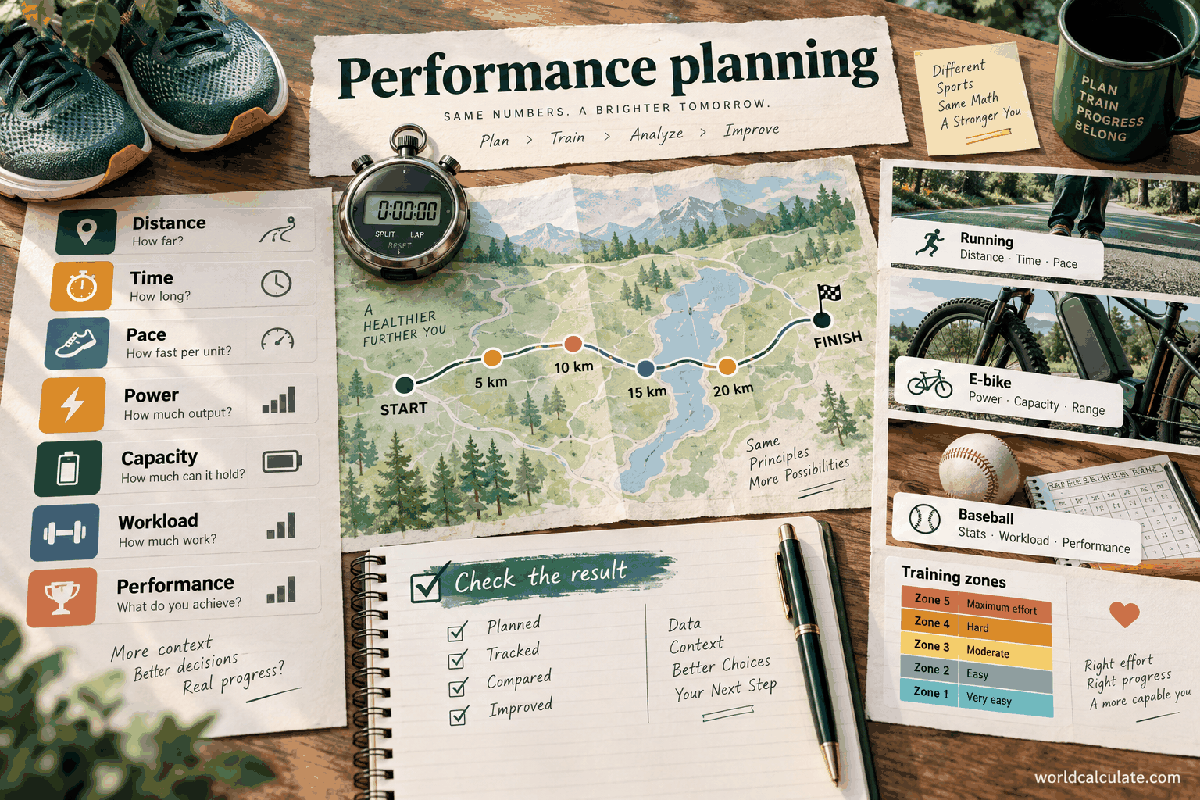
Start with the answer path
Turn this guide into a checked result
Read the explanation, then use the primary calculator with your own numbers. Related tools are included so you can test the next assumption without leaving the topic.
Short answer: Pace is time per unit distance and speed is distance per unit time. A calculator can convert the relationship, but real performance also depends on terrain, weather, stops, elevation, fitness, and event strategy.
Picture an athlete or bodybuilder planning the next session: a target becomes useful when it connects to duration, workload, recovery, nutrition, and a trend rather than one heroic number.
What this guide helps you decide
By the end, you should be able to define the question, prepare the inputs, run the Pace and Speed Calculator, and explain what the result means in the real situation. The goal is a checkable decision record—not a number detached from its units, date, assumptions, and limits.
- Identify the input that most changes the answer.
- Compare a supported base case with a conservative alternative.
- Choose the next calculator, document, measurement, or qualified review when this model is not enough.
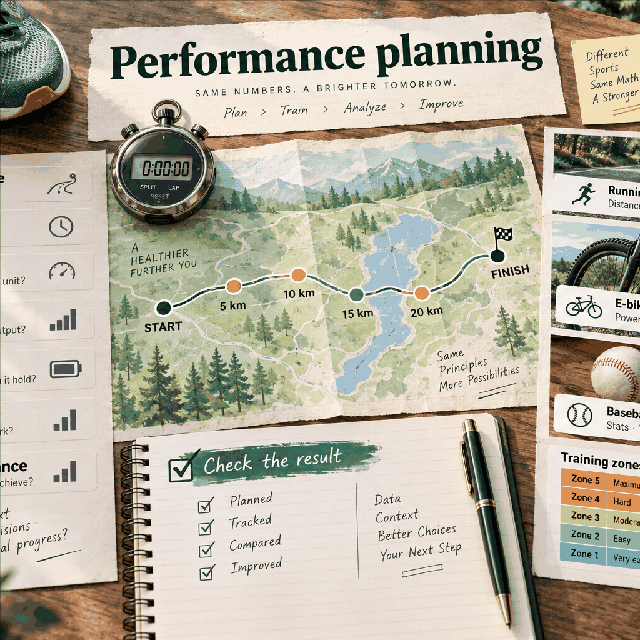
Pace and speed are reciprocal views
Pace describes how long one distance unit takes, such as minutes per kilometer. Speed describes how much distance is covered per unit time, such as kilometers per hour. Both can describe the same moving effort, but they are reported differently.
Use Pace for a general conversion. Use 5K Pace, Half-Marathon Pace, and Marathon Pace when the event distance is the focus. Hiking Time includes terrain or elevation assumptions that a flat running pace does not.
- State distance and time units.
- Check whether pace is per mile or per kilometer.
- Separate moving time from elapsed time.
Next useful step: Put this idea into practice with 5K Pace Calculator.
The basic calculation
Pace equals elapsed time divided by distance. If a runner covers 10 kilometers in 60 minutes, average pace is 6 minutes per kilometer. Speed equals distance divided by elapsed time, so the same scenario is 10 kilometers per hour.
The conversion is arithmetic, but the elapsed time must be defined. A race clock may include aid-station stops while a GPS moving-time field may not. Use the time measure that matches the question.
- Keep minutes and hours consistent.
- Label moving, lap, and finish time.
- Use exact distance when available.
Next useful step: For the next part of the same question, try Half-Marathon Pace Calculator.
Worked finish-time example
At a steady 6-minute-per-kilometer pace, a 5K scenario takes 30 minutes and a half-marathon scenario takes about 126.6 minutes before rounding. The calculator shows how the same pace scales with distance; it does not predict that the runner will hold it for every event.
Run a conservative second case with a slower pace or planned breaks. The spread is often more useful for travel, race planning, or training than a single best-case finish time.
- Keep event distance exact.
- Round finish time for the use case, not intermediate math.
- Add breaks and aid stations explicitly.
Next useful step: For the next part of the same question, try Marathon Pace Calculator.
Event-specific calculators use a stated distance
A 5K, half-marathon, and marathon calculator can make the event target easier to read, but the formula still depends on distance and pace. Course elevation, wind, heat, surface, crowding, and fueling can change actual performance.
Use the event tool to create a baseline, then build a range. Do not turn a calculator projection into a qualification promise or a reason to ignore current fitness and health.
- Record course and date when planning.
- Use a range for uncertain conditions.
- Keep entry or qualification rules separate from arithmetic.
Next useful step: For the next part of the same question, try Hiking Time with Elevation Calculator.
Hiking time needs more than pace
Hiking Time can include distance and elevation assumptions, but terrain, pack weight, surface, weather, navigation, rest, and group ability affect a real trip. A running pace should not be transplanted into a mountain route without changing the model.
For outdoor planning, use the result to set a conservative departure and turnaround plan. Carry appropriate equipment and use current conditions; the calculator cannot see hazards or rescue access.
- Include elevation and rest assumptions.
- Use current trail and weather information.
- Do not use a simple time estimate as a safety guarantee.
Next useful step: For the next part of the same question, try Pace and Speed Calculator.
Common pace mistakes
Typical errors include mixing miles and kilometers, entering a pace as if it were speed, forgetting that 6:30 means six minutes and thirty seconds rather than a decimal 6.30 minutes, and applying a per-mile pace to a kilometer distance.
Reverse-check the output. Multiply pace by distance to recover approximate time, or divide distance by time to recover speed. If the units do not cancel, fix the conversion before interpreting the result.
- Convert minutes and seconds carefully.
- Check the distance unit in both inputs and output.
- Use reverse arithmetic as a sanity check.
Next useful step: For the next part of the same question, try 5K Pace Calculator.
Use pace as a training reference
A pace number can help organize a session or compare scenarios, but training load depends on volume, intensity, recovery, terrain, and individual response. A static calculator cannot prescribe the right pace for every runner.
Stop or seek advice for pain, acute symptoms, or a medical concern. Use coaching or medical support when preparing for a demanding event or returning from injury.
- Keep the scenario within current ability.
- Treat conditions and recovery as real inputs.
- Do not chase a number at the expense of safety.
Next useful step: For the next part of the same question, try Half-Marathon Pace Calculator.
Create a race or trip worksheet
Record distance, pace, speed, moving time, planned stops, elevation, conditions, and confidence range. Link the event-specific calculator that produced the baseline. Recalculate when the course, weather, fitness, or goal changes.
WorldCalculate makes the distance-time relationship transparent. Current maps, official event information, weather, and personal judgment complete the plan.
- Keep best-case and conservative cases.
- Separate arithmetic from live route information.
- Review the plan before the event or trip.
Next useful step: For the next part of the same question, try Marathon Pace Calculator.
Turn the search question into a decision
People usually arrive at this guide with a practical question, not a desire to see an isolated number. For this sports and performance planning problem, write the decision in one sentence: what must be compared, planned, checked, or learned, and by when? Then write what a useful answer would change. If the result will not change a choice, the measurement or model may need to be simplified.
The Pace and Speed Calculator is designed for a defined scenario. It uses Distance, Elapsed time, Distance unit and returns the output stated in its contract. That makes the result reproducible, but it also means the answer is limited to the facts you enter. A calculator cannot fill an unknown value with a reliable guess simply because a search result sounds confident.
- State the person, project, product, or data set represented by the inputs.
- State the time period and unit system before entering values.
- State the decision boundary: what the result may inform and what requires another source.
- Keep a dated copy of the assumptions when the result will be shared.
Prepare the inputs so the answer can be checked
Make a small input worksheet with four columns: field name, value, unit or convention, and evidence or reason. The fields in this calculator are Distance, Elapsed time, Distance unit. If a field has a hint or range, treat that text as part of the contract rather than as optional decoration. A value can be numerically valid and still be unsuitable if it describes the wrong period, person, surface, or denominator.
Use one source of truth for repeated values. For example, do not enter an annual total in one field and a monthly amount in another unless the formula explicitly expects that relationship. Keep full precision during intermediate work, record when a value was rounded, and do not hide a conversion inside an unlabeled number. When a value is estimated, label it as an estimate and create a conservative alternative.
Before pressing Calculate, read the form from top to bottom. Check sign, scale, percentage convention, starting point, endpoint, and whether a field is a total, rate, balance, quantity, or count. These checks make an answer easier to reproduce for a student, household member, client, teammate, or reviewer.
Walk from the formula to the displayed result
The declared formula is pace=elapsed minutes/distance; speed=distance/(elapsed hours).. Read it as a sequence, not as a black box: identify the inputs, apply any conversion or normalization, perform the operation, and interpret the output in the requested unit. If the formula includes a rate or percentage, write its period beside it before substituting values.
The built-in example is a controlled test because it uses known values. Its input record is:
| Field | Example value |
|---|---|
| Distance | 10 |
| DurationMinutes | 60 |
| DistanceUnit | km |
Expected example interpretation: The average is 6.00 minutes per kilometre and 10.00 km/h. Compare the live result with this statement, then change only one input. If the example does not match, check the calculator version, field units, rounding, and copied value before building a personal scenario.
A good walkthrough explains what each operation means in the real problem. It also explains what the result does not mean. Keep the formula and the plain-language interpretation together when you export, cite, or discuss the calculation.
Use a three-case scenario lab
One scenario answers “what happens if these assumptions hold?” A decision usually needs at least three: a base case using the best-supported inputs, a conservative case that reflects an unfavorable but plausible change, and a decision case that represents the action you are considering. Keep all unchanged inputs identical so the difference has a clear cause.
| Case | Purpose | Change one named assumption |
|---|---|---|
| Base | Best current description of the question | Use the dated values you can support |
| Conservative | Test a less favorable outcome | Change rate, cost, quantity, time, capacity, or measurement with a reason |
| Decision | Test the action or target | Change the input that the decision can actually control |
Compare both the output and the changed assumption. A larger answer is not automatically better, and a smaller answer is not automatically safer. Ask whether the change is realistic, whether it creates a second-order cost, and whether another calculator or professional source is needed. Save the scenario name with the result so a later reader does not confuse a stress test with a forecast.
A strategy that fits sports and performance planning
Define the event, athlete, time window, units, and comparison group before entering numbers. A performance rate can be useful for training, but it depends on conditions such as distance, duration, surface, equipment, fatigue, and measurement method.
Performance arithmetic cannot assess injury, hydration, illness, readiness, or safe training load. Use qualified coaching or medical guidance when pain, illness, or a high-risk training decision is involved.
Find a practical saving or efficiency move
Make the plan efficient by changing one training or recovery variable at a time, keeping an easy baseline session, and recording perceived effort or conditions beside the number. Compare trends over several observations instead of reacting to one unusually good or bad result.
To test a saving honestly, record the baseline result, the changed input, the new result, and the cost of implementing the change. Do not count a saving twice by reducing two fields that represent the same action. If the tool does not model a fee, quality change, delay, risk, or opportunity cost, keep that item in the written decision note rather than implying it disappeared.
Small improvements become useful when they are repeatable. Set a review date, decide what evidence will show whether the assumption was right, and rerun the same scenario when the underlying value changes. A saved calculation is a decision record, not a promise that the world will keep the same inputs.
Diagnose an unexpected result
When the answer looks surprising, do not immediately change the formula. Recheck the problem in this order: field label, unit, time period, sign, percentage convention, denominator, starting value, endpoint, rounding, and model boundary. Then rerun the built-in example. If the example is correct but the personal result is not useful, the issue is probably the scenario definition rather than the arithmetic.
Use the declared assumptions as a diagnostic list:
- Distance and output pace use the selected kilometre or mile unit.
- Elapsed time includes any stops unless the user enters moving time instead.
- The result is a planning average, not a promise of performance or a training prescription.
Report a possible correction with the calculator name, every input and unit, the displayed result, the expected result, and the exact step where the interpretation differs. That evidence is more actionable than saying that a number “looks wrong.”
Adapt the result to the person using it
The tool is useful for anyone who needs a transparent scenario and can supply the required inputs. The right level of detail depends on whether the reader is learning the method, planning a household or project, comparing options, or reviewing someone else’s work.
For shared work, send the question, inputs, units, scenario name, result, formula, assumptions, and date together. For learning, explain the substitution before the final answer. For a material decision, add the authoritative document or professional review that sits outside the calculator.
Save a result that remains useful later
A durable record has a descriptive scenario title, the question it answers, the values entered, units and conventions, the formula or method, the displayed result, the date, and the next action. Include the version or page path when a calculation may be rerun later. If a value came from a quote, label, measurement, gradebook, training log, or experiment, keep that evidence with the record.
Review the record when an input changes, when the decision becomes more important, or when the result will be reused for another person. Do not silently edit an old result. Duplicate the scenario, change one assumption, and explain why the new answer differs. This creates an audit trail and makes the page useful beyond the first visit.
WorldCalculate keeps formulas, examples, assumptions, and boundaries visible so readers can learn the method. The final responsibility still belongs to the person, institution, professional, or authority that owns the decision.
Final checklist before you act
- Does the calculator answer the exact question, not a similar one?
- Are the person, project, period, units, and denominator consistent?
- Did the built-in example or an independent hand check reproduce the method?
- Did you run a conservative case and identify the assumption that changed?
- Did you record limits, excluded costs, uncertainty, and the next action?
- Does a regulated, medical, legal, financial, safety, or official decision require a qualified reviewer?
If these checks pass, open the Pace and Speed Calculator and run the scenario with your own values. Use a related tool only when it answers a clearly different part of the same problem.
Use the calculator as a checked method
Calculate average pace and speed from a distance, elapsed time, and the distance unit you use.
This guide connects the real problem in “How to Calculate Running Pace, Speed, and Finish Time” to the exact contract of the Pace and Speed Calculator. Start with the question, then choose inputs that represent the same person, project, period, and unit system. A precise number cannot repair an input that describes a different situation.
Inputs and units to check
- Distance
- Elapsed time (minutes)
- Distance unit
Before calculating, read every label and hint. Keep annual, monthly, daily, per-serving, per-unit, and percentage values in the period expected by the field. If a field represents a rate, record the rate convention; if it represents a total, do not enter a balance or a per-unit value by accident.
Formula and method
Published formula: pace=elapsed minutes/distance; speed=distance/(elapsed hours).
This is a unit-aware average. It describes the entered distance and elapsed time, so stops, hills, wind, and changes in effort remain part of the scenario rather than hidden assumptions.
The useful review question is not only “what number appeared?” It is “what does this number represent, which inputs produced it, and which important facts are outside the model?” Keep the formula, units, rounding, and assumptions beside any result you save or share.
Worked example from the calculator contract
Run the built-in example first so the article and the live calculator can be compared. The supplied example inputs are:
- Distance
- 10
- DurationMinutes
- 60
- DistanceUnit
- km
Expected contract result: The average is 6.00 minutes per kilometre and 10.00 km/h.
After the example matches, change one input at a time. That isolates what moves the answer and gives you a simple sanity check. If the output changes in a way the formula does not explain, stop and inspect the units, sign, endpoint, rate, denominator, or chosen calculator.
Compare scenarios without hiding the trade-off
Build a base case, a conservative case, and a decision case. Keep the unchanged inputs identical and name the one change: a different rate, target, quantity, time horizon, distance, cost, workload, or measurement. Record both the result and the assumption that changed. This makes the tool useful for learning and planning rather than turning one output into a promise.
Use the result to choose a next question. A home estimate may need a budget and debt view; a recipe quantity may need a pan or cooking check; a health estimate may need personal context; a statistical result may need a design or sampling check; a construction quantity may need product coverage and site measurement. The related tools below are deliberately connected by topic.
Common mistakes and model limits
The calculator’s declared assumptions are part of the answer:
- Distance and output pace use the selected kilometre or mile unit.
- Elapsed time includes any stops unless the user enters moving time instead.
- The result is a planning average, not a promise of performance or a training prescription.
Do not add facts the calculator does not collect. WorldCalculate does not silently know a lender’s approval policy, a country’s tax rule, a person’s diagnosis, a product’s live price, a school’s grading policy, a weather station, or a construction site. Replace planning assumptions with authoritative documents or qualified advice when the decision is regulated, safety-critical, medical, legal, or financially material.
Frequently asked questions
What is the Pace and Speed Calculator?
Calculate average pace and speed from a distance, elapsed time, and the distance unit you use.
What is the formula for the Pace and Speed Calculator?
pace=elapsed minutes/distance; speed=distance/(elapsed hours). This is a unit-aware average. It describes the entered distance and elapsed time, so stops, hills, wind, and changes in effort remain part of the scenario rather than hidden assumptions.
What do I need to use this calculator?
Enter Distance, Elapsed time, Distance unit, then choose Calculate.
What are the limits of this calculator?
Distance and output pace use the selected kilometre or mile unit. Elapsed time includes any stops unless the user enters moving time instead. The result is a planning average, not a promise of performance or a training prescription.
A useful next action
Open the Pace and Speed Calculator, enter the worked example, then replace one value with your own. Save the result with its date, units, assumptions, and the question it answers. If the result is used for a high-stakes decision, take the saved calculation to the person or organization responsible for the final decision.
Use the calculators in this guide
These tools turn the guide’s concepts into transparent, checkable calculations. Open the one that matches your question.
Methodology and scope
WorldCalculate guides explain one problem at a time and link to the calculator contracts they use. Check each tool’s formula, inputs, worked example, and assumptions before applying a result to a real decision.
Learn before you calculate
Keep learning with another guide
Choose a different but related question, then follow its calculator path.
How to Use Heart-Rate Zones Without Treating an Estimate as a Prescription
Connect maximum-heart-rate estimates, zone percentages, pace, and sleep context while keeping individual variation and medical advice visible.
Read the guide →Caffeine Half-Life and Sleep Timing: Build a Personal Scenario Carefully
Model caffeine remaining over time and connect it to sleep timing without presenting a population-average half-life as a personal medical prediction.
Read the guide →BAC Estimates and Alcohol Units: Understand the Limits of the Math
Use alcohol amount and time calculations as educational estimates only, with safety, impairment, law, and individual variation kept explicit.
Read the guide →