
Goal
Estimate circular cross-sectional area per stem and in total from a supplied diameter and a safe stem count.
Worldwide context
Saved once here, used across the site.
Currency changes display only. Country selection guides tax input; no tax rate is guessed.
Estimate circular cross-sectional area per stem and in total from a supplied diameter and a safe stem count.
Per-stem basal area = pi x (diameterCm / 2)^2; total basal area = per-stem area x stems. Divide cm^2 values by 10,000 for m^2.A clearer path to an answer
This page keeps the calculation transparent: define the goal, enter the matching values, inspect the method, and decide what the result means in your situation.
Estimate circular cross-sectional area per stem and in total from a supplied diameter and a safe stem count.
Stem diameter · Number of stems
Per-stem basal area = pi x (diameterCm / 2)^2; total basal area = per-stem area x stems. Divide cm^2 values by 10,000 for m^2.
Calculate, review the assumptions below, then compare a related tool when the decision needs more context.
Estimate circular cross-sectional area per stem and in total from a supplied diameter and a safe stem count.
Open the Basal Area From Diameter pageMore science tools
Download PDFDownload Word (.doc)
Enter your values above and choose Calculate to see the result here.
Calculation map
Per-stem basal area = pi x (diameterCm / 2)^2; total basal area = per-stem area x stems. Divide cm^2 values by 10,000 for m^2.
Bounded, transparent calculation
Your recent runs stay in this browser session only.
Formula: Per-stem basal area = pi x (diameterCm / 2)^2; total basal area = per-stem area x stems. Divide cm^2 values by 10,000 for m^2.
This circular stem cross-section estimate uses the supplied diameter and a safe whole-number stem count. It reports per-stem and total area in cm^2 and m^2, with bounded inputs and finite-result guards. It is not wood volume, biomass, yield, carbon, or a stocking recommendation.
Worked example: Each circular cross-section is about 78.539816 cm^2, and three stems total about 235.619449 cm^2.
The displayed limits are checked before the handler runs. Model-specific domain checks may also reject impossible or non-finite inputs.
Methodology: This calculator follows the WorldCalculate input, formula, precision, and boundary policy. Read the official methodology.
Calculator usage statistics
This section counts anonymous successful Calculate submissions, not unique visitors. Counts and top tools appear only when trusted aggregate data is available; country analysis is shown only under the same condition and reporting threshold.
Answer-first guide
Estimate circular cross-sectional area per stem and in total from a supplied diameter and a safe stem count. Start with one clearly defined goal, enter values in the units shown, and keep the result attached to the assumptions below.
This tool is useful when your question includes basal area, stem cross section, tree diameter area. It returns the outputs declared in the calculator contract rather than a live quote, approval, diagnosis, or professional sign-off.
Stem diameter · Number of stems. Keep the same time period, unit system, and currency wherever the form requires comparable values.
Run the worked example first, compare its output with the page's example, then change one input at a time. This makes an unexpected result easier to trace to a unit, boundary, or assumption.
Need a wider view? Browse Science Calculators or compare the related tools below. The WorldCalculate methodology explains how formulas, examples, limits, and revisions are reviewed.
Per-stem basal area = pi x (diameterCm / 2)^2; total basal area = per-stem area x stems. Divide cm^2 values by 10,000 for m^2.
This circular stem cross-section estimate uses the supplied diameter and a safe whole-number stem count. It reports per-stem and total area in cm^2 and m^2, with bounded inputs and finite-result guards. It is not wood volume, biomass, yield, carbon, or a stocking recommendation.
Each circular cross-section is about 78.539816 cm^2, and three stems total about 235.619449 cm^2.
Context and background
Science calculators define a system, choose an equation, apply units and constants, and show the substitution. Effects outside that model remain outside the result.
Introductory science problem solving builds from measured quantities and idealized relationships. Those models are valuable for learning and first-pass estimates, while experiments and engineering decisions need additional evidence.
Research and review
Researched by Hassan ALRowaie, Founder and editorial researcher at WorldCalculate.
This guide follows the live calculator's declared inputs, formula, worked example, assumptions, validation boundaries, and source-backed methodology. The review date describes editorial review of the calculator explanation; it is not a promise that external facts or rates remain current.
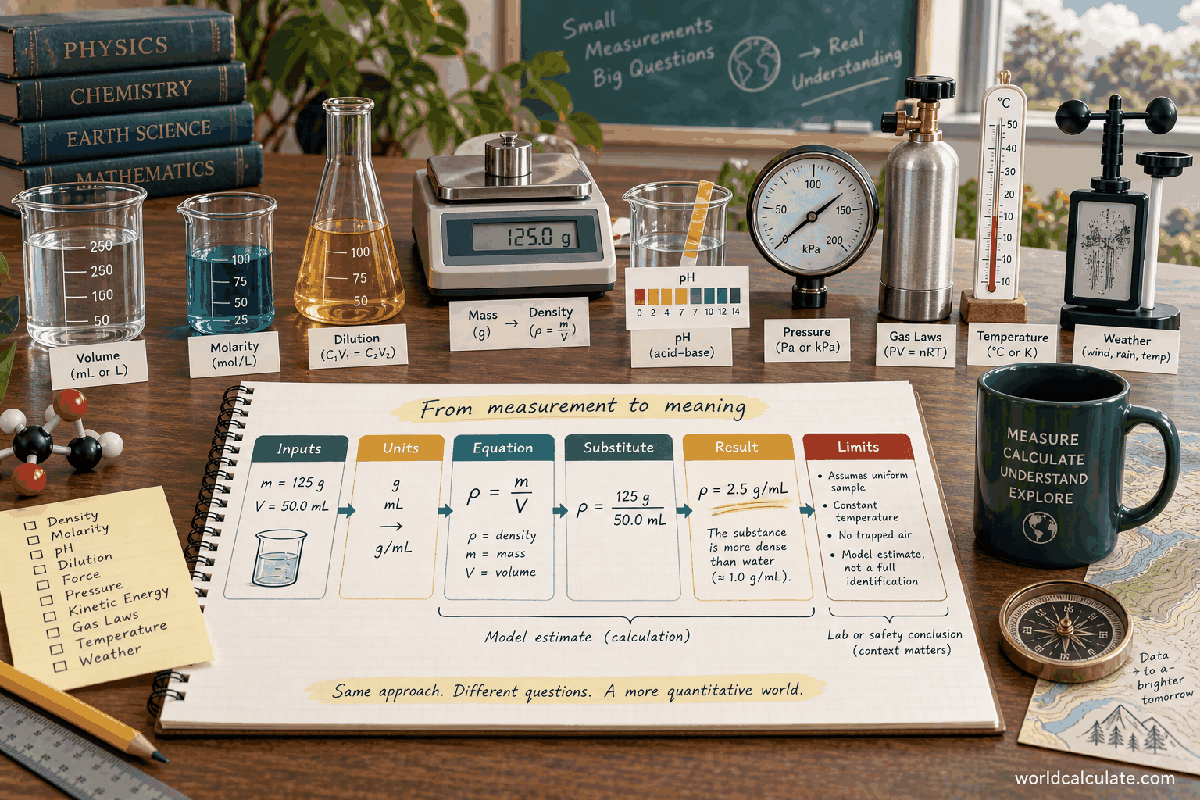
Basal area in this calculator means the area of a circular stem cross-section at the diameter supplied by the user. The page first estimates one circle, then multiplies that area by a safe whole-number stem count. It also expresses the result in square meters so the scale is easier to compare. IMPORTANT LIMIT: this is a geometric cross-sectional estimate, not wood volume, biomass, yield, carbon, or a stocking recommendation. The sections below keep the measurement, equation, units, validation, and interpretation separate.
A cross-sectional area is the flat area visible if a stem were cut perpendicular to its length at the location represented by the measurement. The calculator treats that shape as a circle and uses the supplied diameter to describe its size. The word basal refers to a measurement concept, but this page does not assume that the diameter was taken at a particular field height or under a particular forestry protocol. The measurement location remains part of the user's field record.
The per-stem result answers a narrow geometric question: how many square centimeters are inside one idealized circular outline with the entered diameter. The total result answers a second arithmetic question: what would those same circular areas add to for the entered number of stems. If every stem has a different diameter, one common diameter is only a summary assumption. A more detailed inventory would calculate each stem separately and add those individual areas outside this two-field tool.
The estimate is useful because area and diameter are connected by a simple, inspectable equation. It is not a claim about how much wood exists above or below the cross-section. A circle can describe the outline at one point while the stem tapers, bends, has buttresses, contains defects, or has an irregular boundary elsewhere. The calculator deliberately stops at the supplied section instead of turning a local shape measurement into a whole-tree or stand model.
The diameterCm field accepts a finite number from 0.001 through 1,000 centimeters. The lower bound keeps the contract positive while avoiding an effectively zero dimension that would be hard to interpret in an ordinary field record. The upper bound is a computational and scope boundary, not a statement about the largest possible stem. Values outside the range need a separately reviewed scale and measurement protocol rather than silent clipping.
The stems field accepts a finite safe whole number from 0 through 1,000,000,000. A safe whole number is represented exactly by the JavaScript number type, so a count is not silently rounded before multiplication. Zero is allowed as a mathematical boundary and produces a zero total while still reporting the per-stem geometry. A fractional count, a negative count, an unsafe integer, or a nonfinite value is rejected.
These bounds work together to keep browser arithmetic finite and reviewable. The maximum diameter produces a finite circle area, and multiplying it by the maximum count remains within the finite number range. The handler checks the values again even though the visible form declares minimums and maximums. That second check matters for direct calls, altered markup, imported values, and future interfaces that do not use the current form.
The circle equation uses radius, while the field is intentionally named diameterCm because diameter is a common measurement recorded for stems. Radius is half of diameter, so the first step is radius = diameterCm / 2. This conversion is not optional: inserting the diameter directly into the radius position would make the area four times too large because the radius is squared. Showing the halving step makes that common error visible.
For a diameter of 10 centimeters, the radius is 5 centimeters. The circle then has an area of pi times 5 squared, or approximately 78.539816 square centimeters. The constant pi describes the ratio between a circle's circumference and diameter and is supplied by the standard mathematical library. The displayed decimal is a numeric approximation of that constant, while the formula remains the conceptual definition used by the calculation.
A diameter measurement carries a length unit, but the result carries a squared length unit. That change is important when checking a report. A radius of 5 cm is not an area, and 78.539816 cm^2 is not a length. Keeping the exponent on the unit helps prevent a result from being copied into a later volume or distance calculation as if it had the same dimensions.
The per-stem calculation is A_stem = pi x (diameterCm / 2)^2. The handler evaluates the radius, squares it, and multiplies by pi. It then checks that the result is finite before returning it. The calculation does not insert a species factor, bark adjustment, form factor, taper correction, or density value. Such additions would require new inputs and a new contract, while this page is meant to show the direct geometry of one supplied circular outline.
The formula has a useful dimensional check. Diameter divided by two still has units of centimeters. Squaring that quantity gives square centimeters. Multiplication by pi, which has no units, leaves square centimeters. If a hand calculation produces centimeters, cubic centimeters, or a percentage, the unit path has changed and the answer is not the per-stem basal area defined here.
The per-stem value can be retained even when stems is zero because it describes the circle associated with the supplied diameter independently of the aggregation count. In a real inventory, a zero count would usually mean there are no represented stems in the selected group, so the total is the more relevant output. The separate values make the distinction between a geometric template and an aggregate explicit.
Once the per-stem area is available, total basal area is total = A_stem x stems. This assumes that the same diameter represents every stem included in the count. With a 10 cm diameter and 3 stems, the total is approximately 78.539816 x 3 = 235.619449 cm^2. The multiplication is straightforward, but writing the repeated-area assumption beside it prevents the total from being mistaken for a detailed inventory sum.
A total based on one shared diameter is a scenario or summary estimate. If the group includes 3 cm, 10 cm, and 25 cm stems, using their average diameter does not generally reproduce the average of their areas because area grows with the square of diameter. The reliable individual approach is to calculate each stem's area from its own diameter and then add the resulting areas. That process is outside the current two-field interface.
The total can be useful for checking scale or explaining how a count changes an aggregate. It should be labeled with the measurement location and the rule used to select stems. A total for a plot, a stand, a shipment, and a classroom sample may use the same arithmetic but describe different populations. The calculator does not decide which stems belong in the count or whether the group is representative.
The calculator returns both metric area scales. One meter is 100 centimeters, so one square meter is 100 x 100 = 10,000 square centimeters. Therefore a value in cm^2 is divided by 10,000 to express the same area in m^2. The conversion changes only the unit label and numerical scale; it does not change the represented circle or the counted stems.
For the 10 cm and 3 stem example, 235.619449 cm^2 becomes approximately 0.023561945 m^2. The per-stem value of 78.539816 cm^2 becomes approximately 0.007853982 m^2. The two results should maintain the same ratio because both are converted with the same factor. If that ratio changes during a manual report, a conversion or transcription error is likely.
Metric prefixes and squared units deserve care. Converting centimeters to meters before squaring is also valid, but the factor is then applied to the length twice through the square. Dividing the completed area by 10,000 is simpler for this page and makes the exact area-scale relationship visible. The handler performs both conversions after checking the centimeter results for finiteness.
Enter diameterCm = 10 and stems = 3. First compute radius = 10 / 2 = 5 cm. Next compute per-stem area = pi x 5^2, which is approximately 78.53981633974483 cm^2. Then compute total = 78.53981633974483 x 3, which is approximately 235.6194490192345 cm^2. Dividing each of those area values by 10,000 produces approximately 0.007853981633974483 m^2 per stem and 0.02356194490192345 m^2 total.
A useful reverse check is to divide the total centimeter area by the stem count when the count is positive. The result should match the per-stem centimeter area apart from ordinary floating-point display rounding. Another check is to multiply the reported square-meter total by 10,000 and compare it with the square-centimeter total. These checks test the aggregation and unit conversion without introducing another model.
The example does not say that three stems truly have identical diameters or that the section is measured at a standardized height. It simply demonstrates what follows from the supplied values under the circular, common-diameter assumption. Keeping that distinction in the written report is as important as retaining the decimal result.
Because the radius is squared, doubling the diameter multiplies the circular area by four. A stem with diameter 20 cm has four times the idealized area of a stem with diameter 10 cm, not twice the area. This scaling follows from geometry and is independent of species, wood density, growth rate, or stand management. It also explains why replacing several individual diameters with a casually rounded average can distort a total.
A small relative measurement difference can matter more for a larger diameter because the square amplifies proportional changes. If the diameter changes from d to d times 1.1, the area changes by 1.1 squared, or 1.21 times. That is a mathematical sensitivity statement, not an uncertainty estimate. The page does not calculate measurement error or confidence bounds, so the user should preserve the actual field precision separately.
The stem count has a different scaling behavior. Holding diameter fixed, doubling stems doubles total area. Thus diameter affects each circle quadratically, while the count affects the sum linearly under the common-diameter assumption. Separating these effects helps readers understand whether a changed total came from a different shape measurement or simply from a different number of represented stems.
A diameter is meaningful only together with where and how it was measured. Near a stem base, swelling, buttresses, bark, fluting, or an uneven outline can make a circle a rough approximation. Higher on a straight stem, the same individual may have a different diameter. This calculator does not choose a height, remove bark, fit an ellipse, or correct an irregular boundary. Those choices belong in the observation protocol.
The circle model also assumes that one diameter describes both principal directions of the cross-section. An elliptical section would need two axes, and a polygonal or damaged section would need another area method. Using one diameter for such a shape can still be a useful rough estimate if the assumption is declared, but it should not be presented as a measured outline area without qualification.
Repeated measurements can be compared when the instrument, location, orientation, and inclusion rule remain consistent. A change in result may reflect a real difference, a different point on the stem, a different bark treatment, or a changed rounding convention. The handler sees only the final diameter number, so the surrounding record must carry the information needed to interpret a comparison.
The engine rejects values that are not ordinary finite numbers. NaN, positive infinity, negative infinity, and values outside the declared diameter range cannot produce a trustworthy result in this contract. The same principle applies to stems, with the additional requirement that the count be a safe integer. Returning a neat-looking area after a count has already lost digits would hide an input error rather than solve it.
The maximum supported diameter and count are bounded before the multiplication occurs. The per-stem calculation is finite, the total multiplication is finite, and each result is checked again before it reaches the output object. The m^2 conversions are guarded through the same metric helper. These checks are defensive even when the current bounds make overflow unlikely; they protect the page if a formula or bound changes later.
Out-of-range values are rejected rather than reduced to a nearby endpoint. Clipping a diameter could change the area substantially because diameter is squared, and clipping a stem count could change an aggregate while leaving no visible indication. A validation message is more honest than a modified measurement. If a larger survey needs another scale, it should receive a separately defined input and precision policy.
A cross-sectional area is not a volume. Volume would require a length and a shape description along that length, including taper or another geometric model. This page has no height, length, or form input, so it cannot estimate cubic centimeters, board feet, merchantable material, or total wood volume. Treating square centimeters as if they were cubic units would violate the dimensions of the formula.
Area is not biomass or carbon. Biomass would need mass or density information and a defined component boundary. Carbon accounting would additionally need a carbon fraction, pool definition, time basis, and often a sampling or inventory design. None of those fields are present. The calculator therefore reports geometry only and does not attach an ecological, commercial, or climate quantity to the number.
Area is not yield or a stocking recommendation. Yield depends on a production definition and a time or harvest context. Stocking recommendations depend on site, species, size distribution, objectives, and management rules. Even a correct total area cannot decide whether a stand is crowded, productive, healthy, compliant, or ready for action. Those interpretations are intentionally outside the tool.
A total can be used as one column in a larger measurement table. Include the group identifier, count, common diameter assumption, measurement location, units, and date beside the returned values. Without those descriptors, two equal totals may appear comparable even though one came from many small stems and the other from fewer large stems. The calculator cannot preserve that field context because it accepts only the two numeric inputs.
When a group has a diameter distribution, the best next step is not to change the formula silently. Instead, retain one row per stem or per clearly defined diameter class, calculate area for each row, and aggregate with an explicitly stated rule. This page can support each row if its individual count and diameter fit the bounds. It is not a replacement for a table, sampling design, or inventory database.
A result can also be used for classroom dimensional analysis. Students can inspect how a length measurement becomes a squared area, check the factor between cm^2 and m^2, and compare linear count scaling with quadratic diameter scaling. That educational use does not require the reader to turn the number into a claim about the condition of real vegetation.
Begin by naming the cross-section represented by the diameter and stating the unit. Confirm that the diameter is positive and inside the supported range, and confirm that the stem count is an exact whole-number count. Then calculate the radius, per-stem area, total area, and the two metric area scales. Record the unrounded numeric values when another analysis will reuse them, and round only for the presentation intended for readers.
Check the result in at least two ways. First, verify that the radius is half the diameter and that the area carries a squared unit. Second, if the stem count is positive, divide the total by the count and compare it with the per-stem result. Third, multiply the square-meter output by 10,000 and compare it with the square-centimeter output. These checks are simple enough for a field worksheet and catch most transcription mistakes.
Finally, state the boundary in the report: the number is a circular cross-sectional estimate at the supplied diameter. If the next question asks for volume, biomass, yield, carbon, or a stocking recommendation, stop the interpretation at this result and gather the additional measurements and domain rules. A clear limit preserves the usefulness of the geometry instead of letting it become an unsupported conclusion.
The calculator does not decide which stems belong to a sample or how a sample should represent a larger population. Inclusion rules, plot boundaries, sampling intensity, and repeated visits are study-design choices. A count can be arithmetically valid while still being incomplete for the question a researcher wants to answer. Keep the selection method and missing observations in a separate record.
It also does not compare species, age classes, sites, or management treatments. Such comparisons may require standardized measurement height, bark conventions, uncertainty estimates, and a statistical design. A difference in calculated area is only the consequence of the entered diameters and counts. The page cannot determine whether the difference is meaningful, causal, or actionable.
The dependable use is therefore intentionally modest. Supply a bounded diameter and a bounded safe count, read the circle area on two metric scales, and describe the assumption that one circle represents each counted stem. That contract is transparent enough for a worksheet, an introductory lesson, or a preliminary summary while leaving richer biological and operational claims to tools designed for them.
Estimate circular cross-sectional area per stem and in total from a supplied diameter and a safe stem count.
Per-stem basal area = pi x (diameterCm / 2)^2; total basal area = per-stem area x stems. Divide cm^2 values by 10,000 for m^2. This circular stem cross-section estimate uses the supplied diameter and a safe whole-number stem count. It reports per-stem and total area in cm^2 and m^2, with bounded inputs and finite-result guards. It is not wood volume, biomass, yield, carbon, or a stocking recommendation.
Enter Stem diameter, Number of stems, then choose Calculate.
Each supplied stem is represented by a circle with the same supplied diameter at the measurement location. Diameter is measured in centimeters and areas are reported in square centimeters or square meters; no taper, irregularity, or unit conversion beyond cm^2 to m^2 is modeled. The result is a geometric cross-sectional estimate only and does not infer a forest condition, product quantity, carbon store, or management decision.
This calculator is part of the WorldCalculate library. Its formula, example, assumptions, input bounds, and output formatting follow the official methodology.
These WorldCalculate collections connect this tool with related questions while keeping each calculation separate and transparent.