
Goal
Build the Cartesian equation of a plane from a nonzero normal vector and one point on the plane.
Worldwide context
Saved once here, used across the site.
Currency changes display only. Country selection guides tax input; no tax rate is guessed.
Build the Cartesian equation of a plane from a nonzero normal vector and one point on the plane.
a x + b y + c z + d = 0, where d = -(a x0 + b y0 + c z0) and (a,b,c) is nonzero.A clearer path to an answer
This page keeps the calculation transparent: define the goal, enter the matching values, inspect the method, and decide what the result means in your situation.
Build the Cartesian equation of a plane from a nonzero normal vector and one point on the plane.
Normal a · Normal b · Normal c · Point x0 · Point y0 · Point z0
a x + b y + c z + d = 0, where d = -(a x0 + b y0 + c z0) and (a,b,c) is nonzero.
Calculate, review the assumptions below, then compare a related tool when the decision needs more context.
Build the Cartesian equation of a plane from a nonzero normal vector and one point on the plane.
Open the Equation of a Plane from a Normal and Point pageMore math tools
Download PDFDownload Word (.doc)
Enter your values above and choose Calculate to see the result here.
Calculation map
a x + b y + c z + d = 0, where d = -(a x0 + b y0 + c z0) and (a,b,c) is nonzero.
Bounded, transparent calculation
Your recent runs stay in this browser session only.
Formula: a x + b y + c z + d = 0, where d = -(a x0 + b y0 + c z0) and (a,b,c) is nonzero.
A plane is determined by a nonzero normal vector and one point on the plane. The point-normal form expands to ax + by + cz + d = 0 by solving d from the entered point.
Worked example: d = -6 and the plane equation is x + 2y + 3z - 6 = 0.
The displayed limits are checked before the handler runs. Model-specific domain checks may also reject impossible or non-finite inputs.
Methodology: This calculator follows the WorldCalculate input, formula, precision, and boundary policy. Read the official methodology.
Calculator usage statistics
This section counts anonymous successful Calculate submissions, not unique visitors. Counts and top tools appear only when trusted aggregate data is available; country analysis is shown only under the same condition and reporting threshold.
Answer-first guide
Build the Cartesian equation of a plane from a nonzero normal vector and one point on the plane. Start with one clearly defined goal, enter values in the units shown, and keep the result attached to the assumptions below.
This tool is useful when your question includes equation of a plane, plane from normal, plane equation. It returns the outputs declared in the calculator contract rather than a live quote, approval, diagnosis, or professional sign-off.
Normal a · Normal b · Normal c · Point x0 · Point y0 · Point z0. Keep the same time period, unit system, and currency wherever the form requires comparable values.
Run the worked example first, compare its output with the page's example, then change one input at a time. This makes an unexpected result easier to trace to a unit, boundary, or assumption.
Need a wider view? Browse Math Calculators or compare the related tools below. The WorldCalculate methodology explains how formulas, examples, limits, and revisions are reviewed.
a x + b y + c z + d = 0, where d = -(a x0 + b y0 + c z0) and (a,b,c) is nonzero.
A plane is determined by a nonzero normal vector and one point on the plane. The point-normal form expands to ax + by + cz + d = 0 by solving d from the entered point.
d = -6 and the plane equation is x + 2y + 3z - 6 = 0.
Context and background
Math calculators move from named quantities to a relation, then to a result that can be checked with substitution, units, or an alternate form.
Arithmetic, algebra, geometry, trigonometry, and number theory provide reusable structures for classroom work and everyday reasoning. Each page narrows that structure to one declared problem.
Research and review
Researched by Hassan ALRowaie, Founder and editorial researcher at WorldCalculate.
This guide follows the live calculator's declared inputs, formula, worked example, assumptions, validation boundaries, and source-backed methodology. The review date describes editorial review of the calculator explanation; it is not a promise that external facts or rates remain current.
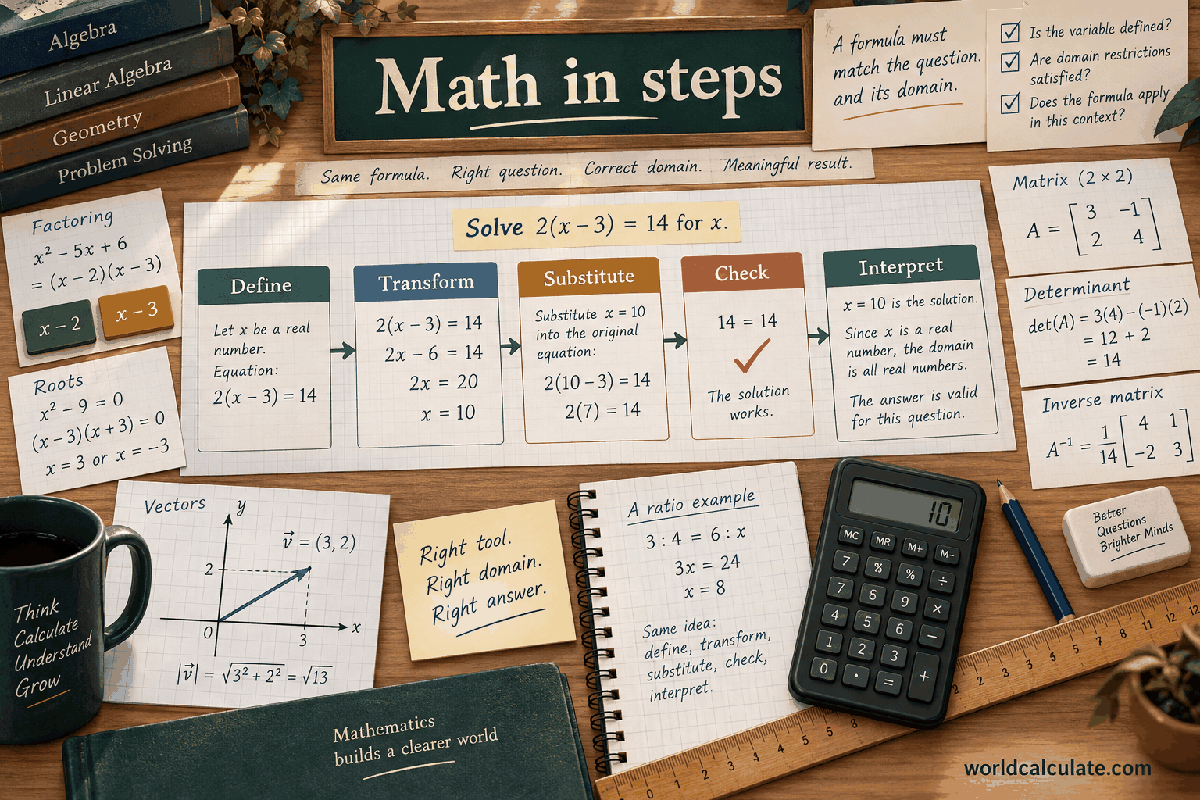
A plane equation gives a compact Cartesian description of a flat two-dimensional set in three-dimensional space. This calculator accepts the three components a, b, and c of a nonzero normal vector together with one point (x0, y0, z0) that lies on the plane. It solves for the constant d in ax + by + cz + d = 0 and returns both d and a readable equation. The page keeps the coordinate model deliberately narrow: it does not discover a normal from several points, convert units, rotate a basis, or test a separate point for membership. The guide explains the field order, point-normal derivation, examples, validation boundaries, verification checks, and limits of interpreting an algebraic plane in a larger system.
The result has two parts. The numeric result is the constant d, and the text result is the standard-form expression ax + by + cz + d = 0 after zero terms and unit coefficients have been formatted for reading. The numeric constant is useful when another formula needs the plane coefficients. The text expression is useful for a worksheet, diagram label, or review record. Both outputs describe the same plane under the entered Cartesian convention.
The three normal entries define a direction perpendicular to the plane. The point entries provide one location that the plane must contain. Together they determine the constant term. A point alone does not determine a unique plane, and a normal alone determines a family of parallel planes. The form asks for both pieces so the result is traceable to visible input rather than inferred from an unstated origin.
The equation is an implicit description. It does not solve for z, x, or y unless a later algebra step chooses a nonzero coefficient and rearranges the expression. It also does not return a list of points or a rendered surface. Any point satisfying the equation belongs to the plane in the assumed coordinate model, while a point that does not satisfy it lies on one side or the other according to the normal orientation.
The page treats the normal as an ordered triple (a, b, c), not as three unrelated weights. Coordinate order matters. Swapping b and c changes the orientation of the plane unless the surrounding data have also changed. Keep the normal and point in the same basis and retain their units or scale conventions in the problem notes because the form has no unit selector.
The first three fields are the normal coefficients a, b, and c. Read them as the normal vector n = (a, b, c). The next three fields are x0, y0, and z0, read as the point P0 = (x0, y0, z0). The repeated coordinate suffixes are intentional. They show which point coordinate is multiplied by which normal coefficient when the constant term is calculated.
Every field accepts a finite number from negative 1,000,000 through positive 1,000,000. Negative coefficients and negative point coordinates are valid. A zero normal coefficient means the plane equation does not depend directly on that coordinate, but all three normal coefficients cannot be zero together. Blank values, non-finite values, and entries outside the displayed bounds are rejected by the pure handler as well as by the visible form.
The point must be entered as a point on the desired plane, not as a direction vector from the origin. If a source gives a position relative to another origin, translate it before entry or state the origin clearly. A point described in one frame and a normal described in another can produce a consistent-looking equation that represents the wrong surface. The calculator can validate numeric shape, not frame alignment.
A normal can be scaled without changing the geometric plane when the constant is scaled by the same factor. That fact is useful for comparing two equations, but the form does not automatically reduce fractions or choose a canonical coefficient scale. It reports the coefficients implied by the exact six entries, with the constant derived from the supplied point.
The starting relationship is n dot (X - P0) = 0, where n is the normal, X is a variable point (x, y, z), and P0 is the entered point. Expanding the dot product gives a(x - x0) + b(y - y0) + c(z - z0) = 0. Collecting the variable terms leaves ax + by + cz - ax0 - by0 - cz0 = 0. The constant term is therefore d = -(a x0 + b y0 + c z0).
The engine calculates each signed product in the expression for d, adds them, negates the sum, and checks the finite result. It then uses the same a, b, c, and d to format the equation. If a coefficient is zero, its variable term is omitted from the readable text. If a coefficient is one or negative one, the formatter shows the variable with its sign instead of an unnecessary numeric one.
For the default values, a = 1, b = 2, c = 3 and P0 = (1, 1, 1). The dot product of the normal and point is 1 x 1 + 2 x 1 + 3 x 1 = 6. Negating it gives d = -6, so the equation is x + 2y + 3z - 6 = 0. Substituting the supplied point gives 1 + 2 + 3 - 6 = 0, which confirms that the point is on the constructed plane.
The variable letters in the text are labels for coordinates, not additional input values. The calculator does not ask for a test point and does not evaluate the equation at arbitrary x, y, and z. If a later workflow needs point membership or signed distance, pass the resulting coefficients and a separately specified point to a tool with that explicit contract.
Take n = (2, -1, 4) and P0 = (3, 2, -1). The normal-point product is 2 x 3 + (-1) x 2 + 4 x (-1) = 6 - 2 - 4 = 0, so d = 0. The equation is 2x - y + 4z = 0. Substituting the point gives 6 - 2 - 4 = 0. The zero constant is not an error; it means this selected plane passes through the coordinate origin as well as the supplied point.
Take n = (-1, 0, 2) and P0 = (4, 5, 3). The product is (-1) x 4 + 0 x 5 + 2 x 3 = 2, so d = -2. The readable equation is -x + 2z - 2 = 0. The y coordinate of the chosen point still matters for identifying the point, but the zero b coefficient means changing y while holding x and z fixed does not change the equation's value.
Take n = (0, 0, 5) and P0 = (7, -3, 2). The product is 10 and d = -10, producing 5z - 10 = 0. Dividing all coefficients by five gives z - 2 = 0, the same geometric plane. The calculator intentionally returns the scale selected by the entered normal instead of silently dividing by a common factor. That preserves a direct audit trail from inputs to output.
These examples show why signed products must remain visible. Replacing the normal-point product with absolute values would change d and usually move the plane. A negative normal is allowed and represents the opposite orientation of the same normal line when the full equation is scaled consistently. The sign convention is algebraic information, not a validation warning.
The all-zero normal is rejected because it gives 0x + 0y + 0z + d = 0. If d is zero, every point satisfies that expression, so it is not one plane. If d is nonzero, no point satisfies it, so it is an empty set. Neither outcome is a valid plane determined by a point and normal. The handler checks the normal length before deriving d.
A normal with one or two zero components is valid as long as at least one coefficient is nonzero. A horizontal plane can use a normal along z, and a vertical plane can use a normal with c equal to zero. Fractional coefficients are also valid. The important requirement is that the three entries form a finite nonzero direction in the chosen Cartesian model.
The component bounds are inclusive and apply separately to the normal and point. The derived constant can be larger in magnitude than an individual input because it is a sum of products, but it is checked for finiteness before returning. This layered validation keeps the result safe for a renderer and prevents a direct handler call from bypassing the visible input contract.
Very small nonzero normal coefficients are mathematically valid inside the numeric bounds, but they may be sensitive when the plane is used for distance, intersection, or classification. The calculator does not choose a universal near-zero threshold because a useful threshold depends on coordinate scale and measurement precision. Use a domain-specific conditioning rule if the plane comes from noisy data.
Two standard-form equations can look different while describing the same plane. Multiplying every coefficient, including d, by the same nonzero scalar leaves the solution set unchanged. For example, x + 2y + 3z - 6 = 0 and 2x + 4y + 6z - 12 = 0 are equivalent. A comparison should therefore check proportional coefficients rather than demanding identical text. The calculator does not canonicalize this equivalence.
The entered point is the first membership check. Evaluate ax0 + by0 + cz0 + d and confirm zero within the precision appropriate to the values. A second point known to lie on the plane can be checked the same way, but that operation is outside this page's form. If a point fails by a tiny amount, distinguish floating-point rounding from a meaningful coordinate or coefficient error before declaring the plane wrong.
The normal is perpendicular to every direction that lies within the plane. If two points P and Q are known on the plane, their difference Q - P should have dot product zero with (a, b, c). This is an independent geometric check and also explains why a nonzero normal is the right input object. The current calculator constructs the plane from one point rather than deriving the normal from two or three points.
A plane equation can be rearranged for a chosen coordinate only when the corresponding coefficient is nonzero. Solving for z when c is zero would divide by zero and misrepresent a vertical plane. The text result stays in standard implicit form so no such rearrangement is made without an explicit downstream choice.
The normal controls the plane's orientation, while the point controls its offset from the origin. Moving the point along the plane does not change d because the normal is perpendicular to that movement. Moving the point in the normal direction changes the constant and shifts the plane. This separation is useful when reasoning about parallel surfaces, slices, and signed distances.
The equation alone does not say which side of the plane a point occupies in a practical sense. The sign of ax + by + cz + d depends on the orientation chosen for the normal. Reversing all four coefficients reverses that sign but leaves the plane unchanged. If a later distance calculation reports a signed result, preserve the normal orientation explicitly so positive and negative sides are not confused.
The plane can be used as an input to a point-to-plane distance formula, a line-plane intersection, a ray clipping test, or a projection calculation. Those operations need additional points, directions, tolerances, or physical units. The K1 calculator only creates the coefficients and a readable expression. It does not infer whether a later use concerns a surface, boundary, collision, or measurement.
In analytic geometry, a plane is infinite and has no edge in the model. A displayed drawing or application may restrict it to a finite patch, but that restriction requires separate bounds. Do not treat the standard equation as a finite panel or physical object merely because a renderer can draw a rectangle representing part of it.
A frequent error is using d = a x0 + b y0 + c z0 without the negative sign. Substitute the point immediately after deriving d; the result must be zero. Another error is entering a direction vector from the origin as if it were the point. A direction can be used to identify a point only after the problem defines how it maps to the plane. The form cannot distinguish those meanings from six numeric values.
A second class of errors comes from mixing coefficient and coordinate order. Write the normal and point as two triples before entry. Then calculate the three products on separate lines. Check the formatted equation for omitted zero terms and correct signs. If the normal has a coefficient of negative one, confirm that the text uses a leading or internal minus sign rather than silently changing the orientation.
A minimal regression set includes a plane through the origin with d zero, a coordinate plane such as z - 2 = 0, a plane with a negative coefficient, and an all-zero normal rejection. Add a large but valid finite case to exercise the derived constant check. These cases test both algebraic formatting and the domain boundary without requiring a symbolic algebra system.
For a shared result, record the six raw inputs, d, the text equation, the point-substitution check, and any common scale used for comparison. Do not report only the formatted equation if the coefficient scale affects a later signed distance or numerical conditioning decision. The underlying values are the reproducible source of the text label.
This is a finite Cartesian plane-construction tool. It does not fit a plane to noisy samples, calculate a best-fit normal, use a weighted metric, transform between coordinate frames, or account for curved surfaces. It assumes the supplied normal and point already express the intended model. A numerically valid equation can still be the wrong model when the source data use a different basis or when a physical surface is not planar.
Only six numbers are required, but they can encode locations, building layouts, robot workspaces, medical geometry, or proprietary designs. Avoid entering names, account identifiers, credentials, or raw records in labels and shared notes. Treat the point and plane coefficients according to the sensitivity of their source. A local arithmetic page does not make spatial data non-sensitive.
Do not use a plane equation alone to authorize a machine movement, approve a structural boundary, define a medical treatment surface, or make another high-consequence decision. Validate units, coordinate frames, tolerances, calibration, and downstream geometry with suitable software and qualified review. The page provides a transparent algebraic construction, not a safety certification.
If the normal is nearly degenerate, the point is uncertain, or the plane is derived from measurements, document the conditioning and uncertainty outside the form. A reviewer should know whether the equation is an exact classroom object, a nominal design surface, or an approximation to noisy observations. That distinction is part of responsible interpretation.
Why does the normal need to be nonzero? A zero normal has no direction perpendicular to the plane. With all coefficients zero, the equation is either true everywhere or nowhere depending on d, so it cannot represent one plane through the supplied point. At least one of a, b, and c must be nonzero for the point-normal construction to be meaningful.
Can the same plane have more than one equation? Yes. Multiplying every coefficient by the same nonzero value produces an equivalent equation. The calculator does not divide by common factors because preserving the entered coefficient scale makes the arithmetic auditable and avoids choosing a convention for decimal or irrational inputs.
Does the output prove that the entered point is on the plane? The point is used to choose d, so it satisfies the constructed equation in exact arithmetic. A substitution check can still show a tiny floating-point residual. If the residual is large, inspect the input order, sign, and calculation rather than treating the text formatter as evidence of membership.
Can this page find a plane from three points? No. Three non-collinear points can determine a plane, but that requires computing two edge vectors and their normal, then passing a point and normal into this contract. A separate calculator should expose that derivation and its collinearity rule instead of hiding it here.
Build the Cartesian equation of a plane from a nonzero normal vector and one point on the plane.
a x + b y + c z + d = 0, where d = -(a x0 + b y0 + c z0) and (a,b,c) is nonzero. A plane is determined by a nonzero normal vector and one point on the plane. The point-normal form expands to ax + by + cz + d = 0 by solving d from the entered point.
Enter Normal a, Normal b, Normal c, Point x0, Point y0, Point z0, then choose Calculate.
The normal coefficients and point coordinates use one Cartesian 3D coordinate system. The normal vector (a,b,c) is nonzero; the returned equation is an algebraic plane description without unit conversion or symbolic simplification beyond its displayed form.
This calculator is part of the WorldCalculate library. Its formula, example, assumptions, input bounds, and output formatting follow the official methodology.
These WorldCalculate collections connect this tool with related questions while keeping each calculation separate and transparent.